


Your company needs an enterprise CMS that can do everything: handle huge numbers of visitors, keep data perfectly safe, and connect easily with all your important business tools.
Proprietary systems have been offering these features, but they often cost too much and are not as flexible as WordPress for Enterprise.
That’s why so many top companies worldwide are choosing WordPress for enterprise websites in 2026. It’s not just for small blogs anymore; it’s a scalable WordPress system built for large global brands and digital projects.
In this guide, I will help you explore how WordPress delivers great scalability, security, and the expert agency support you need for your next big project. This means you’ll spend less money and launch your new site faster!
WordPress For Enterprise (TOC)
- What Enterprise Websites Need from a CMS
- Why WordPress for Enterprise Is A Good Choice
- How to Organize Content for Enterprise Websites
- How to Launch an Enterprise WordPress Website (Step by Step)
- Examples of Enterprise Websites Using WordPress
- Why WordPress Beats Other Enterprise CMS
- Enterprise Website Challenges and How Agencies Help
- FAQs on WordPress For Enterprise
- WordPress for Enterprise: Conclusion
What Enterprise Websites Need from a CMS
Before you commit to a platform, you must look for one that is purpose-built for enterprise-level challenges. Here are some top reasons why WordPress is great for enterprise websites in 2026:


- Handle High Traffic Volumes: You need a scalable WordPress solution that handles millions of visitors and traffic spikes without downtime.
- Keep Your Site Safe and Compliant: You must ensure strong security, compliance with global privacy laws (GDPR, CCPA), and the necessary safeguards for sensitive user data.
- Works Seamlessly with Your Tools: The CMS must easily connect via API to your CRMs (Salesforce, HubSpot), marketing automation (Marketo), ERPs, and other business systems.
- Multilingual Support: You need the ability to manage global or multi-brand enterprise websites from a single, centralized platform.
- Easy to Manage and Update: Implement secure, efficient workflows with dedicated staging environments and reliable backups to maintain quality.
Why WordPress for Enterprise Is A Good Choice
WordPress for enterprise has evolved past its reputation to become a world-class Enterprise CMS. It offers a sustainable advantage for organizations looking for enterprise-level software.
| Enterprise Need | Direct Benefit For You |
| Flexible and Customizable | WordPress’s API-driven architecture allows you to add features or change designs faster and more affordably |
| Fast and Scalable | Paired with premium hosting, WordPress handles massive traffic spikes easily |
| Secure and Compliant | Focused security tools and best practices ensure your sensitive data is protected and that your site meets complex industry compliance standards |
| Build Exactly What You Need | From custom themes to purpose-built plugins and tailored workflows, you get total control |
| Huge Community and Support | The largest global ecosystem of developers and agencies is ready to support your complex enterprise WordPress projects |
How to Organize Content for Enterprise Websites
To organize content for enterprise websites, you need to follow a structured approach. Enterprise websites manage large libraries and often demand smart management and monitoring.
- Custom Post Types (CPTs): Your Enterprise CMS must support dedicated, structured formats for digital products, case studies, events, and resources to ensure data integrity across teams.
- Logical Organization with Taxonomies: Use categories and tags effectively to organize content logically for user navigation and SEO. This can make large libraries instantly navigable and readable.
- User Roles and Permissions: Define the controls for who can create, edit, publish, or approve content. This is important for compliance and preventing accidental publishing errors across large teams.
- Streamlined Workflow Planning: Establish automated processes for content creation and approval to prevent conflicts for high-volume enterprise WordPress projects.
How to Launch an Enterprise WordPress Website (Step by Step)

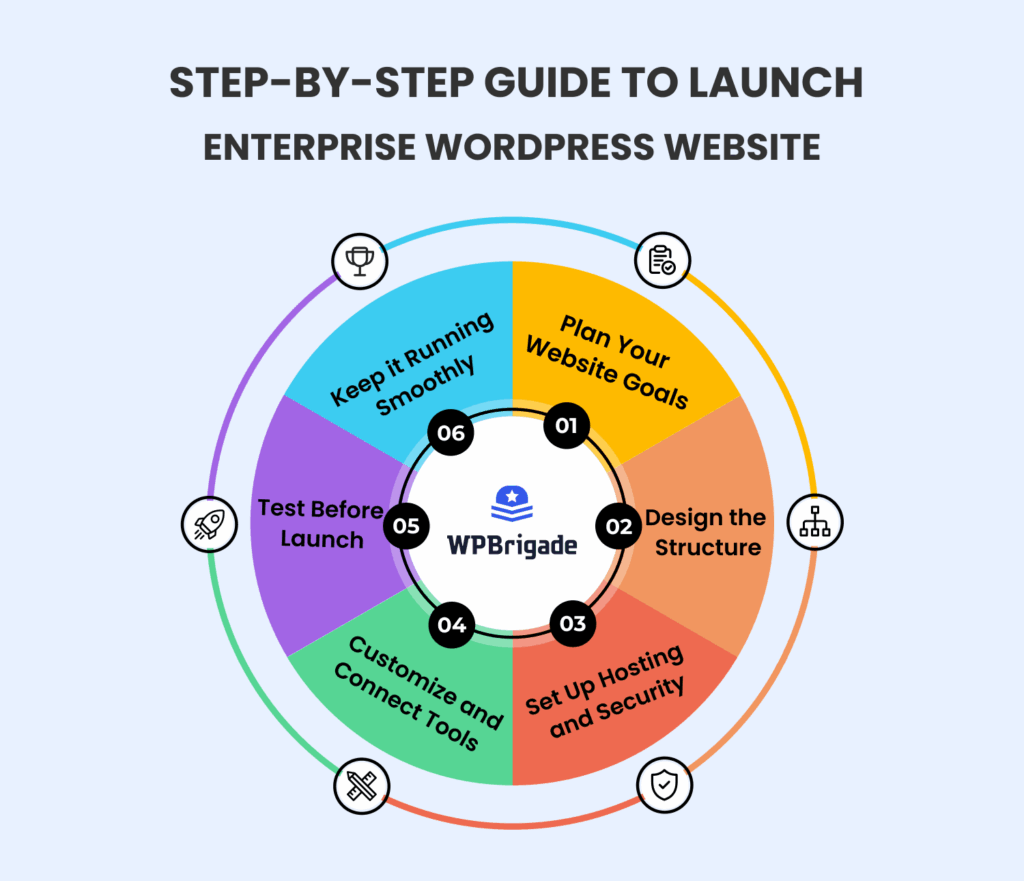
Follow this proven, strategic process for launching an enterprise WordPress website:
Step 1: Plan Your Website Goals
Start by clearly defining why you are building this site and what success looks like for your business. You have to figure out exactly who your visitors are and what specific tasks they need to perform. This ensures that every decision you make drives real, measurable value for the company.
Need expert guidance? WPBrigade can help you define clear website goals and a strategy tailored to your enterprise’s needs.
Step 2: Design the Structure
Before any development begins, plan how all your content will be organized and think of it as drawing a detailed map of the entire site. Define who on your team needs access to which parts of the site (user roles) so that content management is both secure and efficient from the start.
WPBrigade’s team can help design enterprise WordPress structures that scale and remain manageable across teams.
Step 3: Set Up Hosting and Security
Choose a high-end hosting partner that can handle massive traffic spikes and grow with your business, ensuring fast load times. By putting in place strong, enterprise-level security measures to protect sensitive data from the moment the platform goes live.
Step 4: Customize and Connect Tools
Build a unique look and feel for your site with custom themes that perfectly match your brand. Then use only approved and tested plugins and APIs to connect WordPress to your business tools, such as your CRM, marketing platforms, and analytics systems.
Step 5: Test Before Launch
Use a separate staging (test) environment to run quality assurance checks, making sure everything works flawlessly. Test your site with high user loads to ensure it won’t crash under peak traffic, and confirm that all backups are working perfectly.
Step 6: Keep It Running Smoothly
Create a clear plan for ongoing maintenance, which means regular software updates and constant monitoring of security features. Keep checking and adjusting performance settings so your site remains fast, healthy, and highly available for years to come.
Examples of Enterprise Websites Using WordPress
One of the greatest strengths of WordPress for enterprise is how flexible it is. It’s used by large organizations across many industries, demonstrating its robustness for complex needs.
1. Meta
Meta, the parent company behind Facebook, WhatsApp, and Instagram, uses WordPress to power its corporate newsroom website.

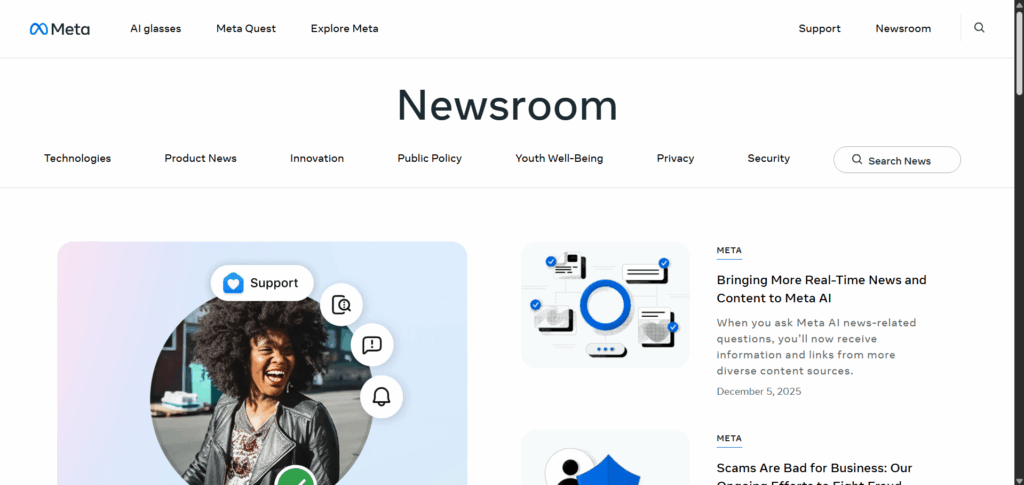
This website serves as their primary news hub for publishing official articles, press releases, technology updates, and social impact initiatives related to all their platforms (Facebook, Instagram, WhatsApp, Messenger, and Meta Quest).
2. NASA
NASA, the U.S. space agency, uses an enterprise-level WordPress implementation to run its flagship website, NASA.gov.


This website is NASA’s primary global communication hub, delivering archives of scientific data, educational resources, and mission status updates. The site provides content to a massive and international audience, including students, researchers, and the general public.
3. TechCrunch
TechCrunch, a leading online publisher of technology news and startups, relies on WordPress to manage its high traffic and vast content.

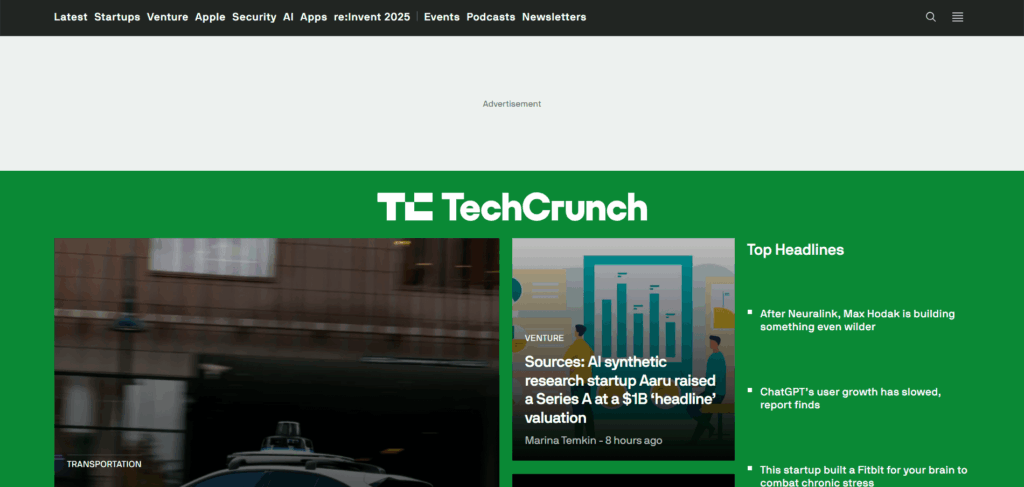
TechCrunch is a high-volume media site focused on real-time news delivery, producing dozens of articles daily, hosting podcasts, and managing event coverage (like Disrupt). The site’s core function is to deliver content quickly to millions of tech enthusiasts and industry professionals.
Why WordPress Beats Other Enterprise CMS
When a large company decides to build or replace its website, it considers many Content Management Systems (CMSs). They might consider proprietary platforms, which are closed systems owned by a single vendor. However, WordPress has proven itself as a competent, enterprise-ready alternative that often provides better long-term value.
Here are some of the advantages that WordPress for enterprise provides:
1. Cover Cost Advantages
The most significant financial difference comes from its foundation, WordPress being open-source. This means there are no licensing fees just to use the software. Proprietary systems often charge massive yearly fees just for the right to use their platform. WordPress eliminates this cost.
- Lower Total Cost: A large pool of developers and agencies is familiar with enterprise WordPress architecture. This results in lower costs for the initial build, ongoing maintenance, and hosting than other platforms that require expensive experts.
2. Covers Flexibility and Customization
WordPress’s open structure allows companies to create the exact website they need. It isn’t a rigid, one-size-fits-all box.
- Adaptable to Any Need: Enterprises can change the platform’s workflows, design, and functionality by adding plugins and custom themes.
- Easy Integration: WordPress easily communicates with other business tools, such as your Customer Relationship Management (CRM) or analytics systems, through simple integrations. This means you aren’t forced to change your existing tech stack to fit your CMS.
3. Cover Faster Implementation
In business, speed matters. Getting a new website or launching a marketing campaign quickly can be the difference between success and falling behind.
- Quick Deployment: Because the core system is already stable and widely understood, it allows development teams to build and deploy complex enterprise websites much faster than starting from scratch or setting up more complicated CMS platforms.
- Ease of Content Management: WordPress’s content management interface is easy to understand and straightforward. Marketing teams can create, update, and publish content easily and without waiting on a developer for every small change, making content workflows much faster.
4. Covers Ease of Maintenance
While any large website needs maintenance, WordPress makes the ongoing care straightforward.
- Direct Updates: The process for applying security patches and system updates is generally clear and easy to manage, especially when using enterprise-grade hosting services.
- Large Support Network: Since WordPress powers a large part of the internet, there is a community of developers and specialized agencies who are ready to provide support. This large ecosystem means help, new features, and security improvements are constantly available.
Enterprise Website Challenges and How Agencies Help
Enterprise WordPress sites can face three main challenges:
- Plugin Conflicts: Too many plugins can slow things down or break the site.
- Scale and Performance: Keeping a very large site fast and running smoothly under massive traffic needs smart engineering.
- Complex Workflows: Managing content across large teams, multiple regions, or multiple sites can be complicated.
Professional agencies such as WPBrigade help organizations solve these problems. We focus on optimizing your site for peak performance, ensuring top-level security, and customizing complex publishing processes for you. So Book Your Appointment Today!
FAQs on WordPress For Enterprise
WordPress for Enterprise: Conclusion
The evidence shows that enterprise WordPress, when implemented with professional hosting and customization, thoroughly addresses the core demands of large organizations. Its successful deployment by global entities such as Meta, NASA, and TechCrunch validates its technical capabilities for handling high traffic and complex content.
WordPress represents a sensible choice for enterprise content management. It offers a powerful blend of community-driven innovation and customizability, making it a long-term platform for organizations.
That is all for this article. For more related posts, check:
- Managed WordPress Hosting vs Shared Hosting
- Top 8 WordPress Development Agencies to Consider in 2026
Are you prepared to transform your digital platform into a solution that combines cost-efficiency with enterprise-level performance?