
WordPress is the best choice if you want full control, scalability, advanced SEO and ecommerce. Squarespace suits design-led sites, and Wix suits beginners who want a fast drag-and-drop build.
Choosing the right website builder can be challenging, with popular options like WordPress, Squarespace, and Wix each offering unique features.
This WordPress vs Squarespace vs Wix comparison covers each platform’s strengths and weaknesses to help you decide which site builder is best for your needs.
I’m Muhammad Adnan, CEO of WPBrigade. All three can build a good website. The real difference is how much control you want and how much you’re willing to manage yourself, and that’s the lens I use below.
| WordPress | Squarespace | Wix |
|---|---|---|
| Free (Hosting Excluded) | Starting from $19 | Starting from $17 |
| Storage Space: 2 GB Free | Storage Space: Unlimited | Storage Space: 2 GB |
| Number of Templates: 10,000+ | Number of Templates: 160+ | Number of Templates: 900+ |
Best Website Builder Comparison (TOC):
Overview of WordPress
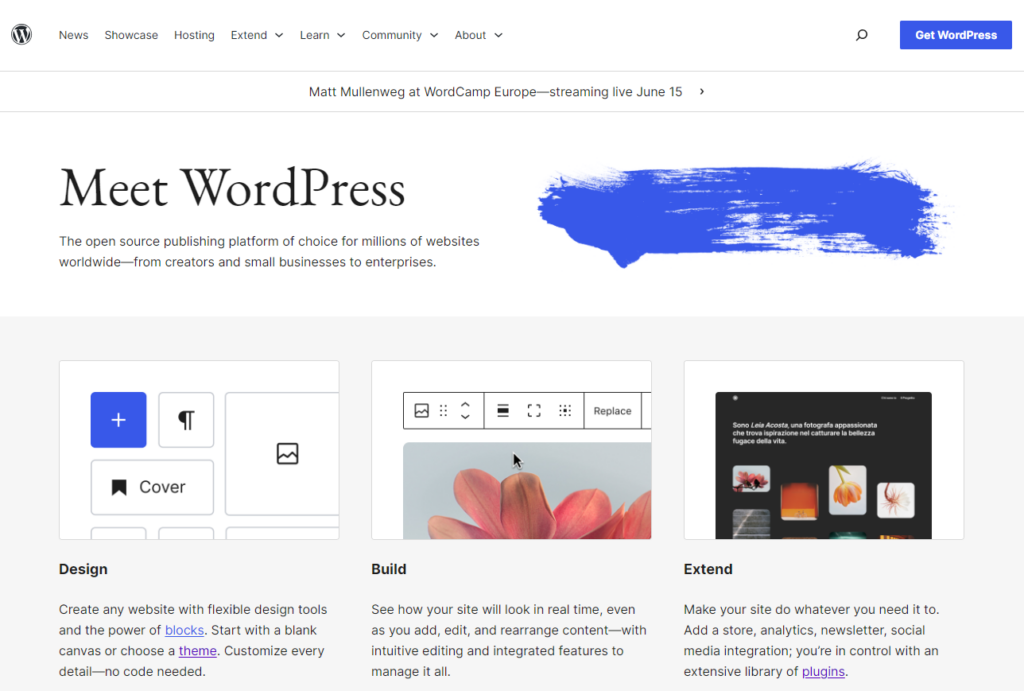
WordPress is one of the best open-source content management systems (CMS). 43.3% of all websites on the internet use WordPress. That’s almost half of all websites!
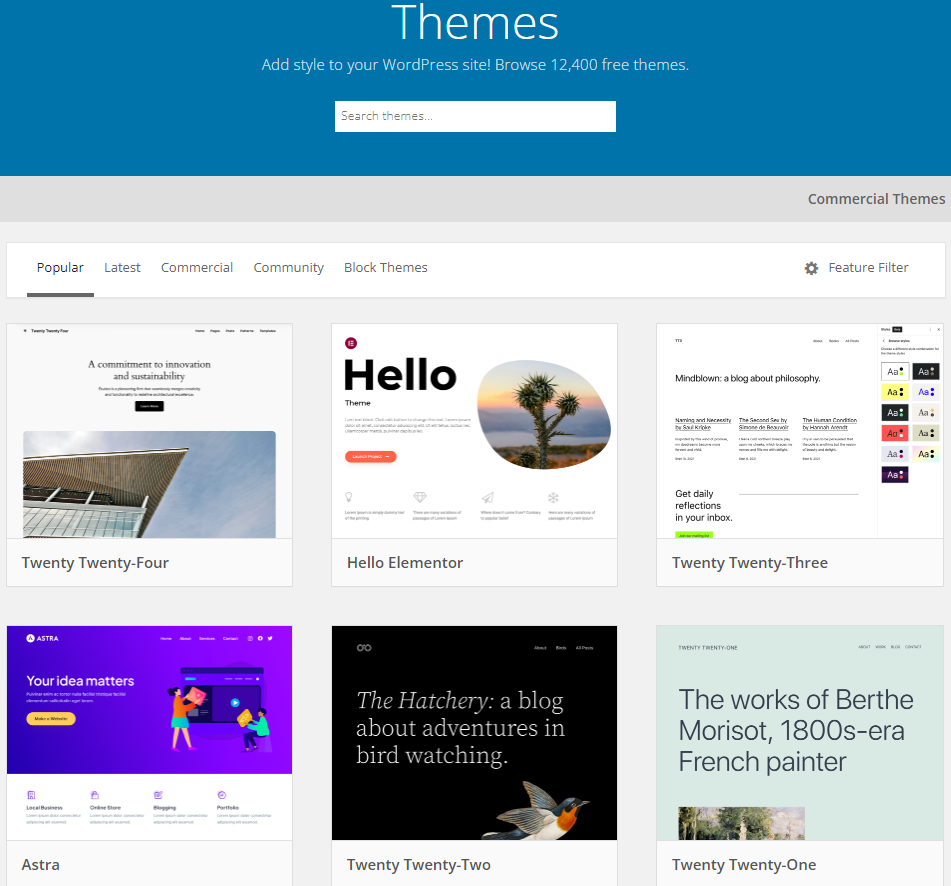
It offers 12,000+ free WordPress themes. These themes provide the basic structure for your site’s overall appearance. The best part is that you can edit them and make your site look exactly how you want.
These themes let you create any type of site, such as:
- Ecommerce Store
- News
- Magazine
- Business
- Job Boards
Once you select a theme that suits your business needs, you can edit it to match your requirements.
See the image below:
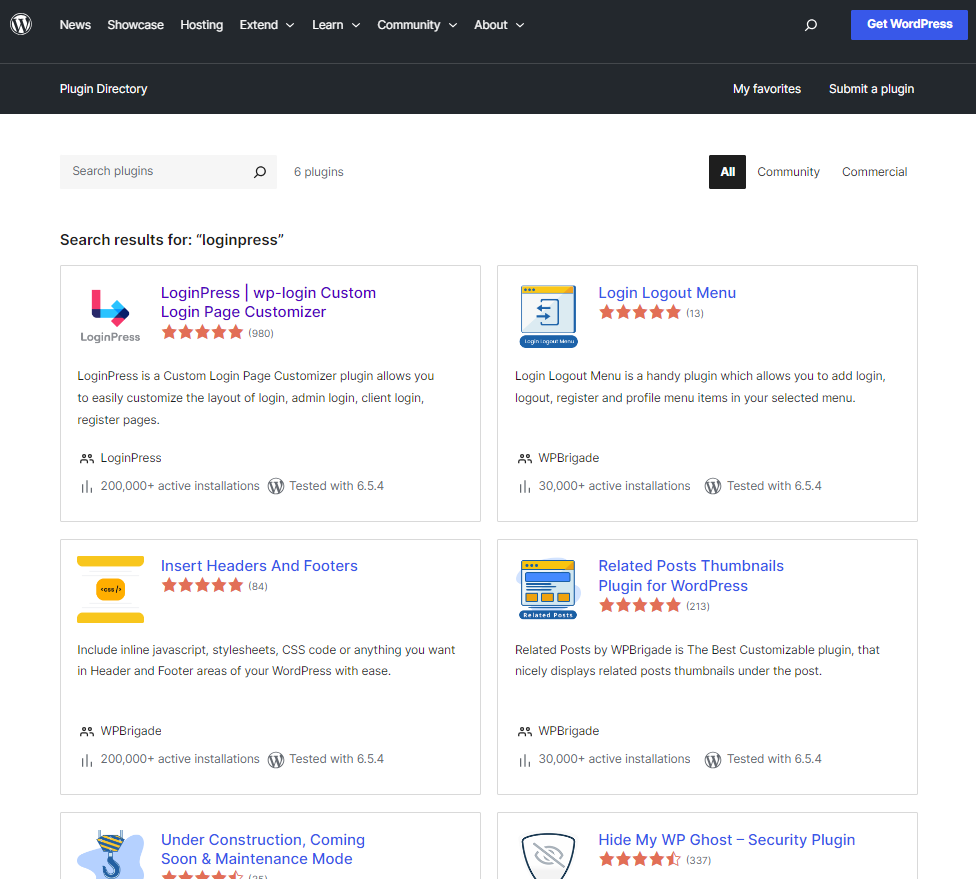
Other than this, over 59,000 WordPress plugins are available in the WordPress plugins repository. You can use them to add any desired functionality to your site, such as:
- Login Page Customization
- WordPress Analytics
- Social Share Buttons
- SEO
- Site Security
- Image Optimization
See the image below:
Overview of Squarespace
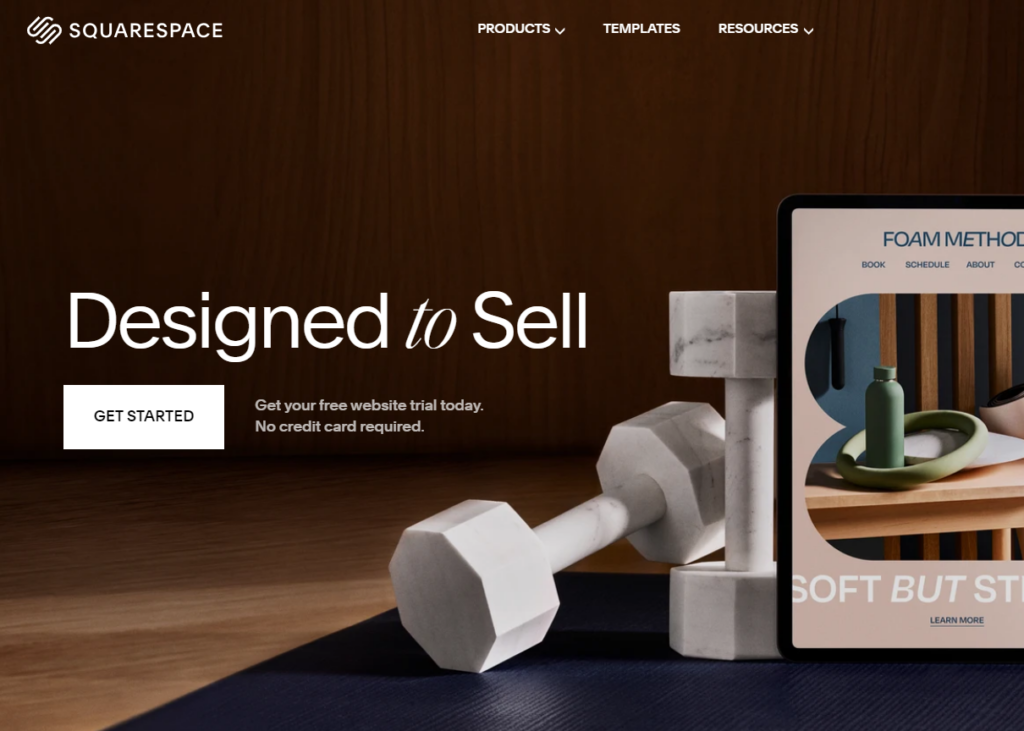
Squarespace is a site-building platform that empowers individuals and businesses to create professional sites easily.
This platform offers hosting, domain registration, and integrated marketing tools. Beyond website creation, Squarespace offers Ecommerce features that let users sell products, services, and digital content.
In addition, it has built-in SEO tools, social media integrations, and detailed analytics to help users grow and optimize their sites.
Overview of Wix
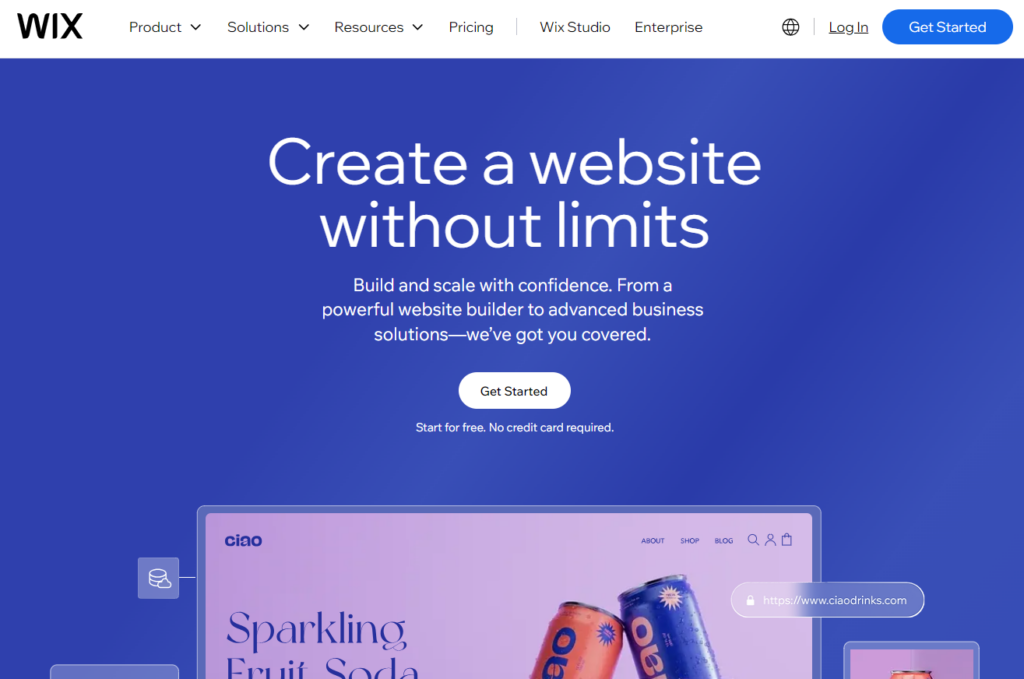
Wix.com is a leading cloud-based website builder that enables users to build their site quickly without having deep technical skills.
The platform has all the essential tools and AI features to help you build your website without writing a single line of code.
It offers a user-friendly drag-and-drop editor. It allows users to customize their site with ease.
The platform supports advanced functionalities, including:
- Ecommerce Functionalities
- Integrated SEO tools
It also offers a library of customizable templates for everything from personal sites and online stores to business sites.
WordPress vs Squarespace vs Wix: Features Comparison
| Features | WordPress | Squarespace | Wix |
|---|---|---|---|
| Best For | Blogging Website | Service-based Website | Business Websites |
| Ecommerce Pricing | Free to $3.95/ month | $29 to $99/ month | $29 to $159/ month |
| Ease of Use | ✓ | ✓ | ✓ |
| Mobile Optimized Website | ✓ | ✓ | ✓ |
| Blogging Features | Unlimited | Basic | Basic |
| Sell Membership | ✓ | ✓ | ✓ |
| Customization | Unlimited | Limited | Limited |
| Performance and SEO | Flexibility | Limited | Limited |
Ease of Use
WordPress: Easiest Website Builder to Use
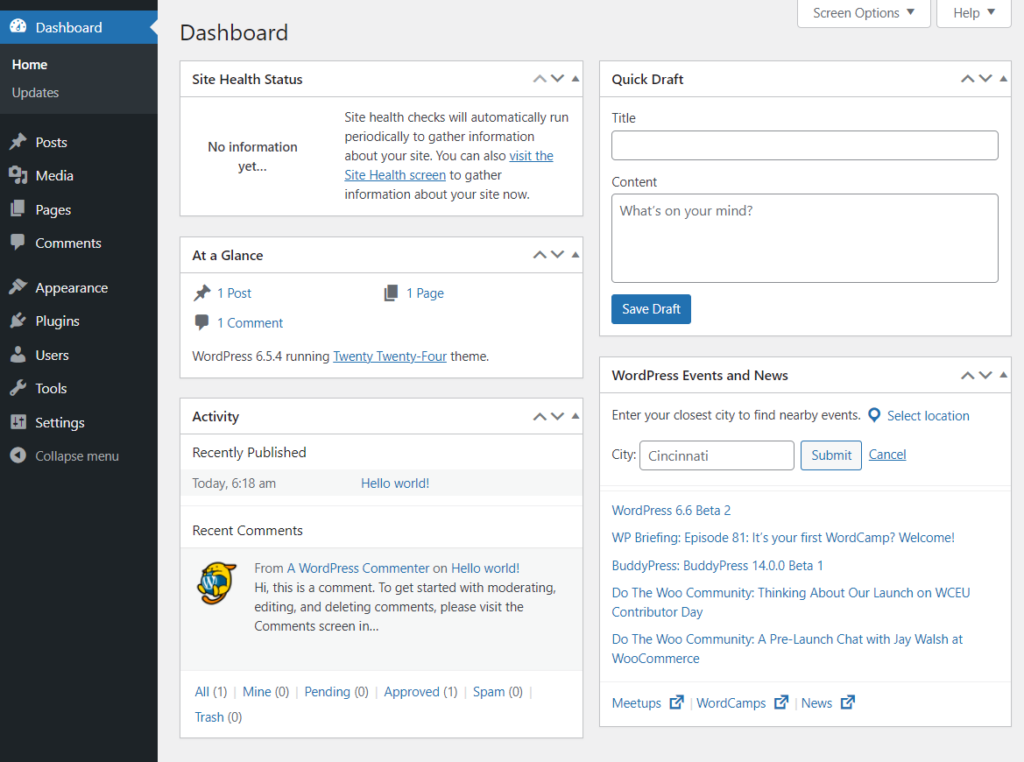
WordPress features a user-friendly interface, making it easy for beginners to use. The clean interface simplifies managing content, settings, and various site components.
This is what the WordPress admin dashboard looks like:
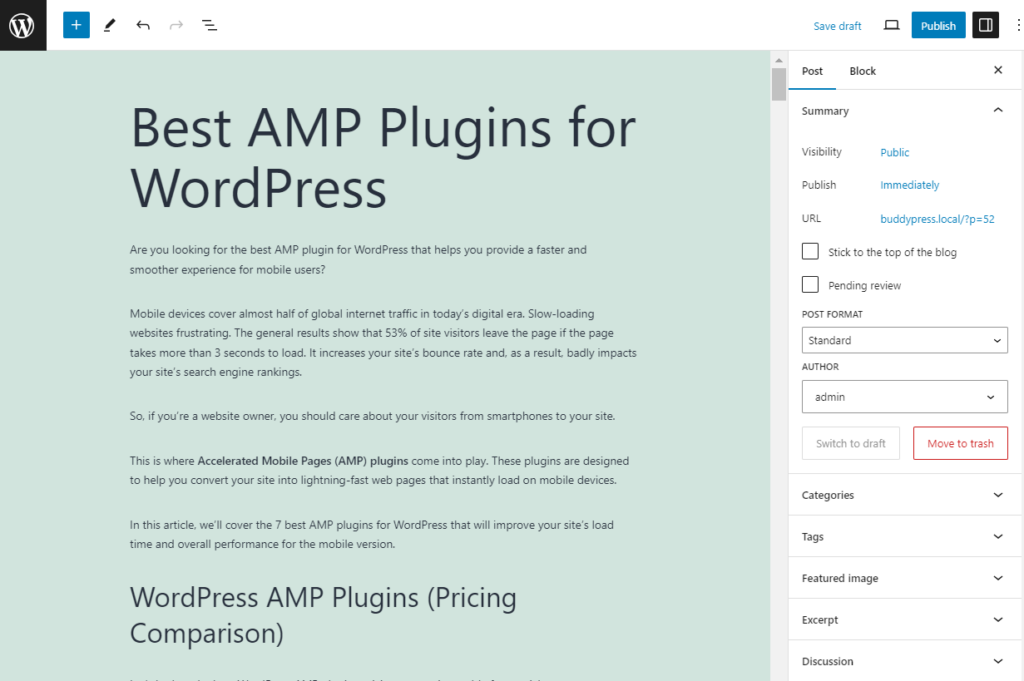
WordPress makes it easy to create and manage content. The platform features a powerful block editor, Gutenberg, that allows users to build posts and pages using drag-and-drop blocks. The best part is that it makes adding text, images, videos, and other media easy without coding knowledge.
See the image below:
Squarespace: Ease of Use
Squarespace is a relatively straightforward website builder. It provides a smooth user experience.
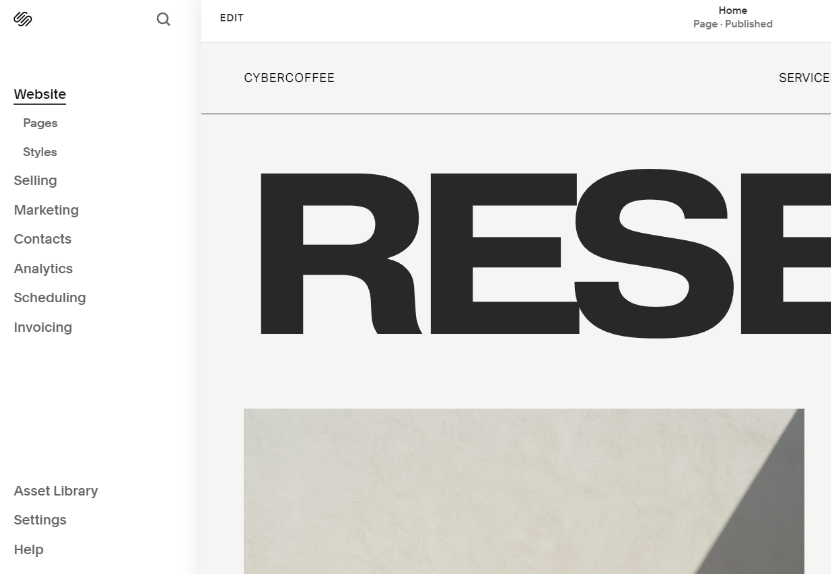
With this platform, you get a user-friendly drag-and-drop editor that lets beginners design the site themselves.
You can find all the customization options on one side of the screen and track all the changes in real-time.
See the image below:
Wix: Simple Website Builder
Wix is an excellent choice for users of all skill levels who want to create and manage their sites. The platform allows users to customize elements directly on the page without coding knowledge.
You can easily design your site with the help of built-in templates.
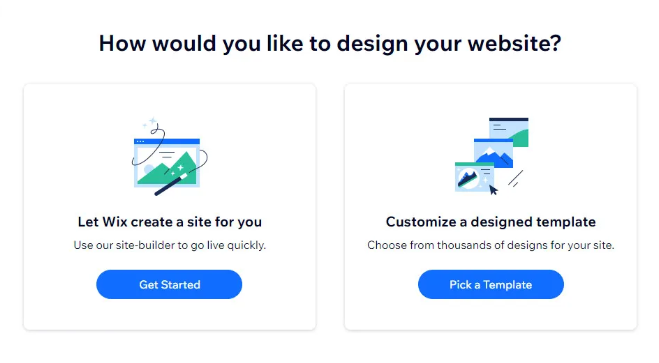
The Wix site editor has a user-friendly interface. It helps you design your site exactly how you want.
See the GIF below:

Website Types Flexibility
WordPress: Fully Functional Websites
WordPress is one of the best platforms for creating a fully functional site without coding.
You can start your site with the default WordPress version or fully customize it with themes and plugins to match your preferences.
See the image below:

You only need to select a hosting provider to start your online journey.
WordPress is far more flexible than Squarespace and Wix, making it the best choice for building a website in any industry.
Squarespace: Beautiful Websites
Squarespace offers over 160 templates to help you create stunning websites. You can use them to build different websites, such as:
- Sales Pages
- Coaching
- Marketing
- Photography
- Wedding
- Blogging
See the image below:

Unlike WordPress, Squarespace charges you multiple prices for the templates.
Wix: Good Design Websites
Wix helps you build multiple websites, including:
- Ecommerce
- Blogs
- Portfolios
With this platform, you get over 900 templates you can customize to build the kind of website you want.
You can pick the one you like, make the changes you want, and publish it.

You can also easily pick any of the built-in homepage designs for your site.

Customization and Design Options
WordPress: Fully Customizable
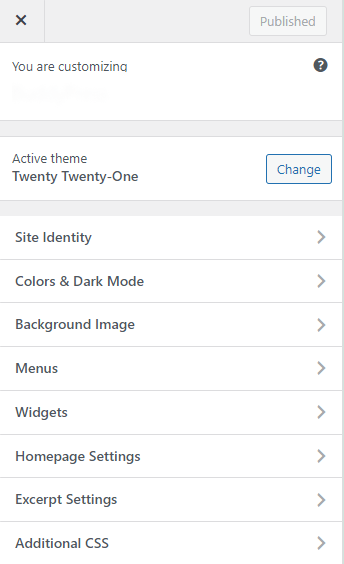
WordPress offers many customization options to create your site’s visual design and layout.
All you need to do is select a theme from the WordPress theme repository.
Each theme has all the essential design components, such as:
- Color schemes
- Typography
- Page layouts
… and other elements that create a consistent appearance throughout the website.
See the image below:
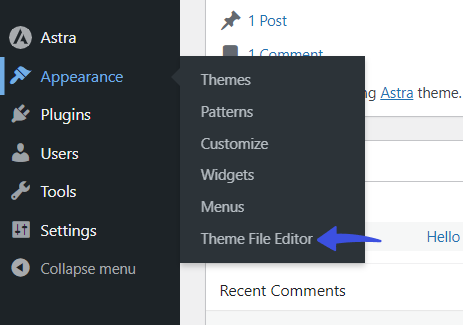
In addition, you’ll get a Theme File Editor area. Here, you can add code to extend your site’s functionality.
See the image below:
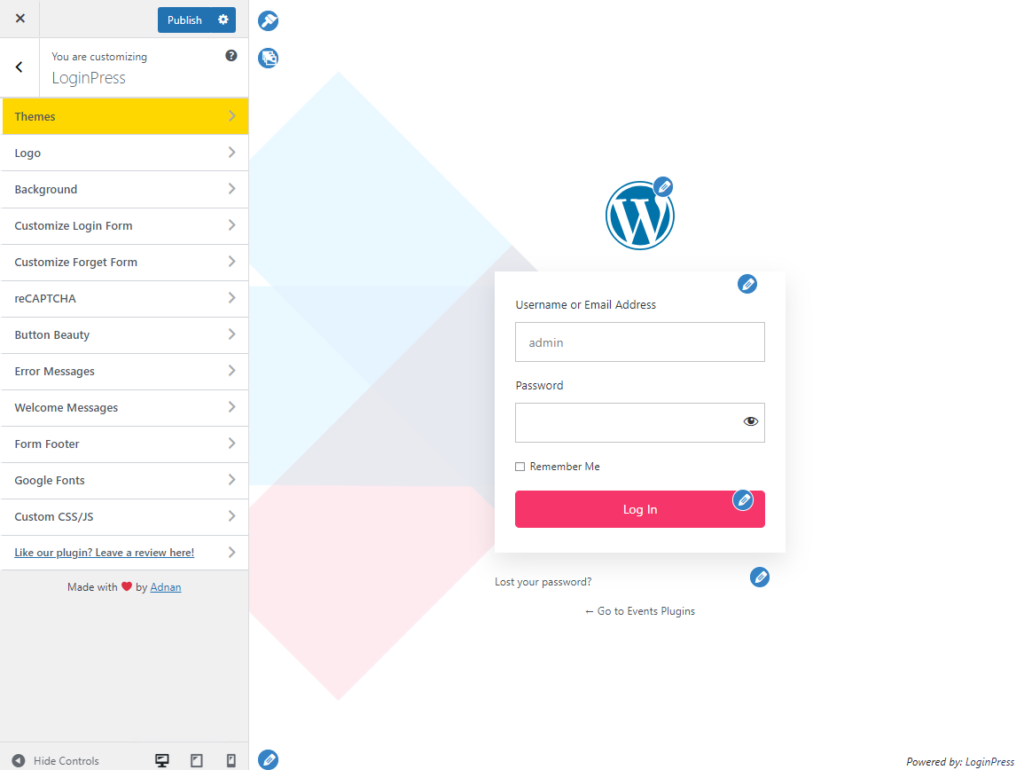
WordPress also offers thousands of plugins for further customization. For example, you can use LoginPress, the best WordPress login page customizer plugin, to change your login page’s look and feel.
See the image below:
Squarespace: Multiple Customization and Design Options
Squarespace offers fewer customization and design options than WordPress, but it still has plenty. It empowers you to create unique and visually appealing sites.
You can apply a variety of professionally designed colors without any coding skills.
See the image below:

3.3. Wix: Limited Customization
Wix comes with multiple built-in templates and a built-in page builder. You can select and customize a template, such as changing the color, corners, and borders.
See the GIF below:
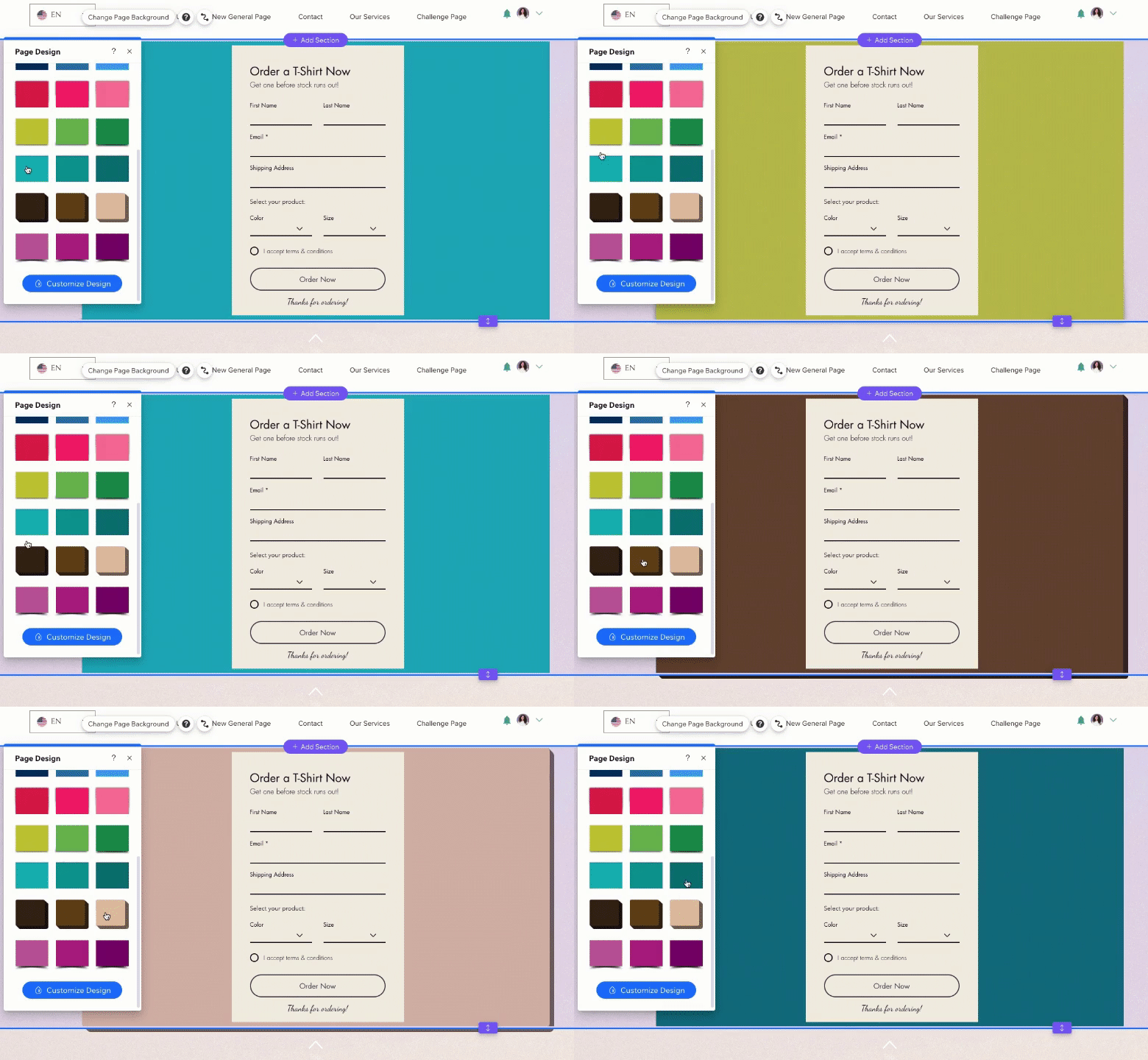
Although there are multiple customization options, Wix still lacks structured customization. This means you cannot change your site’s theme without losing the design of your pages and the content you created.
Online Store Functionality
WordPress: Flexible eCommerce Options
WordPress offers easy integration with eCommerce plugins, such as WooCommerce and Easy Digital Downloads, making it a leading platform for eCommerce functionality.
WordPress offers a flexible foundation for online stores of all sizes, such as:
- Product listings
- Shopping carts
- Secure checkout processes
See the image below:

Unlike Squarespace and Wix, WordPress doesn’t require additional coding to add any desired functionality to your online store.
Many useful plugins are available to help you enhance your eCommerce site, making it the best choice for beginners without development skills. For example, you can use Analytify for enhanced e-commerce tracking and analyze your product clicks, add-to-cart events, and checkout stats.
Squarespace: Basic Online Store Functionality
Squarespace helps you create online stores. You can easily add, edit, and manage your products.
You can categorize them, set pricing, and add descriptions, images, and other relevant details. It lets you track your inventory levels and set up notifications for low stock.

Wix: Moderate Online Store Functionality
Wix offers multiple Ecommerce site templates that enable you to create an outstanding store. All you need to do is choose a design and customize it exactly how you want it.
Have a look:

Performance and SEO
WordPress: Powerful Performance and SEO Plugins
WordPress offers more performance and SEO functionality than Squarespace and Wix.
By default, WordPress is optimized for search engines. The best part is that you can add SEO functionality with the help of WordPress SEO plugins.
Many free SEO and performance plugins in the WordPress repository can improve your site’s search engine visibility.
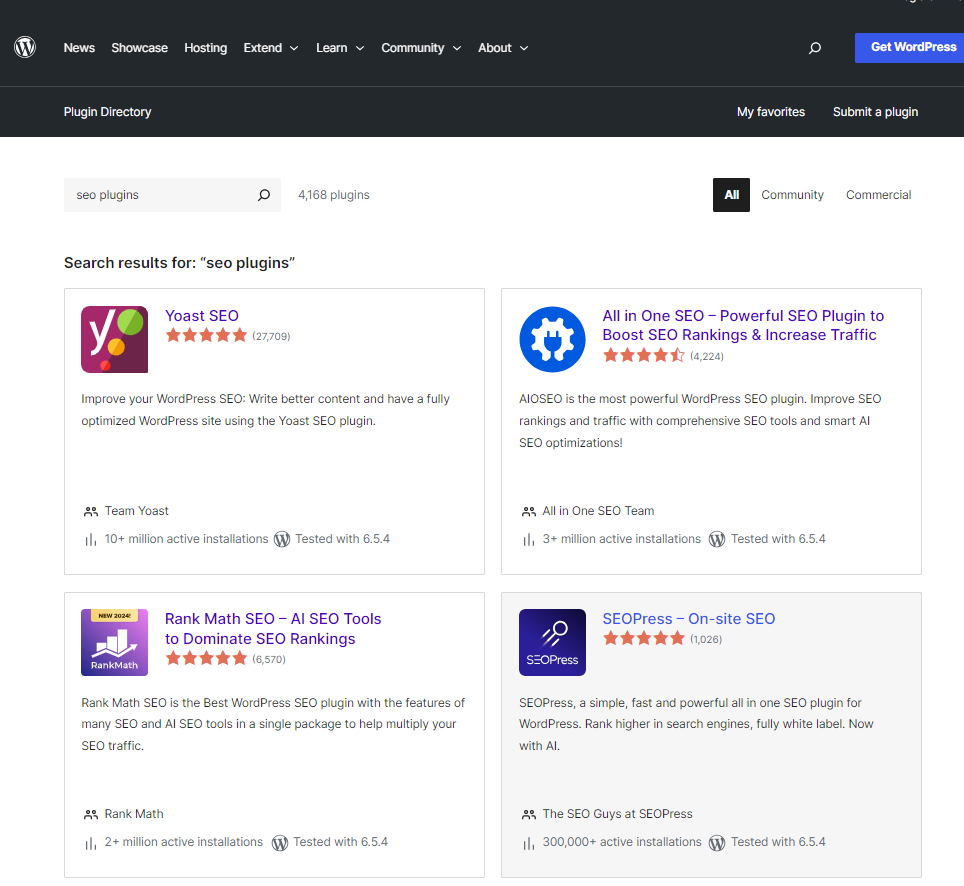
Some of these plugins include Yoast SEO, SEOPress, Rank Math, and more.
See the image below:
WordPress SEO plugins aim to boost your site’s search engine reach. They offer features like:
- Built-in AI SEO
- Automatic Suggestions
- Focus Keywords
- Built-in Schemas (e.g., Table of Contents and FAQs)
- Smart Link Suggestions
See the image below:
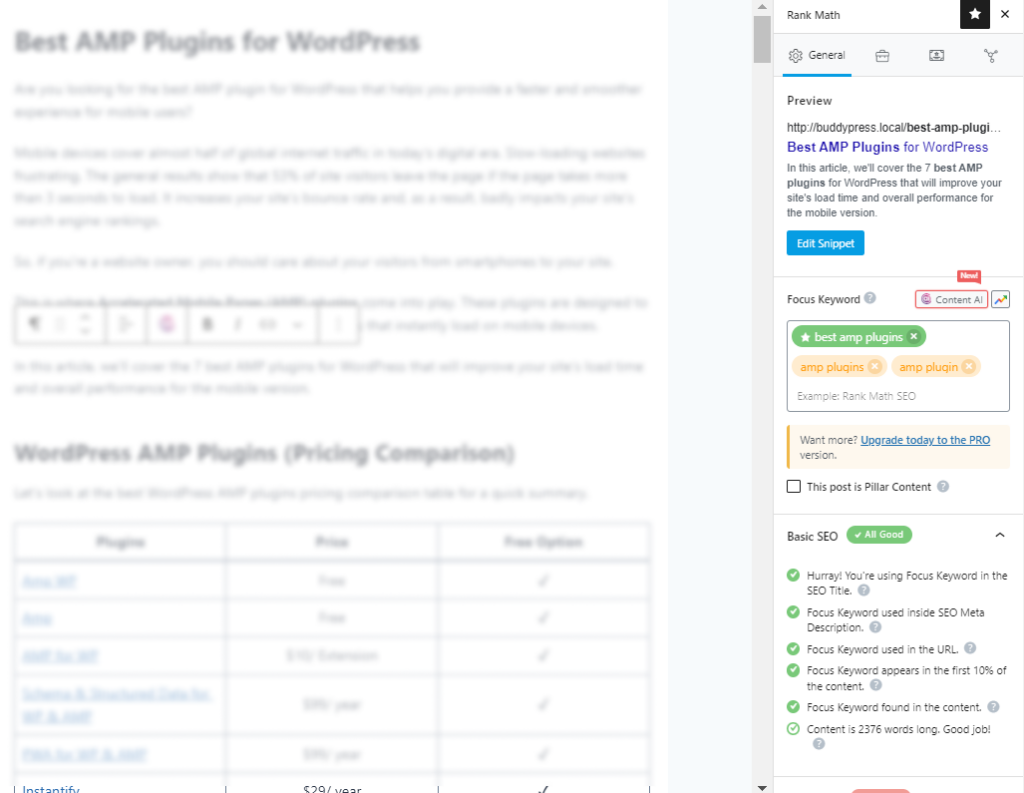
Image credit: Rank Math
Squarespace: Performance and SEO
Squarespace offers fundamental built-in SEO features, such as:
- Image alt text
- Search Keywords
- Automated Sitemaps
Squarespace’s dedicated SEO panel helps in managing your site’s SEO. This feature allows you to fine-tune your page’s SEO settings and provides a helpful checklist for optimizing your site’s visibility on search engines, such as Google.
However, it offers fewer SEO features than WordPress.
Wix: Performance and SEO
Wix offers built-in SEO features, including:
- Structured data markup
- Server-Side Rendering (SSR)
- URL customization
- Auto-generated meta tags for all pages
- XML sitemap generation
- Content Delivery Networks (CDN)
You can take advantage of these features to optimize your site pages for search engines, including:
- Main Pages
- Products
- Pro Galleries
- Blog Posts
- Blog Categories
See the image below:

Although Wix has more built-in SEO tools than Squarespace, it can’t compete with WordPress.
Typography
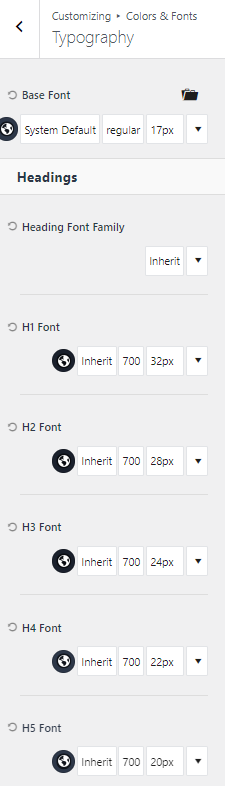
WordPress offers typography flexibility for your site, allowing you to change your site’s fonts.
Simply install and activate any WordPress theme for your site. Almost every theme comes with a built-in option to change the typography.
Here are the typography options in Kadence, a WordPress theme:
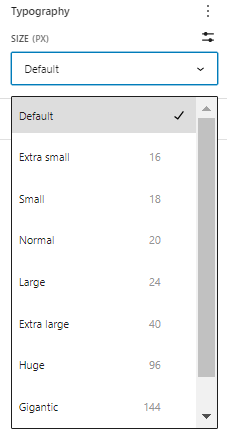
Other than this, you can change the typography of your blogs and posts.
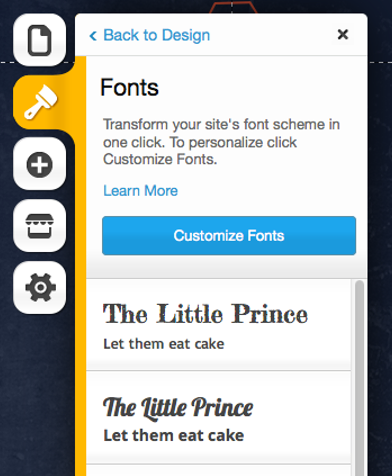
Squarespace also lets you pick a font style that suits your site, such as:
- Neutral
- Playful
- Professional
- Friendly
- Informative

The Wix site builder also helps you choose fonts for your site.
See the image below:
Unlike Squarespace and Wix, WordPress offers more typography options. WordPress wins this round again.
WordPress vs Squarespace vs Wix: Pricing Comparison
WordPress software is free but needs paid hosting, while Squarespace and Wix charge a monthly plan that includes hosting. This table sums up the pricing:
| WordPress.org | Squarespace | Wix | |
|---|---|---|---|
| Trial | Free | 14- days Free Trial | 7-days Free Trial |
| Hosting Cost | 30-day Free Plan (with Bluehost) | Self-hosted | Self-hosted |
| Number of Plans | Multiple | 8 | 8 |
| Storage Space | 2 GB Free | Unlimited | 2 GB |
| Domain Cost | $2.99–$29.99/year | $20 to $70 per year | $10 and $45 per year |
| Additional Fee | – | 3% transaction fee | 3.7% transaction fee |
| Discount | Yes | Yes | Yes |
WordPress Pricing and Plans
The core WordPress.org is 100% free. However, you need 2 things to put your website online:
- Hosting plan
- Domain name
Starting prices from popular WordPress hosts, checked in October 2026 (introductory rates):
- SiteGround: from $2.99/month (12-month prepaid term, renews at $17.99/month)
- GoDaddy: from $6.99/month (1-year term)
- Bluehost: from $3.99/month (36-month term, renews at $9.99/month)
- Hostinger: from $2.99/month (48-month term, renews at $10.99/month)
- DreamHost: from $1.99/month (first 4 years, renews at $7.99/month)
Note: To help you choose the right WordPress hosting provider, see our detailed guide on best WordPress hosting providers.
You can use free WordPress themes or plugins or upgrade to their premium versions for more advanced functionality.
So, your total WordPress cost depends on the themes and plugins your site needs.
Squarespace Pricing and Plans
Squarespace offers 4 website plans: Basic, Core, Plus and Advanced. Prices below were checked on Squarespace’s pricing page in October 2026.
See the image below:
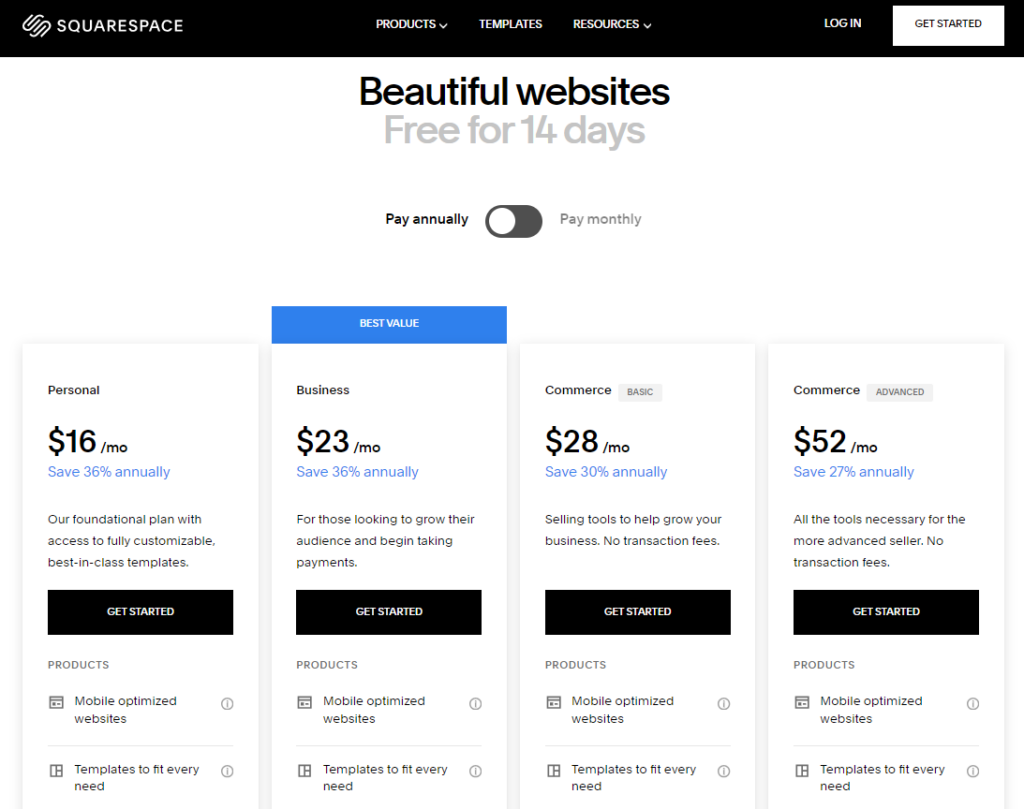
Basic: $19/month billed annually, or $25 billed monthly.
Core: $29/month billed annually, or $39 billed monthly. Squarespace marks this as its recommended plan.
Plus: $49/month billed annually, or $65 billed monthly.
Advanced: $99/month billed annually, or $139 billed monthly. Every annual plan includes a free domain for the first year.
Wix Pricing and Plans
Wix offers 4 premium plans. Prices below are for annual billing, checked in October 2026.
See the image below:
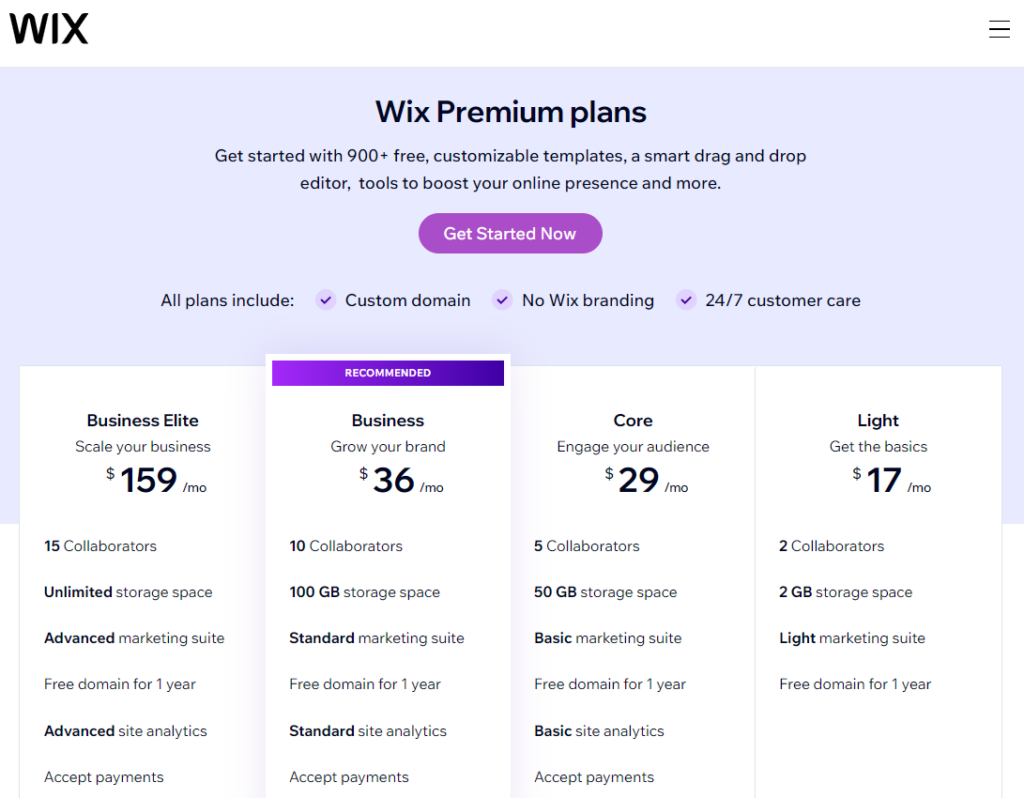
The Light plan is available at $17/ month. It offers 2 collaborators, 2 GB storage space, a light marketing suite, and a free domain for 1 year.
The Core plan is available at $29/ month. It has 5 Collaborators, 50 GB of storage space, a Basic marketing suite, a Free domain for 1 year, Basic site analytics, and Basic eCommerce.
The Business plan costs $39/ month and includes 10 Collaborators, 100 GB of storage space, a Standard marketing suite, a Free domain for one year, Standard site analytics, and Standard eCommerce.
The Business Elite is available at $159/ month. It has 15 Collaborators. It best suits you if you’re looking for more advanced business features for your site, such as Unlimited storage space, an Advanced marketing suite, a Free domain for one year, Advanced site analytics, and Advanced eCommerce.
WordPress vs Squarespace vs Wix FAQs
WordPress is renowned for its blogging functionalities. It offers a range of plugins and themes designed to cater to various blogging needs. Squarespace and Wix also support blogging but have fewer customization options than WordPress.
WordPress is the most customizable platform. It offers thousands of plugins and themes and is highly flexible, allowing for extensive modification and scalability. Squarespace and Wix also offer customization but in a structured framework.
All three platforms support Ecommerce. WordPress offers powerful Ecommerce features when combined with plugins like WooCommerce.
Yes, you can use your own domain name with WordPress, Squarespace, and Wix. All of them let you connect a custom domain or purchase one.
WordPress is often considered superior for SEO due to its extensive plugins and customizable features. Squarespace and Wix have also improved their SEO capabilities significantly, making them competitive options as well.
Squarespace and Wix offer dedicated customer support through chat and email. WordPress, on the other hand, relies more on community forums, documentation, and support from hosting providers.
WordPress vs Squarespace vs Wix: Final Verdict
WordPress is the best website builder of the three for most growing sites.
Overall, WordPress is the best option for those looking for high customization, complete control, scalability, advanced SEO, and eCommerce functionalities.
Choose Squarespace if design templates matter most, or Wix if you want the quickest setup. For a wider view, see the top CMS platforms I’d consider this year.
Read these related WordPress guides next:



Leave a Reply