

The free Genesis child themes in this list are Bootstrap Genesis, SpringClean, Center, Engage, Genesis Sandbox and Creative Pro. Each one runs on the Genesis Framework and is free to use.
According to What WordPress Theme Is That, Genesis Framework was found on more than 8.86% of their searches, higher than Thesis and other popular themes from ThemeForest. This gives you an idea of how popular this framework is. Many website owners are thinking about switching to it, and you could be one of them. Here, we will discuss 5+ free Genesis child themes that you can’t ignore.
This list was first written years ago, so confirm each theme still supports the current Genesis version before you use it.
Free Genesis Child Themes (TOC):
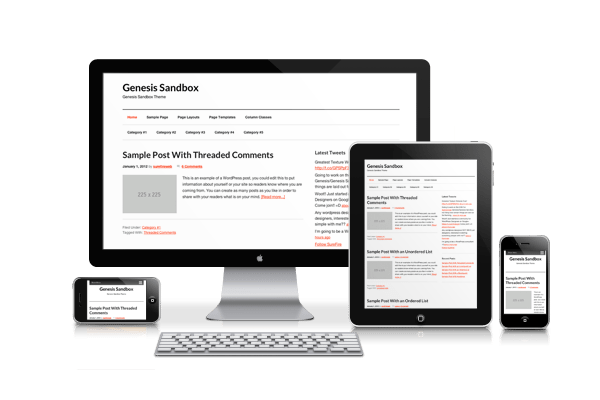
The framework itself is already great, and StudioPress also has many child themes built for the latest version of the Genesis Framework. However, the average price per theme is around $30-$40 and $100 for first-time buyers. I know that costs too much, especially for someone who just started a blog. So, to help you save money, we have more than 5 custom child themes available for free right now that you should know about. I used the term “custom” because StudioPress did not create these themes. Third-party developers and bloggers built them.
What do these free Genesis child themes have in common?
- Support Genesis 2.0+
- Built-in SEO
- Easy to Customize
- Free for use
- Understandable Coding
- Responsive
- And many more
These six free Genesis child themes cover blogs, reading-focused sites, starter builds and portfolios:
| Child Theme | Best For |
|---|---|
| Bootstrap Genesis | Developers who use Bootstrap and Sass |
| SpringClean | Writers who want distraction-free reading |
| Center | One-column blogs with a different look |
| Engage | A Twitter-style timeline layout |
| Genesis Sandbox | A starter theme for building your own child theme |
| Creative Pro | Freelancer portfolios |
Bootstrap Genesis
Bootstrap Genesis by salcode (Sal Ferrarello) is a child theme that uses Bootstrap, Sass, and Grunt. You can use it as a starter theme to build your own or edit it quickly.
SpringClean
If you are a writer who wants readers to focus on your content and nothing else, SpringClean is the right theme for you. It has only 1 column (no sidebar) and a footer. It is perfect for those who don’t like fancy or complicated themes.
Center
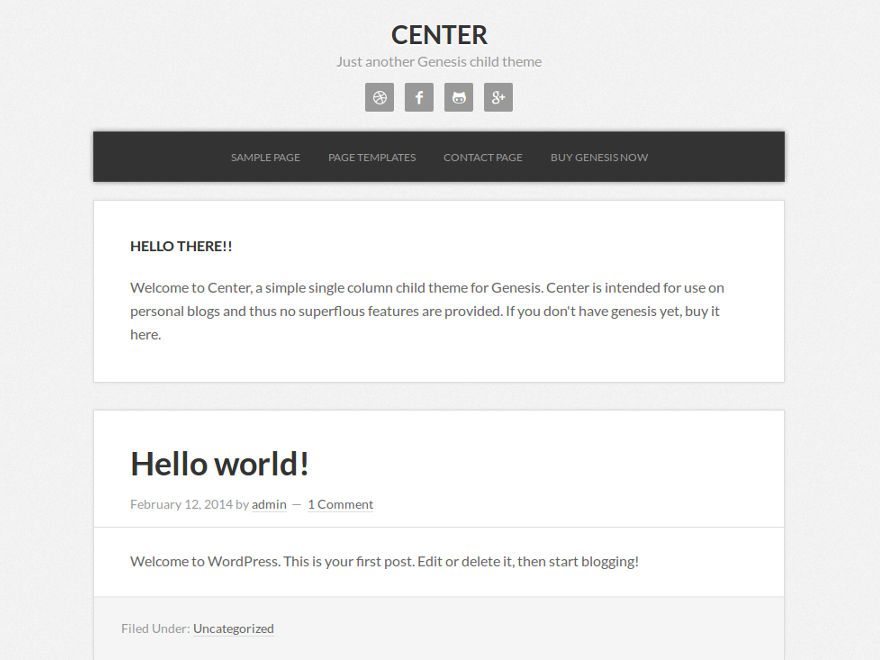
Just like SpringClean, Center is a Genesis child theme that also has one column but a completely different design. It has a gray background and a darker color around the entry content, menu, and footer.
Engage
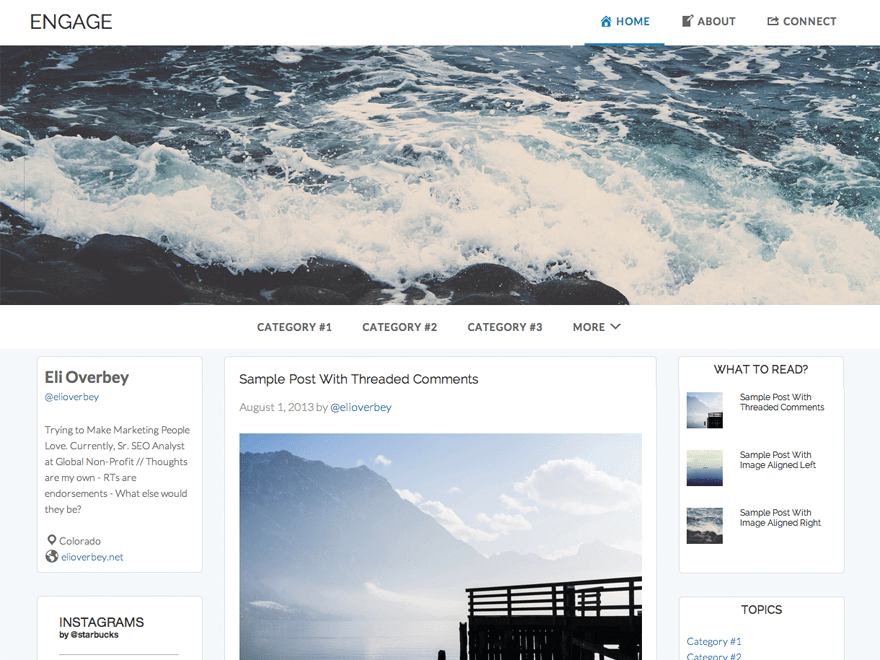
Engage is a Twitter-like theme for WordPress created by Eli Overbey. Like the timeline design Twitter released at the time, it has 3 columns, a light background, and a giant image below the header.
Genesis Sandbox
Genesis Sandbox is the right starter theme for beginners or even developers who want to make their own child theme. You can use it to test what’s in it, create a premium theme, or use it on a client’s website. Here are the key features:
-Responsive Grid
-Smooth Scrolling
-Custom Footer
-New Menu Locations
-Tons of snippets
-Twitter Bootstrap
-Modernizr, HTML5
Creative Pro
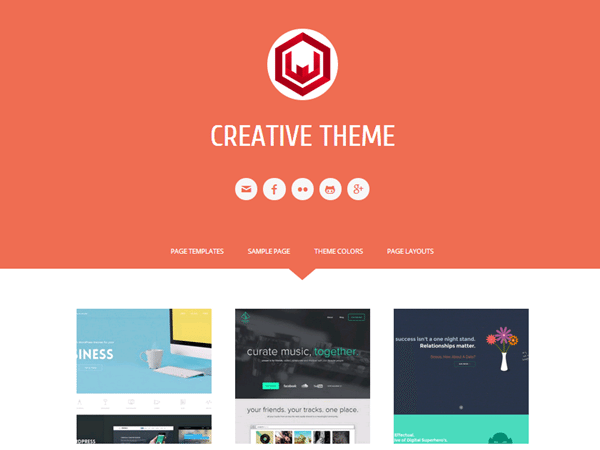
Are you a freelancer looking for a nice portfolio theme? Creative Pro by WPSpeak is one you have to see. Unlike many other WordPress blogging magazine themes, this one is purposely designed to help you show off your work and capture future clients.
Conclusion
Pick SpringClean or Center for reading-focused blogs, Genesis Sandbox or Bootstrap Genesis as a starter theme, and Creative Pro for a portfolio. If site speed is a priority, Genesis child themes are worth a close look. To compare more options before you settle on one, browse Genesis child themes on GitHub, which helped us build this list.




Leave a Reply