

01.
Dynamic Login and Logout Links
Automatically display a Login or Logout link in your menu, based on the user’s login state.

02.
Add Register and Profile Links
Easily add Register and Profile links to your menu. Show or hide them based on whether a user is logged in.

03.
Custom Redirects on Login/Logout
Define custom redirect URLs upon login and logout actions for a better user flow.

04.
Customizable Designs
You can fully control the look and feel of your login or logout menu. Use built-in templates or create a custom style that fits your website’s branding.

05.
Lightweight and Fast
Adds zero bloat to your site. It’s designed to do one thing and do it well: dynamically manage menu links.

06.
Compatible with Any Theme
Seamlessly integrates with all WordPress themes and page builders without affecting design or layout.
What Users Say About Login Logout Menu

thomasmichaelmoller
Very useful plugin
Just the tool I needed to customize my WordPress login page. I needed to upgrade to the Pro version in order to get extendes support, but the price was within my budget. I’m happy:-)


Christian Strasser
Excellent Support
Super friendly and helpful support, also for “special” requests.

Scott Morehouse
Go-to plugin for quick and easy analytics
Have been using Analytify for about 6 month. Make the quick-view performance really easy. Great help for generating monthly customer reports.


nsanpe
Always useful, simple, effective
Don’t hesitate, this is a very useful small plugin that adds a lot without adding a lot a code to your sire.

savorykitchin
Always useful, simple, effective
Does what it says. Perfect!


techjaws
Great Plugin & Works Exactly as Advertised!
Excellent plug-in with great features and easy interface.

Joe Aiden
Best Related Posts Thumbnail Plugin for WordPress
Great plugin…. Just the perfect plugin I wanted.

qykzoo
So easy, so modifiable
Had a few plugins to get this done. Found this one and wham, 5 minutes to configure and test….will be using on multiple sites ASAP…. Thank you.

Why Use Login Logout Menu?
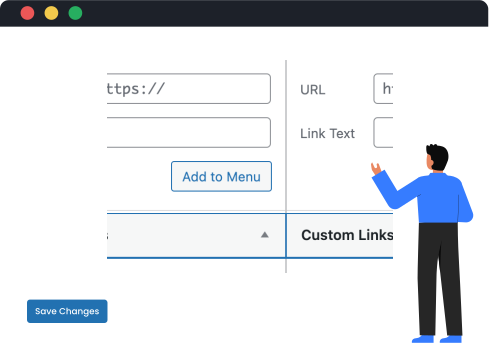
1. Add Login and Logout Links Easily
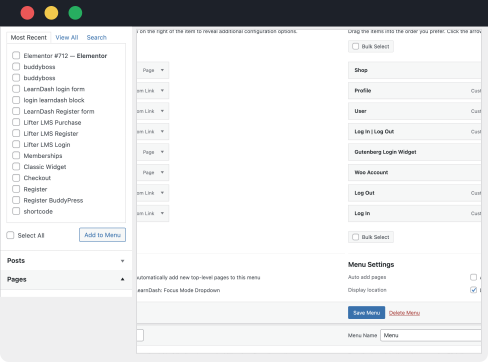
No need to write code or use shortcodes. Just add login, logout, and other user links directly to your navigation menu.
2. Dynamic Visibility Based on User Status
Links update in real time depending on whether the visitor is logged in or out.
3. Seamless User Experience
Offer a smooth and user-friendly login and logout process. Users can access or exit their accounts effortlessly in just a few clicks.

4. Responsive Design
Your login and logout menu adapts perfectly across all devices. Whether on desktop, tablet, or mobile, the menu remains clean and fully functional.
5. Menu Integration with WordPress UI
Built to integrate directly with the native WordPress menu system. No conflicts, no extra setup needed.
Simple Setup, Zero Coding
Install and configure in minutes. No shortcode or widget setup needed. Just use the WordPress menu dropdown.