

Hubstaff review articles are everywhere right now and for good reason.
As remote work becomes the norm, businesses are actively searching for reliable time tracking software that does more than just start and stop a timer. They want visibility. They want accountability. And most importantly, they want data that helps them improve performance without micromanaging their teams.
If you’re managing a distributed workforce, you already know the challenges:
- Who is working on what?
- Are projects staying within budget?
- How do you measure productivity fairly?
- How do you improve remote team management without creating trust issues?
That’s where Hubstaff enters the conversation.
In this in-depth Hubstaff review, I’ll walk through:
- What is Hubstaff and how it works
- A complete look at the Hubstaff dashboard
- Hubstaff time tracking features
- Workforce analytics and performance tracking capabilities
- Hubstaff pricing and pricing plans for 2026
- Pros and cons you should know before subscribing
You’ll know whether Hubstaff is just another employee monitoring tool or a serious productivity platform that can support your remote team in 2026.
Table of contents
- What is Hubstaff?
- Hubstaff Dashboard Overview
- Hubstaff Time Tracking Features
- Hubstaff Workforce Analytics and Performance Tracking
- Hubstaff Pricing Plans (2026 Overview)
- Pros and Cons of Hubstaff
- Who Should Use Hubstaff?
- Building a Complete Productivity and Growth System for WordPress Teams
- FAQs About Hubstaff Review
What is Hubstaff?
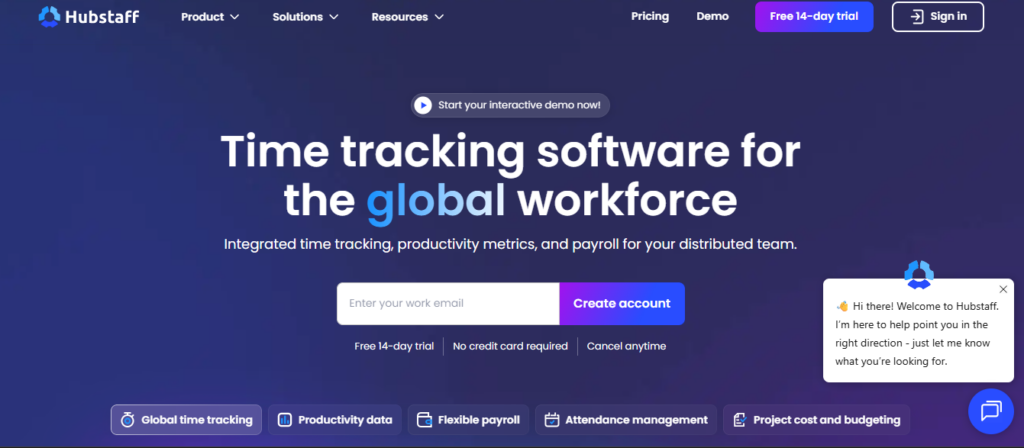
Hubstaff is a cloud-based time tracking software designed to help businesses monitor work hours, track productivity, and manage remote teams more efficiently.
But it’s more than just a timer.
Hubstaff combines:
- Time tracking
- Employee activity monitoring
- Workforce analytics
- Payroll automation
- Basic project management tools
That’s why many companies also refer to it as Hubstaff employee monitoring software although that label only tells part of the story.
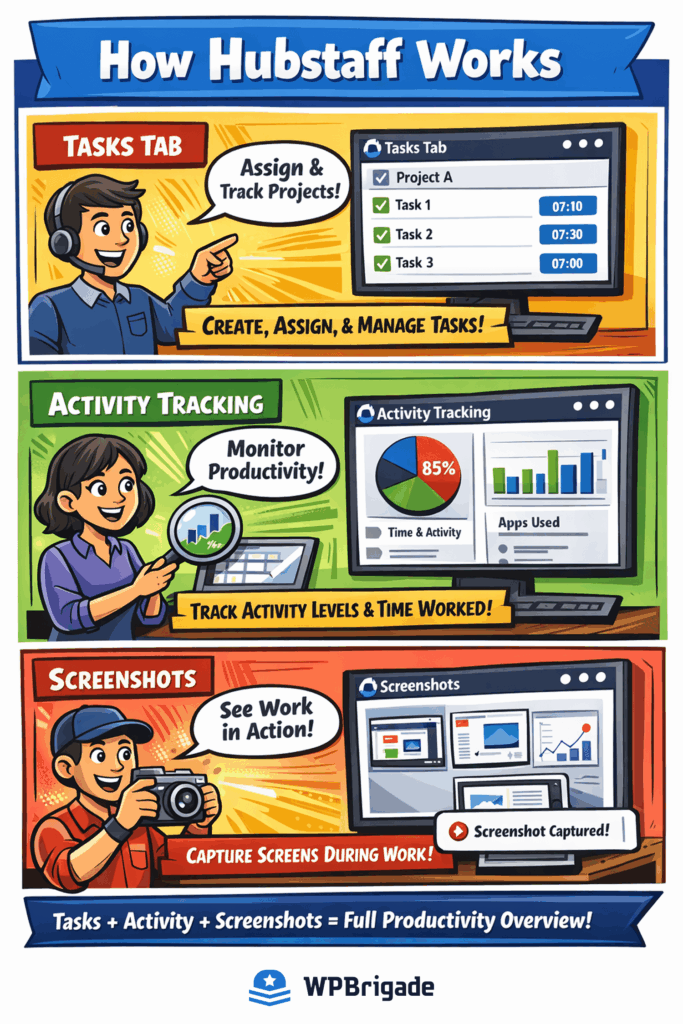
Who is Hubstaff Built For?
Hubstaff is primarily designed for:
- Remote teams
- Digital agencies
- Software development teams
- Field service teams
- Freelancers working with multiple clients
If you’re managing distributed employees across different locations, Hubstaff aims to give you visibility without needing constant check-ins.
Where Hubstaff Fits Among Productivity Tools
There are plenty of productivity tools in the market, from simple time trackers to full-scale project management platforms.
Hubstaff sits somewhere in between.
It’s not a heavy project management system like Asana or ClickUp.
And it’s not just a lightweight timer like basic apps.
Instead, it focuses heavily on:
- Hubstaff time tracking
- Activity-based performance tracking
- Workforce analytics for data-driven decisions
In other words, it’s built for businesses that want measurable productivity, not just logged hours.
Now that you understand what Hubstaff is and who it’s for, let’s take a closer look at what you actually see when you log in.
Hubstaff Dashboard Overview
Let’s talk about the Hubstaff dashboard because this is where managers and team members spend most of their time.
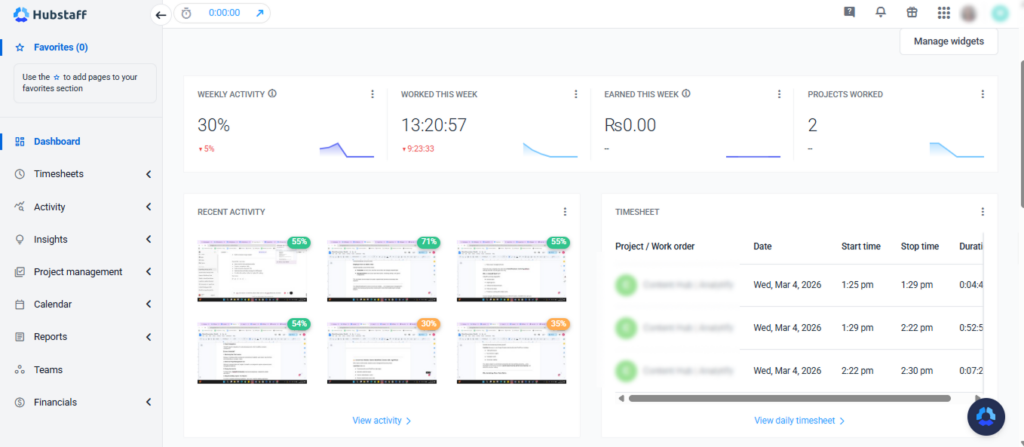
When you log in as an admin or manager, the dashboard gives you a high-level summary of team activity. It’s built to answer one simple question:
What’s happening across my team right now?
What You See on the Hubstaff Dashboard
Here are the core sections you’ll typically find:
1. Time and Activity Summary
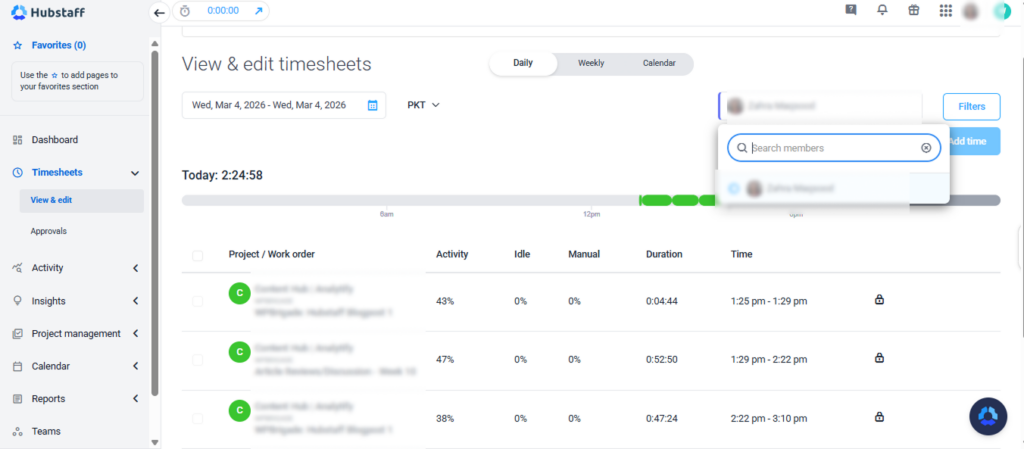
- Total hours tracked (today and over selected date ranges)
- Activity levels based on keyboard and mouse usage
- Individual team member breakdown
This section supports accurate performance tracking by connecting time logged with activity data.
2. Projects Overview
- Active projects
- Time spent per project
- Budget tracking (if enabled)
Managers can quickly see whether projects are staying within planned hours. This is especially useful for agencies and service-based businesses.
3. Team Member Activity
You can view:
- Who is currently tracking time
- Recent activity levels
- Work sessions logged
Hubstaff does not automatically track time in the background. Employees must manually start the timer via desktop, web, or mobile app.
4. Reports Access
The dashboard provides quick access to:
- Timesheets
- Activity reports
- Project reports
- Payroll summaries
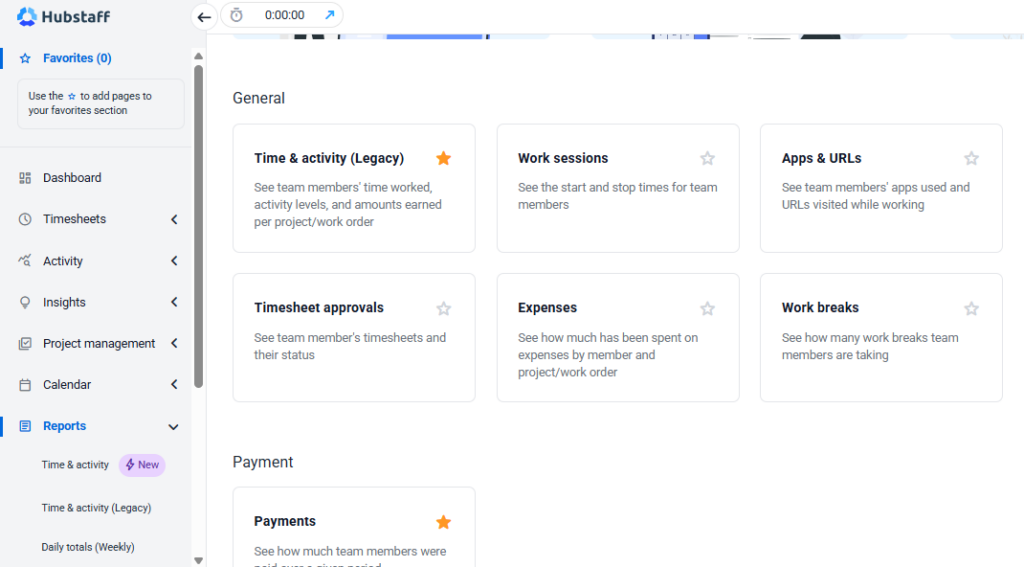
These reports support workforce analytics and help managers make informed decisions about workload distribution and productivity.
Employee View vs Admin View
Hubstaff separates access levels clearly:
- Employees can track time, view their own activity, and manage assigned tasks.
- Managers/Admins can access team-wide reports, monitoring settings, and payroll configurations.
This role-based structure keeps the system organized and prevents unnecessary data exposure.
The Hubstaff dashboard focuses on structured visibility not complex project management. It supports time tracking and productivity monitoring first, while offering light project oversight features.
Hubstaff Time Tracking Features
Hubstaff time tracking feature is the foundation of the platform. Everything else, reporting, payroll, and workforce analytics, depends on how accurately time is captured.
So let’s break it down clearly.
1. Time Tracking Methods
Hubstaff offers multiple ways to track time:
Desktop App (Primary Method)
Hubstaff requires a desktop application (Windows, macOS, Linux) for full tracking functionality.
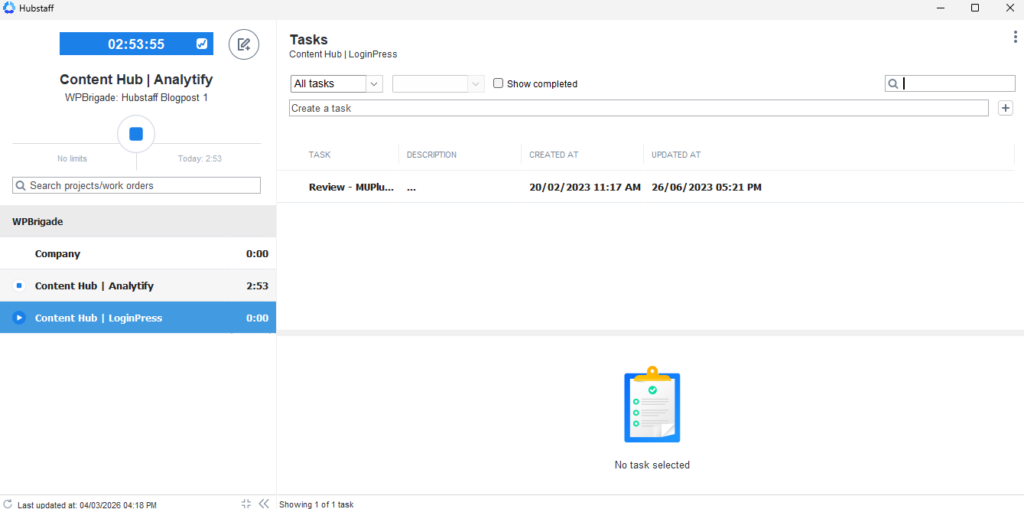
With the desktop app, users can:
- Select a project
- Start and stop a timer
- Automatically record activity levels
- Capture screenshots (if enabled)
This is the most feature-complete tracking method.
Web Timer
The web-based timer allows users to:
- Start and stop time directly from the browser
- Assign time to projects
However, activity monitoring and screenshots are not available in the web timer.
Mobile App
The mobile app (iOS and Android) supports:
- Time tracking
- GPS location tracking (if enabled)
- Basic activity logging
This is especially useful for field teams or on-site employees.
2. Activity Monitoring
This is where Hubstaff moves beyond basic time tracking software.
When enabled by the organization, Hubstaff can track:
- Keyboard and mouse activity (as activity percentages)
- Application usage
- Website URLs visited
- Screenshots at random intervals
Important:
All monitoring features are configurable. Organizations can enable or disable screenshots, blur them, or limit tracking depth.
This is why Hubstaff is often categorized as Hubstaff employee monitoring software, although monitoring is optional and controlled by company settings.
3. Idle Time Detection
Hubstaff detects inactivity during tracked sessions.
If there’s no keyboard or mouse activity for a set period:
- The system marks the time as idle
- Users can choose to keep or discard that time
This helps prevent inflated timesheets and improves accuracy in performance tracking.
4. Manual Timesheets and Edits
Hubstaff allows:
- Manual time entries (if permitted by admin)
- Editing previously logged time
- Approval workflows for timesheets
This adds flexibility while maintaining managerial oversight.
5. Payroll Automation
Tracked hours can be connected to:
- Pay rates per user
- Automated payments via integrations (e.g., PayPal, Wise)
This makes Hubstaff useful not just for tracking time, but also for managing contractor payments efficiently.
Overall, Hubstaff time tracking is structured and data-focused. It prioritizes measurable activity and accountability, which makes it appealing for remote team management where visibility is limited.
Next, we’ll explore how Hubstaff turns this time data into actionable insights through workforce analytics and performance tracking.
Hubstaff Workforce Analytics and Performance Tracking
Once time is tracked, the real value of Hubstaff begins in its reporting and analytics.
Hubstaff isn’t just about logging hours. It’s designed to provide insights through workforce analytics and structured performance tracking.
Let’s look at what that actually means in practice.
1. Productivity Reports
Hubstaff generates detailed reports that show:
- Total hours worked per user
- Activity levels during tracked time
- Time spent on each project
- Attendance patterns
These reports help managers understand work trends without manually reviewing every task.
2. Project-Level Insights
For teams working on client projects, Hubstaff allows you to:
- Track time per project
- Set hourly or total budgets
- Compare estimated vs actual time
This is especially useful for agencies and service teams that need accurate reporting for billing and internal planning.
3. Team Utilization Data
Hubstaff helps answer questions like:
- Which team members are overloaded?
- Who has available capacity?
- How much time is being spent on billable vs non-billable work?
This supports better resource allocation and improves remote team management decisions.
4. Attendance Tracking
The system also provides attendance reports that show:
- Clock-in and clock-out times
- Daily work summaries
- Time consistency over selected periods
This is helpful for organizations that need structured work hour visibility.
In simple terms, Hubstaff converts tracked hours into measurable data. That data can help improve planning, identify inefficiencies, and support more informed decision-making.
However, analytics only work well when teams understand how to use them responsibly. Hubstaff’s value depends on how transparently it’s implemented within your organization.
Hubstaff Pricing Plans (2026 Overview)
Now let’s talk about something important in every Hubstaff review: the cost.
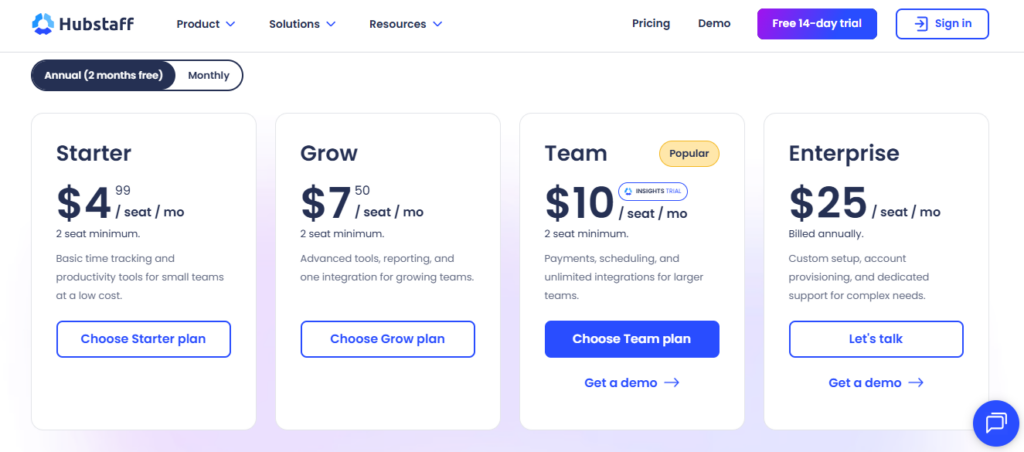
Understanding hubstaff pricing is essential before deciding if it fits your team’s budget and workflow.
Hubstaff offers multiple hubstaff pricing plans, typically structured based on features and team size. Pricing is generally per user per month, and costs vary depending on the plan you choose.
Common Hubstaff Pricing Structure
While exact pricing can change, Hubstaff usually provides:
1. Starter Plan
Designed for small teams who need:
- Basic Hubstaff time tracking
- Activity levels
- Limited reporting features
This plan works well for simple productivity tracking without advanced automation.
2. Grow Plan
Includes:
- Advanced reporting
- Integrations with project management tools
- More detailed workforce analytics
- Enhanced productivity tools
This is often the most popular option for remote teams.
3. Team and Enterprise Plans
Best for larger organizations that need:
- Advanced controls
- Detailed performance tracking
- Payroll automation
- Custom permissions
- Priority support
What Influences Hubstaff Pricing?
The total cost depends on:
- Number of users
- Selected plan
- Monthly vs annual billing
- Add-ons (if any)
Annual billing usually reduces the overall cost per user.
Is Hubstaff Expensive?
Compared to basic time trackers, Hubstaff may feel more expensive, especially for small teams.
However, when you consider features like:
- Workforce analytics
- Activity monitoring
- Automated payroll integrations
- Detailed reporting
Many businesses view it as a full productivity system rather than just time tracking software.
Before choosing a plan, it’s important to evaluate:
- Do you need monitoring features?
- Is detailed reporting essential?
- Or do you only need simple time logging?
That will determine which hubstaff pricing plan makes sense for your remote team.
Next, we’ll cover the Pros and Cons of Hubstaff so you can make a balanced decision.
Pros and Cons of Hubstaff
No Hubstaff review is complete without looking at both strengths and limitations. So let’s keep this balanced and practical.
Pros of Hubstaff
1. Strong Hubstaff Time Tracking
Hubstaff offers reliable hubstaff time tracking across desktop, web, and mobile apps. It’s flexible enough for remote, hybrid, and field teams.
2. Detailed Workforce Analytics
The platform provides useful workforce analytics, including:
- Activity levels
- Productivity reports
- Project-based tracking
- Attendance insights
This helps improve performance tracking and team visibility.
3. Built-In Employee Monitoring Options
As Hubstaff employee monitoring software, it includes:
- Optional screenshots
- Activity tracking
- App and URL monitoring
Importantly, these features are configurable by administrators.
4. Project Budgeting
You can:
- Set project budgets
- Track time against estimates
- Monitor cost progress
This is helpful for agencies and service-based teams.
5. Payroll Integrations
Hubstaff supports integrations for automated payments, which simplifies contractor management.
Cons of Hubstaff
1. Monitoring May Feel Invasive
Because it includes activity tracking and screenshots (if enabled), some teams may find it too strict depending on company culture.
2. Not a Full Project Management Tool
Although it supports tasks and budgets, Hubstaff is not designed to replace advanced project management platforms.
3. Pricing Can Add Up
For large teams, hubstaff pricing plans may become expensive compared to simpler alternatives.
4. Requires Desktop App for Full Features
To access complete monitoring capabilities, users must install the desktop application.
Overall Balance
Hubstaff works best for organizations that want:
- Structured time tracking software
- Clear productivity insights
- Strong remote team management visibility
- Data-driven performance tracking
It may not be ideal for teams that only need basic time logging without monitoring features.
Who Should Use Hubstaff?
After reviewing its features, pricing, and pros and cons, the next question in this Hubstaff review is simple:
Is Hubstaff the right fit for your team?
Hubstaff works best for organizations that need structured visibility into time, productivity, and performance.
Ideal Users
1. Remote Teams
If your team works across different locations or time zones, Hubstaff helps centralize time data and activity insights. It supports better remote team management without constant manual follow-ups.
2. Digital Agencies
Agencies that bill clients hourly benefit from:
- Accurate hubstaff time tracking
- Project-based reporting
- Budget tracking
- Exportable timesheets
This makes client reporting easier and more transparent.
3. Startups and Growing Teams
Teams that want measurable growth can use Hubstaff’s workforce analytics to:
- Track performance trends
- Monitor productivity patterns
- Improve resource allocation
4. Field or Mobile Workforces
With GPS tracking (when enabled), Hubstaff is useful for teams that work outside the office.
Who May Not Need Hubstaff?
Hubstaff might be unnecessary if:
- You only need basic time logging without monitoring
- Your team prefers minimal tracking tools
- You already use a full-scale workforce analytics system
In those cases, a simpler time tracking software solution may be enough.
In short, Hubstaff is designed for teams that value data-driven insights, accountability, and structured performance tracking.
Building a Complete Productivity and Growth System for WordPress Teams
If you’re using Hubstaff for time tracking and workforce analytics, you’re already taking a data-driven approach to managing your team.
But here’s something many businesses overlook:
Productivity isn’t just about tracking hours; it’s also about securing access and measuring results.
That’s where WordPress-specific tools from WPBrigade can strengthen your overall workflow.
Secure Your Remote Team’s WordPress Access with LoginPress
When teams work remotely, website access management becomes critical.
LoginPress helps you:
- Customize and secure WordPress login pages
- Add extra protection layers
- Improve authentication control
- Reduce unauthorized access risks
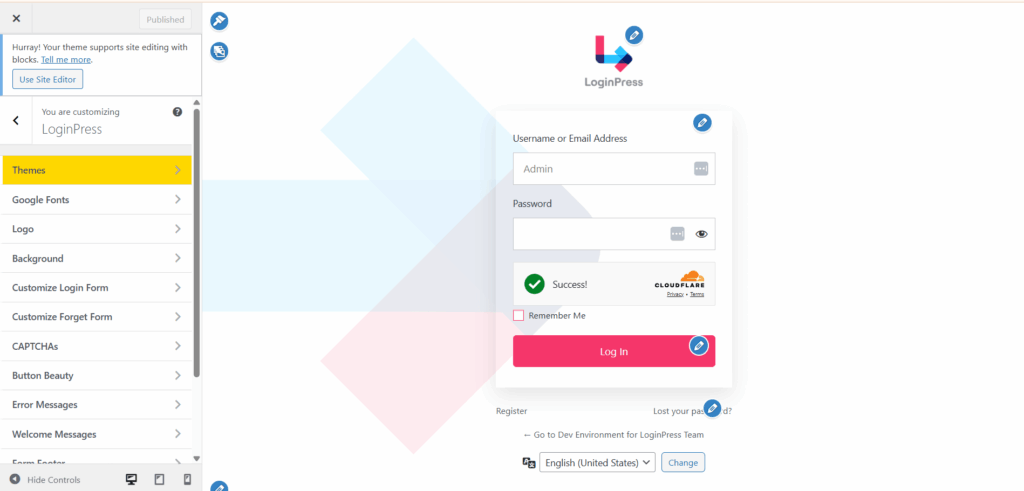
If your team logs into WordPress dashboards daily, combining Hubstaff’s performance tracking with strong login security creates a more controlled and reliable environment.
This is especially useful for agencies and distributed teams managing multiple client sites.
Track Website Performance with Analytify
Hubstaff helps you measure employee productivity.
But what about measuring business growth?
Analytify allows you to view Google Analytics data directly inside WordPress, including:
- Traffic performance
- User behavior insights
- Campaign results
- Conversion tracking
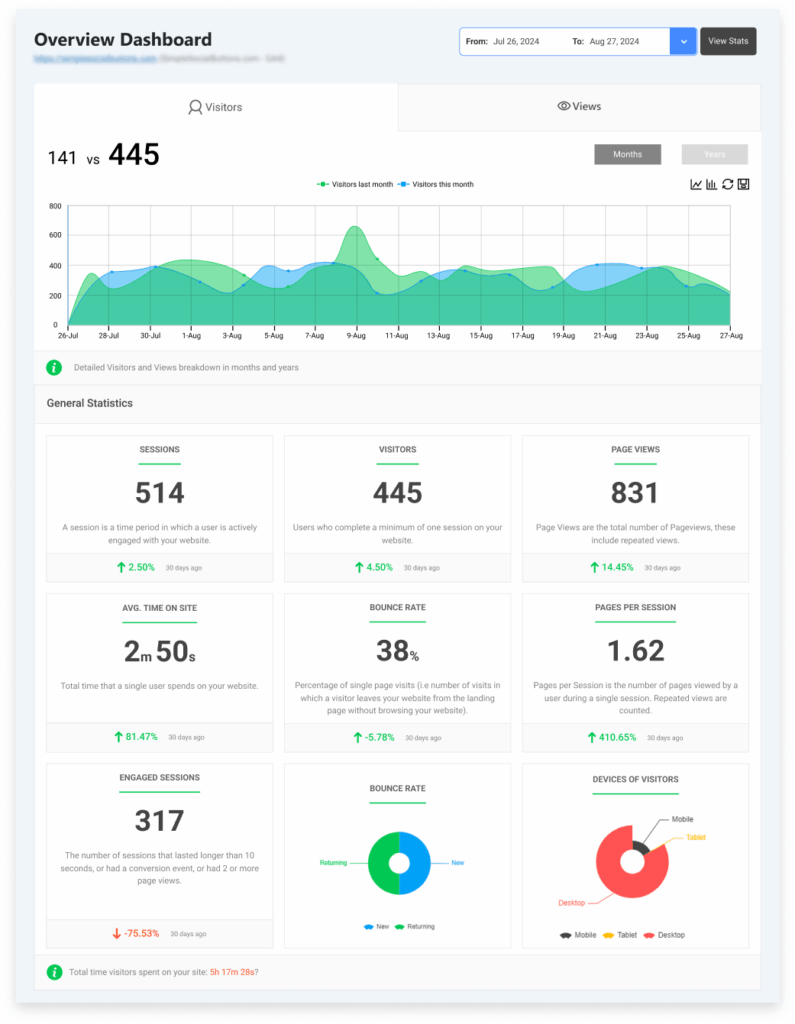
This makes it easier to connect team productivity with real marketing outcomes — a key advantage for businesses focused on growth signal tracking, performance tracking, and data-driven decision-making.
Why Combining These Tools Works
When you use Hubstaff alongside WPBrigade plugins, you create a structured system that covers:
- Time tracking software for team accountability
- Workforce analytics for performance insights
- WordPress login security for controlled access
- Website analytics for business growth measurement
Instead of managing productivity in isolation, you build a complete operational framework.
For remote teams, agencies, and scaling businesses, this combination supports better transparency, smarter reporting, and long-term efficiency.
FAQs About Hubstaff Review
Final Thoughts
After going through this detailed Hubstaff review, one thing is clear: Hubstaff is more than a simple timer.
It combines Hubstaff time tracking, workforce analytics, reporting, and optional employee monitoring features into one structured platform. For teams that rely on data to improve productivity, it can be a strong addition to their workflow.
If your organization focuses on:
- Remote team management
- Performance tracking
- Project budgeting
- Productivity tools that provide visibility
- Detailed workforce analytics
Then, Hubstaff can offer real value in 2026.
However, if you only need basic time tracking software without monitoring, reporting depth, or analytics, you may find it more advanced than necessary.
When evaluating Hubstaff pricing plans, consider not just the cost but the outcomes. The real question is whether the insights and automation features will help your team work smarter, improve accountability, and manage time more effectively.
At the end of the day, the best tool depends on your workflow, team structure, and transparency requirements.
If you’re managing a remote or distributed team and want structured visibility with reporting capabilities, Hubstaff is definitely worth considering.
Leave a Reply