
A thank you page is the page a visitor lands on right after they convert. That means after they submit a form, complete a purchase, or sign up. For most WordPress sites, it’s just one generic line. Nothing else is on the page.
That’s a missed moment. The visitor is at peak engagement right then. The page gives them nothing to do next.
This guide shows you how to build a WordPress thank you page the right way. You’ll get setup steps and real examples for lead-gen, ecommerce, and SaaS or service businesses.
Lets Begin!
Table of contents
- What Is a Thank You Page and Why Does It Matter?
- Which Real-World Thank You Page Examples Excel in 2026?
- How Do You Create and Connect a Thank You Page in WordPress?
- What Should a Lead-Gen Thank You Page Include?
- What Should an Ecommerce Thank You Page Include?
- What Should a SaaS or Service Thank You Page Include?
- What Mistakes Should You Avoid on a Thank You Page?
- Frequently Asked Questions
- Conclusion
What Is a Thank You Page and Why Does It Matter?
A WordPress thank you page is a custom page that shows up after someone completes an action on your site. It confirms their action immediately and grants them access to any digital assets you promised.
It also gives clear instructions about what happens next, turning a simple transaction into the start of a relationship. This helps keep users engaged when your brand is fresh in their minds.
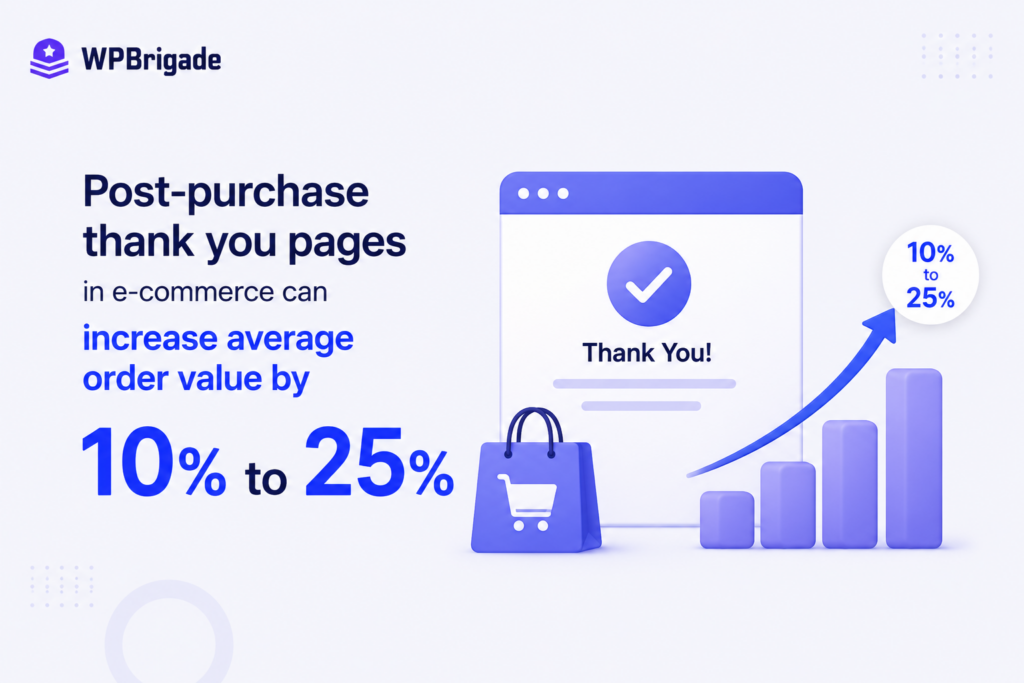
According to MarketingAgency, post-purchase thank you pages in e-commerce can increase average order value by 10% to 25%.
Which Real-World Thank You Page Examples Excel in 2026?
A thank you page that converts well should do more than just show a receipt. It needs to keep users engaged after they take action.
We looked at how the best confirmation pages are set up online. The most effective ones use their space to show important details and also encourage users to take another action.
We broke down these exceptional examples based on live design frameworks:
1. WPBrigade’s Thank You Page
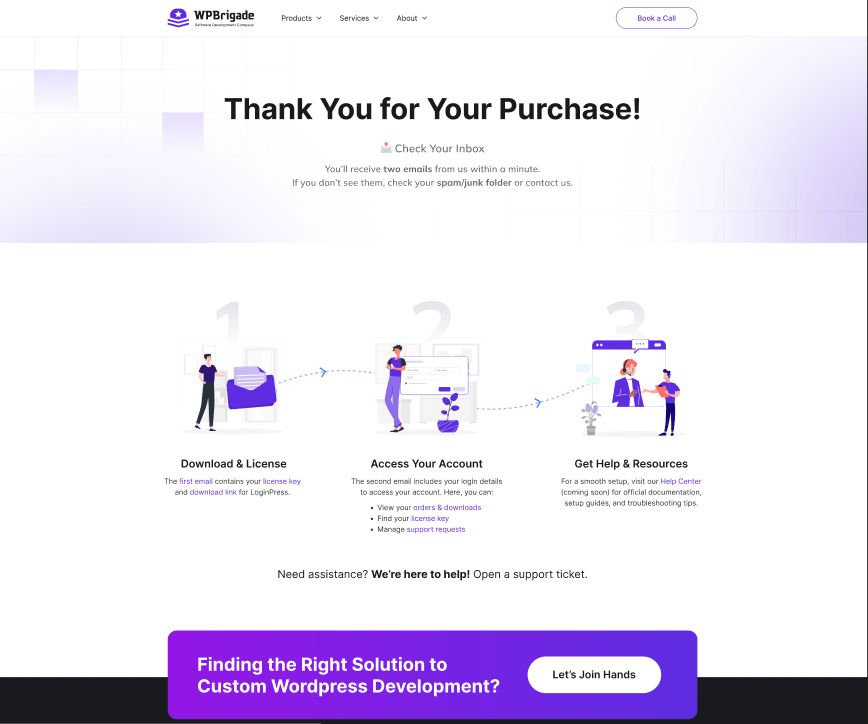
WPBrigade is an established WordPress development agency and product company known for building purposeful web software.
This WPBrigade thankyou page confirms clients’ requests with a direct appreciation, saying ‘Thank you for your purchase’. Not only that, they added a high-contrast call-to-action section promoting their custom development services and next steps to install and activate the product.
Best Practices Used:
- Included a clear inline navigation link for clients to access their account details instantly
- Kept the company’s signature brand design elements and header typography consistent
- Added a prominent funnel expansion block to convert software buyers into full-service clients
2. Backlinko’s Newsletter Subscription Thank You Page
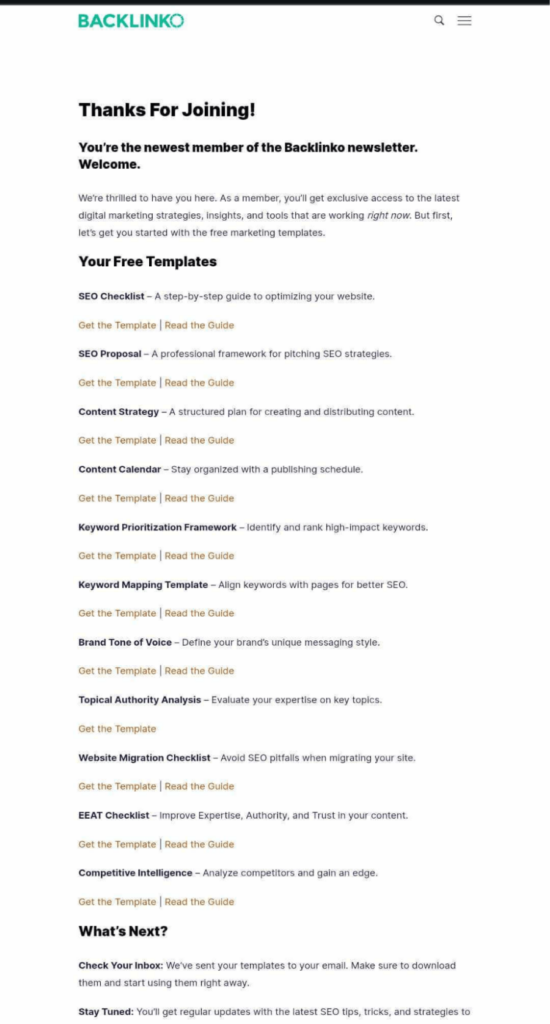
Backlinko is a popular marketing site known for its actionable search engine optimization strategies. This Backlinko page confirms clients’ requests with a direct appreciation, saying ‘Thanks For Joining!’
Not only that, they added an immediate resource-delivery list featuring 11 free marketing templates.
Best Practices Used:
- Included quick options to download templates or read guides in one click
- Kept the brand’s minimalist web typography consistent
- Added a clear next steps section with inbox validation instructions
3. Analytify Newsletter Subscription Thank You Page
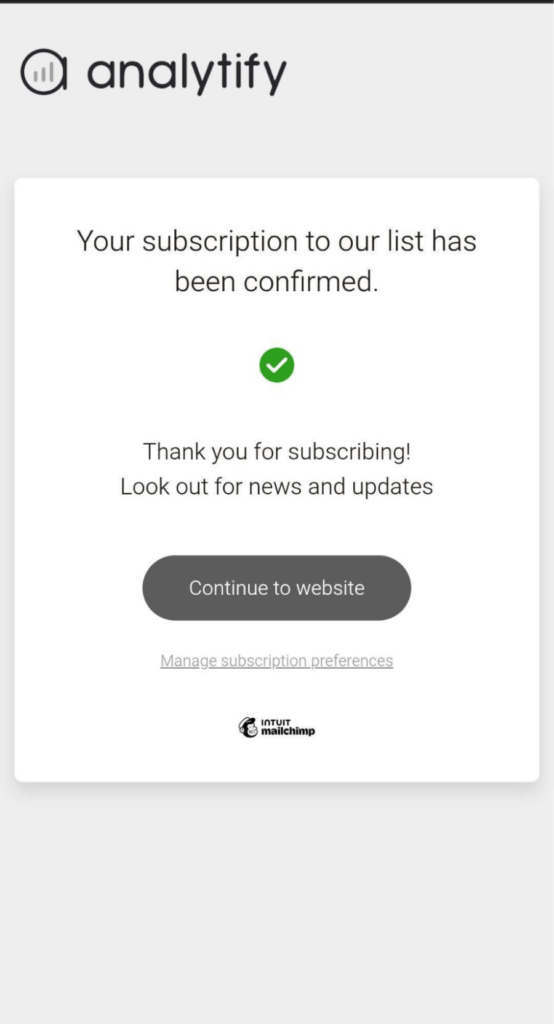
Analytify is a premier WordPress analytics plugin that displays Google Analytics metrics directly inside your dashboard. This page of Analytify confirms clients’ requests with a direct appreciation: ‘Thank you for subscribing!’
Not only that, they added a functional navigation button that directs subscribers back to the company’s core website.
Best Practices Used:
- Included a prominent call-to-action button to return visitors to the site immediately
- Kept the distinct brand logo and clean aesthetic styling elements consistent
- Added a preferences link allowing users to manage subscription details easily
How Do You Create and Connect a Thank You Page in WordPress?
You can create a thank you page in WordPress like any other page. Then you connect it to a form or to WooCommerce. That way, visitors land there right after they convert.
Creating the Page
Creating the page itself is simple. Let’s say that a client wants a “Thanks for reaching out” page for their contact form. You don’t need a page builder for a basic version.
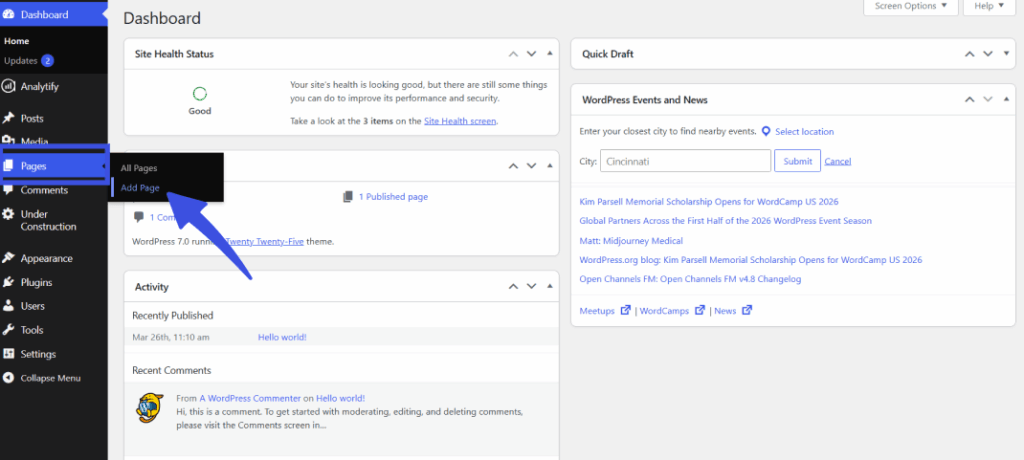
- Go to Pages >> Add New in your WordPress dashboard.
- Title the page clearly, for example, “Thank You.”
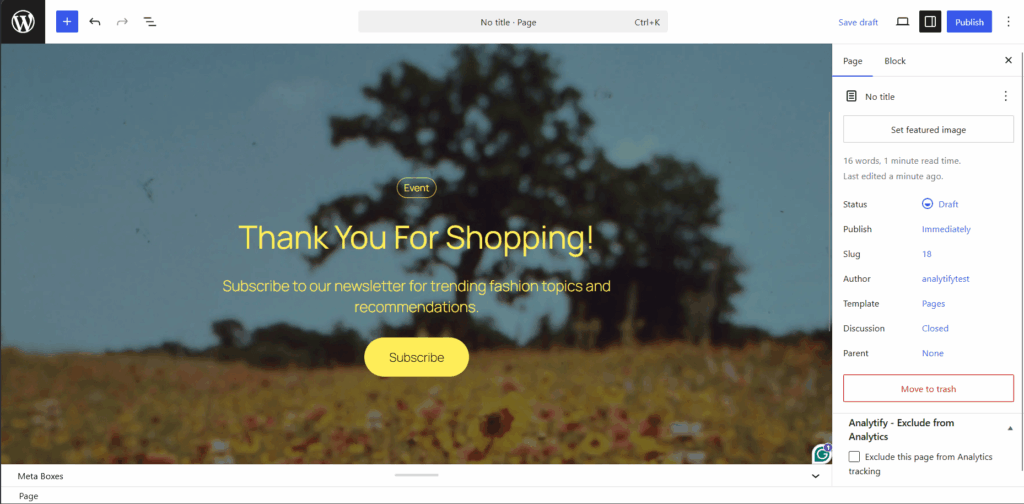
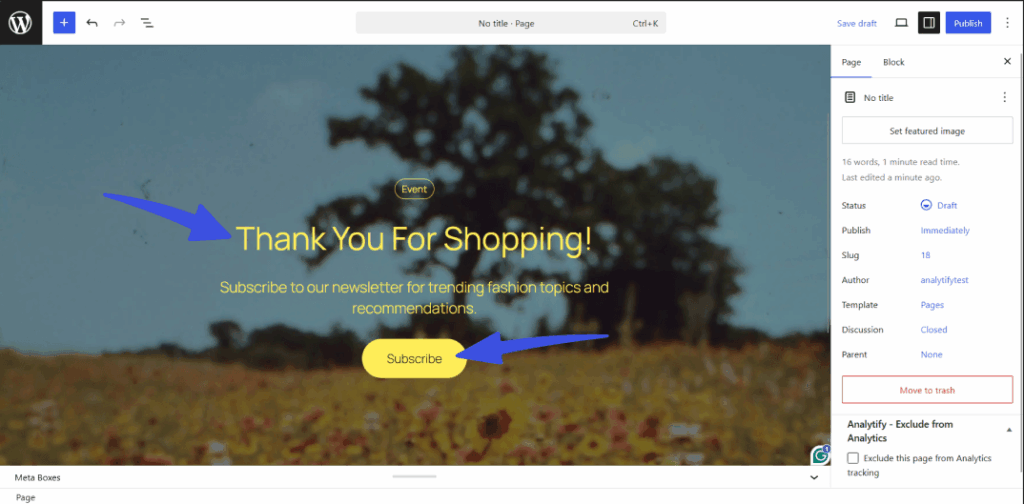
- Add a heading, a short confirmation message, and one next-step element (a link, a button, or embedded content).
- Publish the page and copy its URL for the next step.
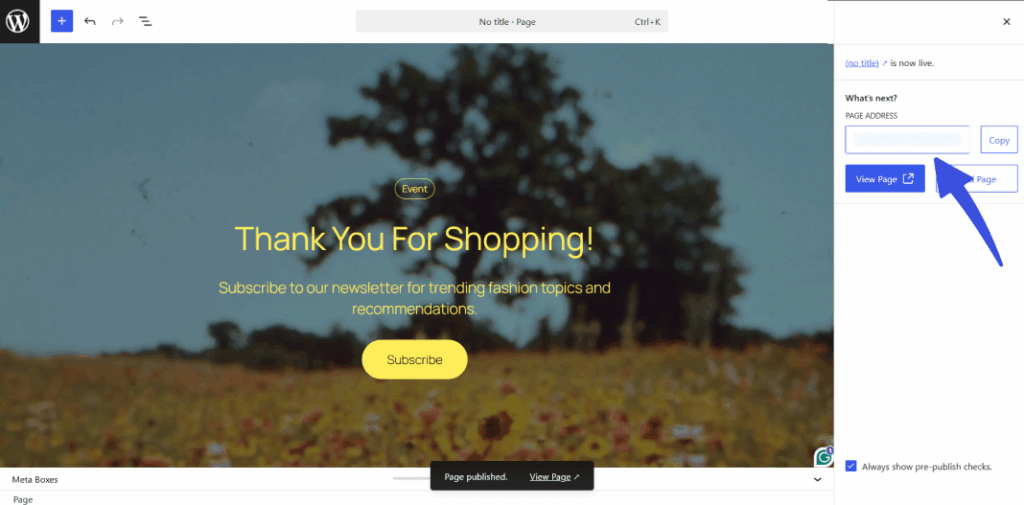
A short paragraph should confirm what happens next, for example, “We’ll be in touch within one business day.”
A visual page builder also works for more advanced layouts. You don’t need one for a functional thank you page. Some of the top WordPress page builders are:
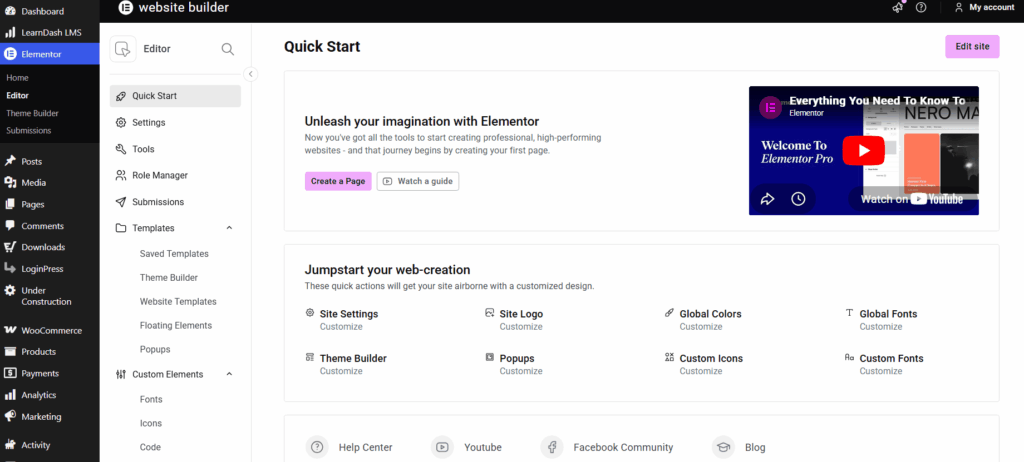
- Elementor: This tool provides a live drag-and-drop editing interface with dedicated canvas templates for landing pages.
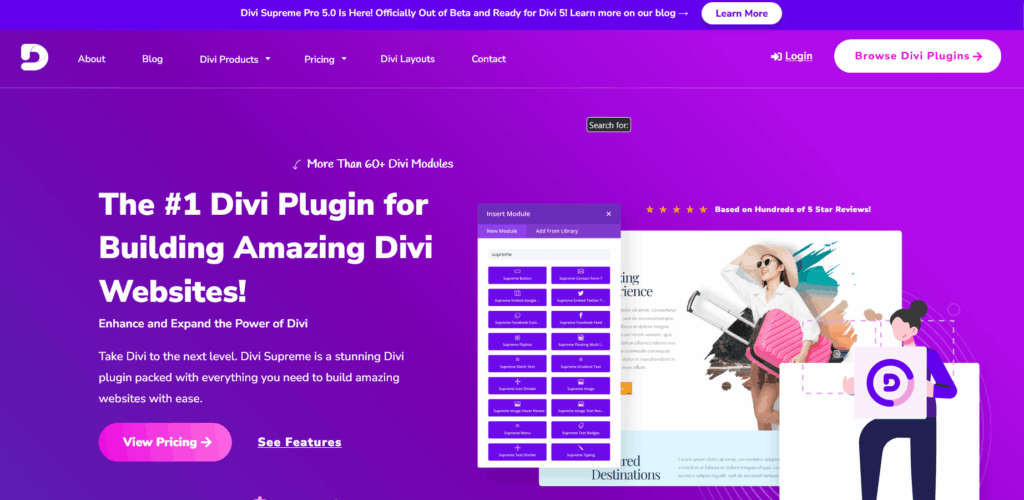
- Divi Builder: This platform features a modular visual layout engine and extensive custom design presets.
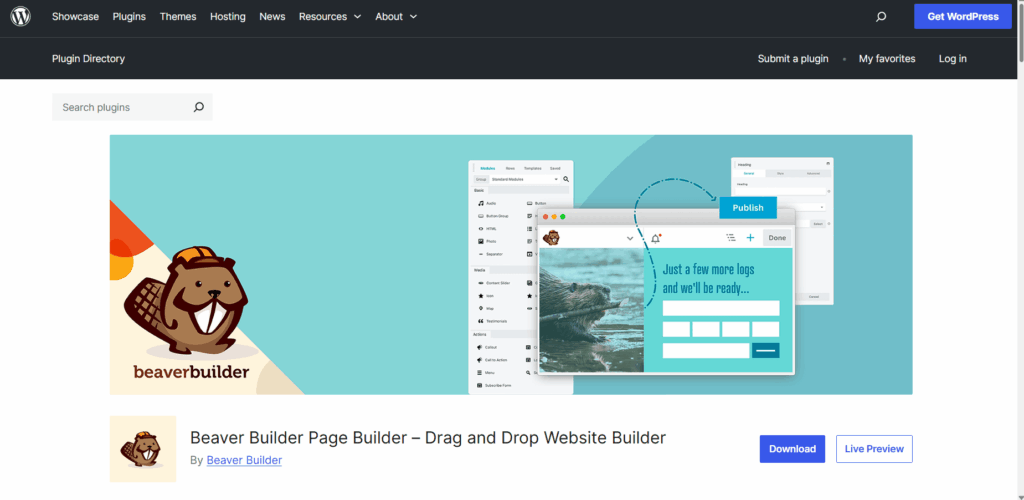
- Beaver Builder: This lightweight alternative focuses on high performance and stable backend editor rendering execution.
Redirecting Users to the Page After Form Submission
The next step towards a high-converting thank you page in WordPress is connecting the form to that page. For instance, if you have a lead magnet signup form. It should redirect to a download-delivery thank you page after someone submits it.
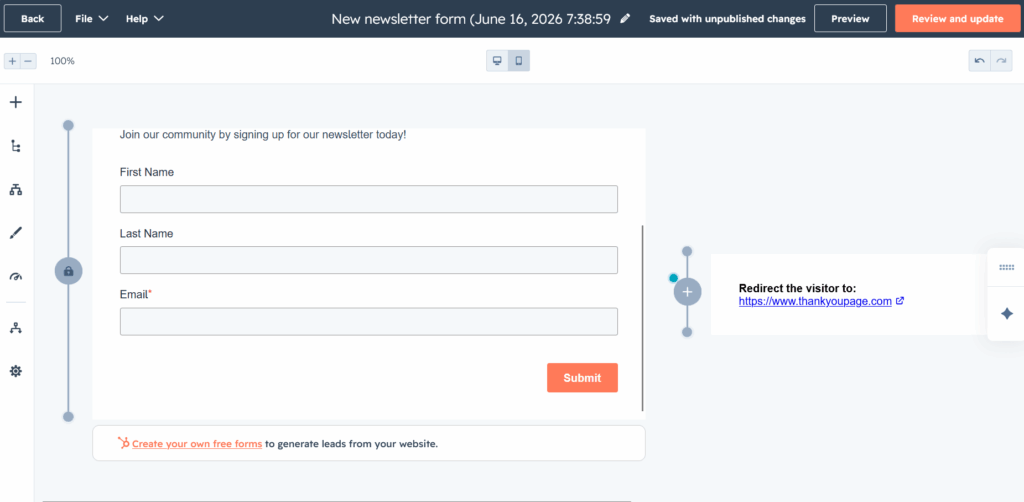
Note: For this tutorial, I will use the HubSpot form builder and connect my forms to redirect to the newly created thank-you page.
- Open your form in the form plugin’s builder.
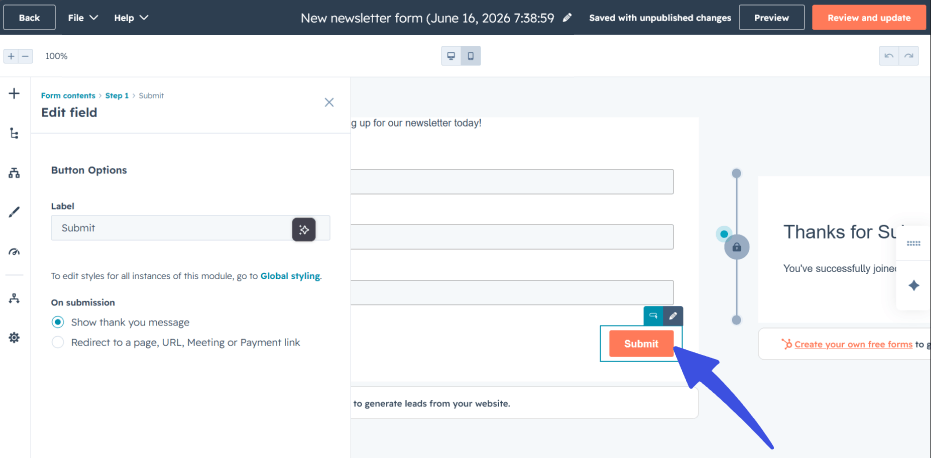
- Change the on submission option to “Redirect to a page URL” by clicking on the CTA button of your form.
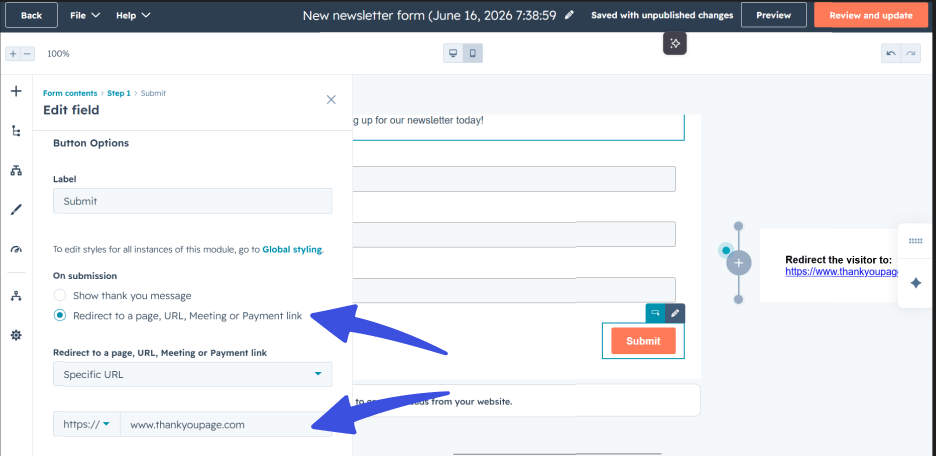
- Enter or select the thank you page URL of your page and add it here.
- Save the form and submit a test entry to confirm the redirect works.
WooCommerce Order Confirmation Pages
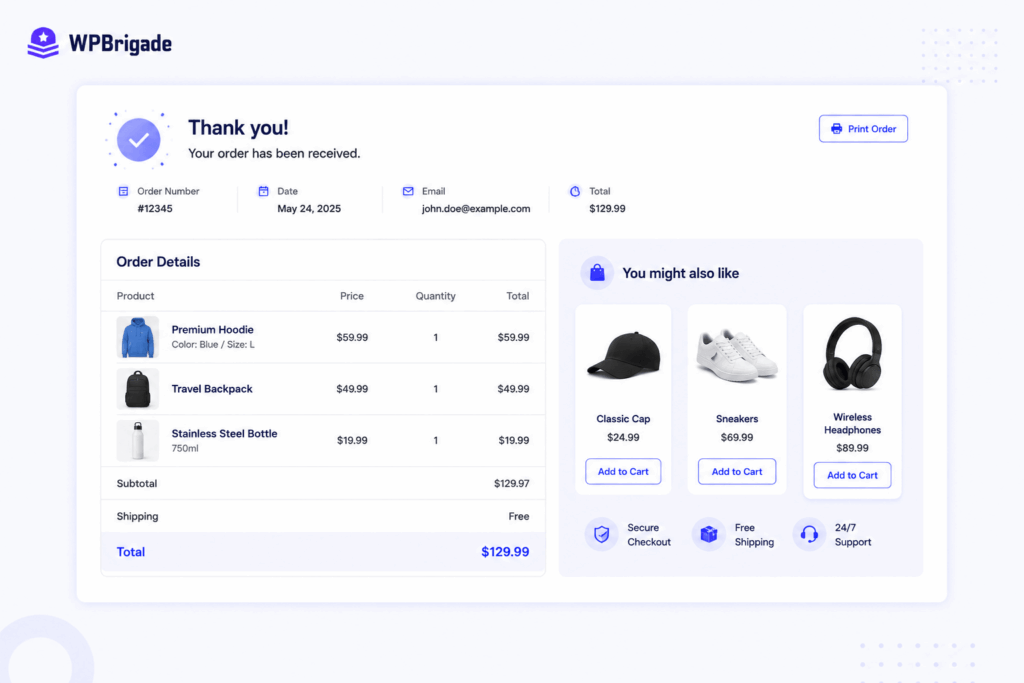
WooCommerce automatically displays an order confirmation page after checkout. You don’t need to build one from scratch.
Say a small WooCommerce store wants to add upsell content to that existing page. You can customize it with related products, a discount code for the next order, or an account creation prompt. Use the block editor or a page builder to add these elements.
Next, see how this setup changes across lead-gen, ecommerce, and SaaS or service pages.
What Should a Lead-Gen Thank You Page Include?
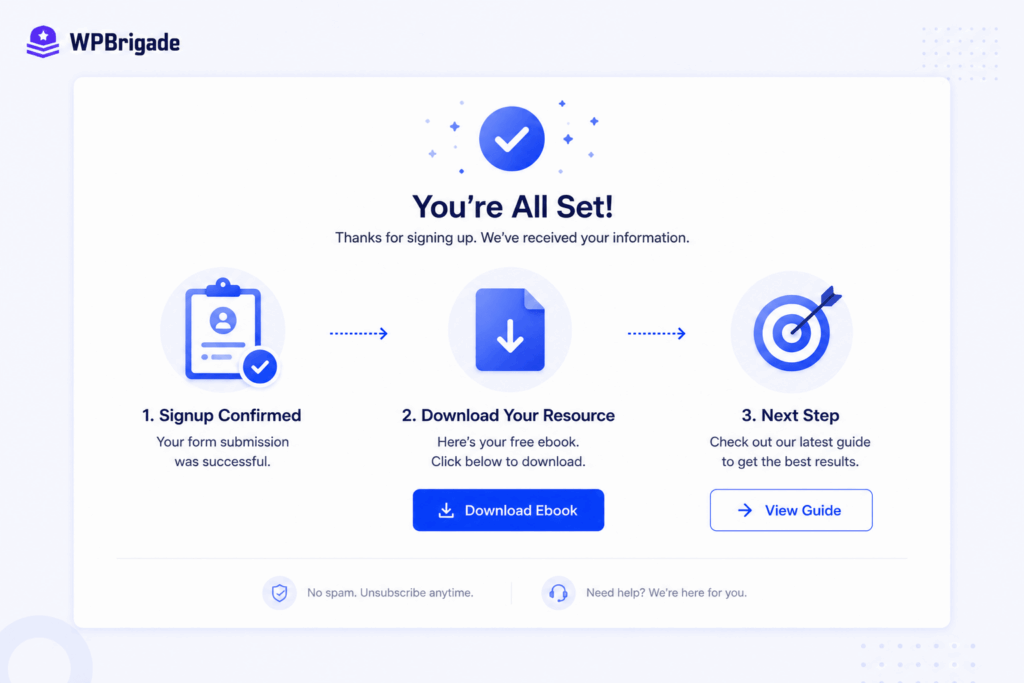
A lead-gen thank you page should do three things. Confirm the signup. Deliver the promised resource right away. Then offer one related next step.
Its real job is to keep the lead moving. Confirming the signup alone wastes the moment. The visitor just said yes. That’s the best time to ask for one more small step.
A strong lead-gen thank you page includes:
- A clear confirmation that the signup worked
- Immediate delivery of (or a link to) the promised resource, such as an ebook, checklist, or webinar link
- One related next step, such as a relevant blog post, a short case study, or a “book a 15-minute call” link
Let’s take a hypothetical example of a WordPress agency offering a free “website audit checklist.”
The thank you page delivers the checklist link immediately. It also adds one consultation booking link below it. That’s the only other CTA on the page.
Most leads never look back once they close that tab. A clear next step keeps the window open a little longer. Resist the urge to add more. Competing pages often stack four or five extras: a social follow, a newsletter signup, related content, an upsell, and a survey.
All of that competes for the same click. You should pick one primary next step and keep everything else visually smaller, if you include it at all. An e-commerce thank you page requires a different set of priorities.
What Should an Ecommerce Thank You Page Include?
An ecommerce thank you page should confirm the order with clear details, set expectations for delivery or fulfillment, and suggest two to four related products or a discount on the next order.
A buyer who just checked out is still in a buying mindset. That makes this page one of the best moments to earn a second purchase. Or you could simply build trust in the order they placed.
A strong ecommerce thank you page includes:
- Order confirmation with the order number and a summary
- Delivery or fulfillment expectations, such as an estimated shipping date, or for digital products, where to access the purchase
- Two to four related product suggestions, or a small discount code for the next order
- An account creation prompt, if the customer checked out as a guest
Picture a small WooCommerce store selling skincare products. Its order confirmation page now shows two to three “complete the routine” product suggestions below the order summary. Nothing fancy, just the right products at the right moment.
This isn’t a new page you build from scratch. WooCommerce already shows an order confirmation page after checkout.
If you add a discount code, track it separately. A simple UTM tag or unique coupon code works fine. That way, you can measure its real impact on repeat purchases.
SaaS and service signups need a different kind of follow-through.
What Should a SaaS or Service Thank You Page Include?
A SaaS or service thank you page should confirm the signup or booking, set a clear expectation for what happens next, and give the user one activation action they can take immediately, such as starting onboarding or adding a calendar reminder.
For a free trial or a booked consultation, your primary goal is to activate users. You must get the user to take their first meaningful action before their initial interest drops.
Core Elements for Activation
- Specific booking confirmation: Display the exact trial start date or consultation time.
- One clear next action: Guide them to a button like “Complete your profile.”
- Short walkthrough video: Embed a quick video to reduce uncertainty before first use.
For instance, a WordPress maintenance service uses a “Book a free site audit call” form. The resulting page confirms the booked time slot.
It provides a clean button to add the event to an external calendar via an embedded scheduling tool. It also links to a brief guide explaining what to expect during the call.
Which Thank You Page Strategy Fits Your Business?
| Business Type | Primary Goal | Key Elements to Include |
| Lead-gen | Keep the new lead moving toward a sales conversation | Signup confirmation, immediate resource delivery, one related next-step CTA |
| Ecommerce | Encourage a second purchase and build trust | Order summary, delivery expectations, 2 to 4 related products, and account prompt |
| SaaS or Service | Get the user to take their first activation action | Signup confirmation, one clear activation action, and an optional onboarding video |
Let us examine the common mistakes to avoid when designing these pages.
What Mistakes Should You Avoid on a Thank You Page?
The most common thank you page mistakes are leaving it as a generic confirmation message with no next step, offering too many competing calls to action at once, and forgetting to add conversion tracking before sending traffic to it.
Avoid these common mistakes and gaps to keep your audience engaged even after they have converted.
| Mistake | Why It’s a Problem | Fix |
| Leaving the default generic message | Wastes the moment a visitor is most engaged with your brand, with zero next step offered. | Replace it with a dedicated page following the use-case structure. |
| Adding too many competing CTAs | A visitor faced with several options often takes none of them. | Pick one primary next step per the use-case sections and keep other links visually secondary. |
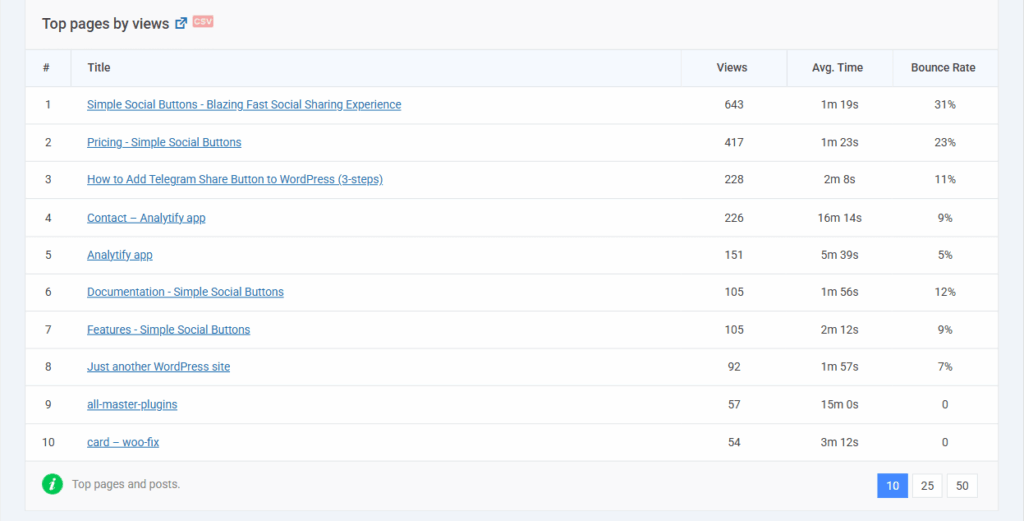
| Forgetting conversion tracking | Without a tracking event on the thank you page, you cannot measure conversions accurately. | Add a GA4 conversion event or use Analytify to see tracking data directly in WordPress. |
| Using one page for every form | A newsletter signup and a high-intent quote request have completely different next steps. | Create separate thank you pages or unique confirmation messages per form or product type. |
To avoid these mistakes, use a tool like Analytify, which shows page-level conversion data directly in WordPress; there’s no need to switch to GA4.
Frequently Asked Questions
Conclusion
A thank you page is one of the highest-engagement moments on a WordPress site, and a generic confirmation message wastes it. Matching the page’s content to your business type turns a single conversion into the start of a second one.
- Create a dedicated thank you page using the block editor, following the structure for your business type.
- Connect it to your form or WooCommerce checkout using the redirect steps and then test it by submitting a real entry.
- Add conversion tracking to the page before driving traffic to measure the impact of the change.
Need a Custom WordPress Thank You Page?
Learn more about optimizing your WordPress site with these guides:
- Custom WordPress Development Checklist for 2026
- Figma to WordPress: A Designer’s Complete Handoff Guide (2026)
- How to Optimize WordPress Website Speed (Advanced Guide)
Which thank you page mistake have you spotted on your own site? Let us know in the comments below!
Leave a Reply