
For most sites, I’d lean toward WordPress: it’s free, flexible and fully yours. If you already run sales and marketing in HubSpot’s CRM, HubSpot CMS (Content Hub) makes more sense.
Choosing the right content management system (CMS) can be challenging when establishing an online presence.
In 2026, two of the most popular options are WordPress and HubSpot. Both platforms offer unique features that aim to satisfy different needs and preferences. WordPress CMS powers blogs, eCommerce sites, and more. On the other hand, HubSpot CMS is an all-in-one solution for streamlining digital marketing efforts.
I’m Muhammad Adnan, CEO of WPBrigade. I’ve been building WordPress sites and products for more than ten years, and in this comparison, I’ll explain where WordPress fits better, where HubSpot makes more sense, and what to consider before choosing between them.
WordPress vs HubSpot (TOC):
- WordPress CMS (Overview)
- HubSpot CMS (Overview)
- WordPress vs HubSpot: Features Comparison
- WordPress vs HubSpot: Ease of Use
- WordPress vs HubSpot: Customization Options
- WordPress vs HubSpot: Publishing Tools
- WordPress vs HubSpot: Themes and Templates
- WordPress vs HubSpot: Security
- WordPress vs HubSpot: eCommerce Capability
- WordPress vs HubSpot: Analytics and Data
- WordPress vs HubSpot: SEO Features
- WordPress vs HubSpot: Pros and Cons
- WordPress vs HubSpot Pricing
- WordPress vs HubSpot: Which is the Best CMS in 2026?
- WordPress vs HubSpot FAQs
- Final Thoughts
WordPress CMS (Overview)
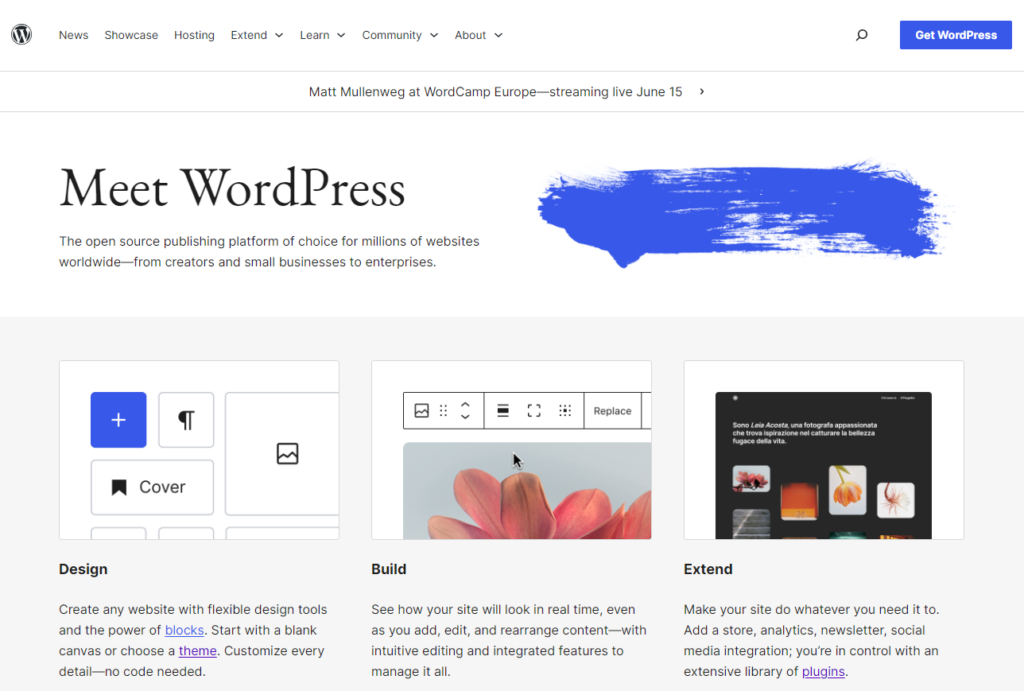
WordPress is an open-source content management system (CMS). It lets you create, manage, and publish sites without writing a single line of code, such as:
- Simple blog sites
- Complex eCommerce Stores
Since its initial release in May 2003, WordPress has become the world’s most popular CMS. Today, it powers 40.2% of all websites (W3Techs, October 2026). By choosing WordPress, you’re joining a vast community of users.
The core platform offers thousands of amazing themes and plugins.
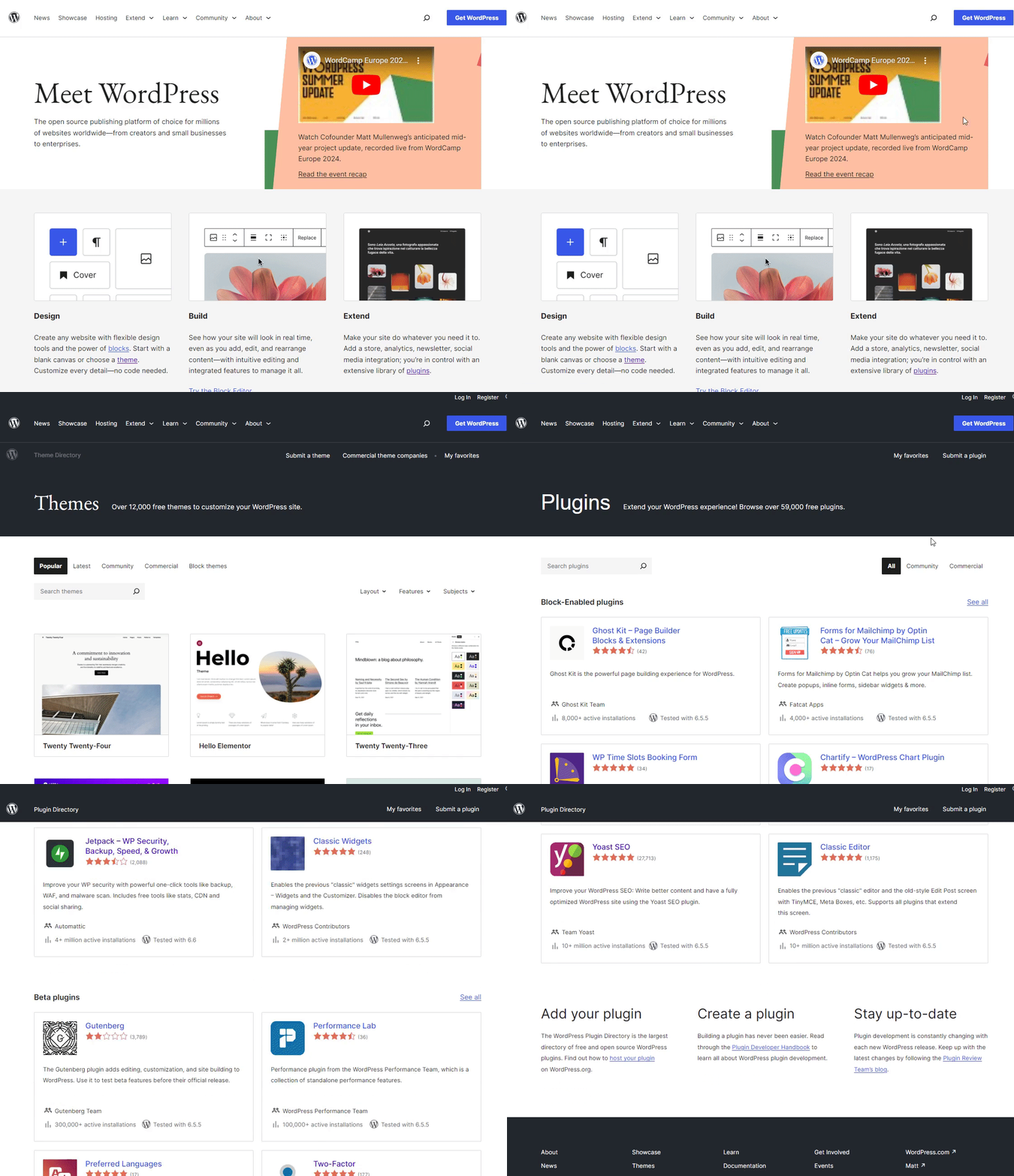
Have a look at the WordPress Plugins and Themes repository:
Here are a few popular WordPress plugins:
- LoginPress: A WordPress plugin that helps you customize each element on the default WordPress login page, such as adding a background, changing the logo, adding desired colors to the text and button on the login form, and much more.
- Analytify: This powerful WordPress plugin integrates Google Analytics into your site. This integration makes it possible to keep track of your site’s analytics within the admin dashboard, such as visitors, bounce rate, affiliates, forms, and authors.
- Simple Social Media Share Buttons: This WordPress plugin helps you add social media sharing buttons, e.g., Facebook, WhatsApp, Viber, Twitter, Reddit, LinkedIn, and Pinterest, to your WordPress site.
HubSpot CMS (Overview)
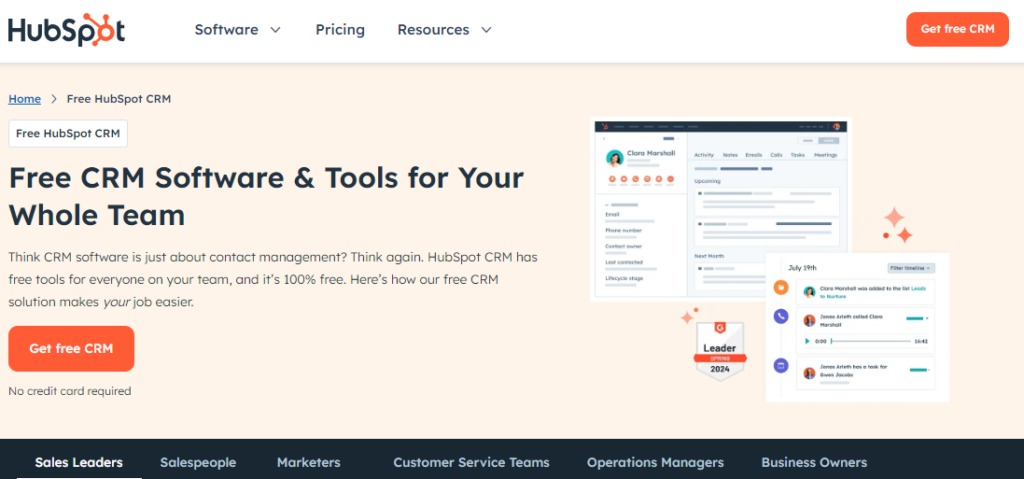
HubSpot is another useful content management system (CMS) that offers a suite of marketing, sales, and services tools. This platform is mainly for businesses creating, managing, and optimizing their sites and digital marketing efforts.
HubSpot CMS offers a drag-and-drop editor, which makes it easy for users without technical skills to create and update site content.
HubSpot is a more expensive option than WordPress. It also provides customization options, but it is less flexible than WordPress.
WordPress vs HubSpot: Features Comparison
WordPress wins on customization, themes, eCommerce and cost. HubSpot wins on built-in marketing tools and all-in-one hosting. WordPress and HubSpot are both powerful content management systems (CMS).
Below, we compare the key features of WordPress and HubSpot, so you can weigh the strengths and weaknesses of each CMS.
WordPress vs HubSpot: Ease of Use
WordPress Ease of Use
WordPress features a user-friendly interface, making it easy for beginners to use. The clean interface simplifies managing content, settings, and various site components.
This is what the WordPress admin dashboard looks like:
See the image below:
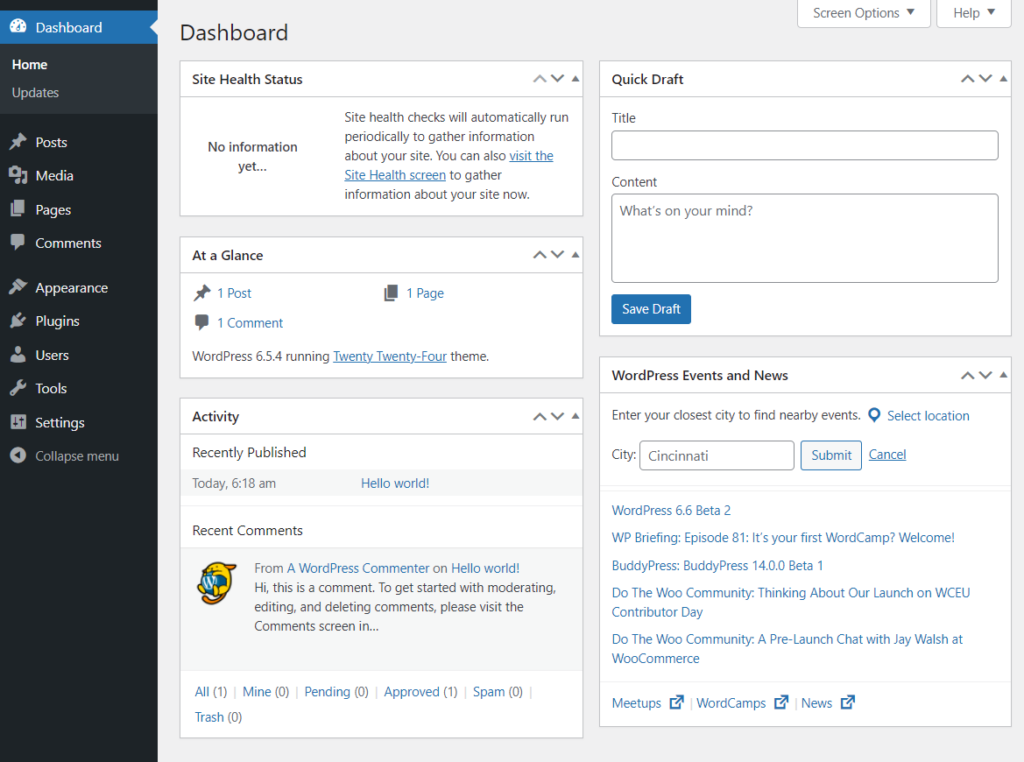
Here are the options you get on the WordPress admin dashboard:
- Posts section helps you create unlimited blog posts for your WordPress site.
- The media option helps you upload images, videos, and documents.
- The comments section lets you manage WordPress comments.
- Appearance area helps you make changes to your site’s overall look and feel.
- The customize section helps you change your site’s appearance.
- Plugins menu enables you to add new plugins to your site.
- You can add Users to your site.
- From the Tools section, you can import and export content for your site.
- Settings section helps you change your site’s settings.
HubSpot Ease of Use
HubSpot, on the other hand, provides a highly user-friendly, integrated platform.
It minimizes the need for manual site maintenance but at the cost of flexibility and higher pricing.
It has a drag-and-drop editor that lets you build multiple areas of your site without writing a single line of code, such as:
- Heading
- Text
- Forms
- Image
- Call to Action Buttons
See the image below:
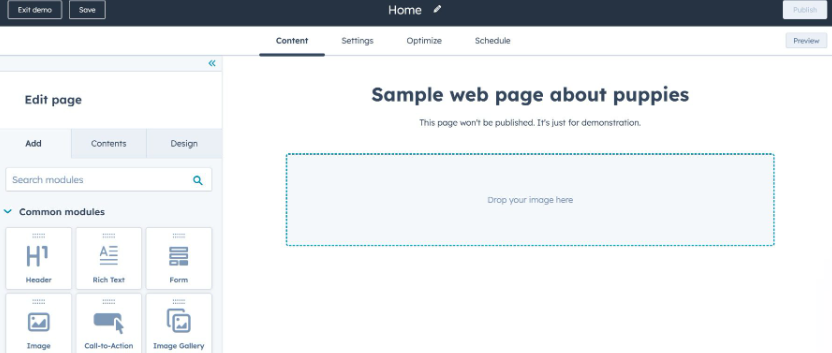
So, your choice will depend on prioritizing ease of management with HubSpot or greater customization and control with WordPress.
WordPress vs HubSpot: Customization Options
WordPress Customization Features
WordPress offers many useful customization options through plugins, themes, and custom coding. These options let you add desired functionality to your site’s visual design and overall layout.
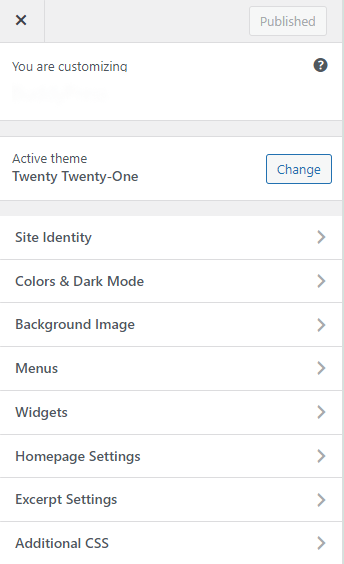
It offers over 12,000 free themes. You can customize these themes in terms of:
- Color schemes
- Typography
- Page layouts
- Homepage Settings
- Widgets
See the image below:
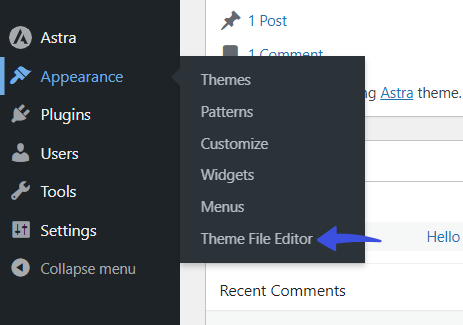
Besides this, there is a Theme File Editor area within WordPress menus, where you can add code for additional functionality.
See the image below:
Above all, over 59,000 free plugins extend core WordPress functionality without breaking the site.
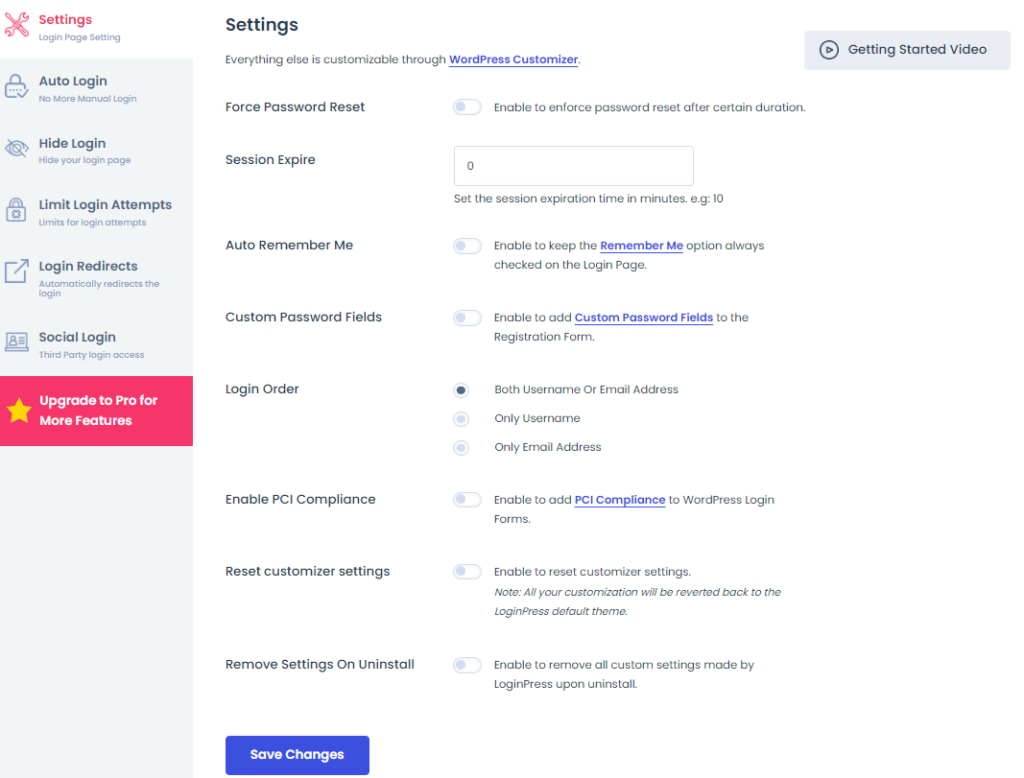
For example, you can use LoginPress, the best WordPress login page customizer plugin, to change the default WordPress login, registration, and lost password page.
It lets you make changes to the core behavior of the login page in terms of:
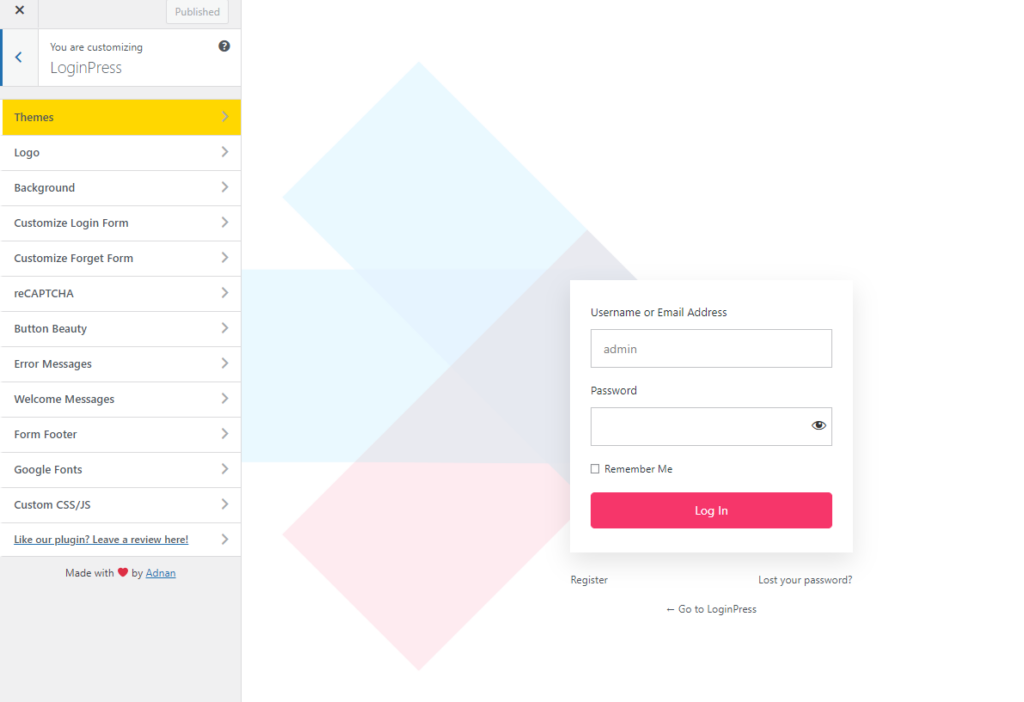
In addition, you can customize your WordPress login page’s overall appearance with the help of multiple options, such as:
- Theme
- Logo
- Background
- Customize Login Form
- Customize Forget Form
- Button Beauty
- Error Messages
- Welcome Messages
- Custom CSS/JS
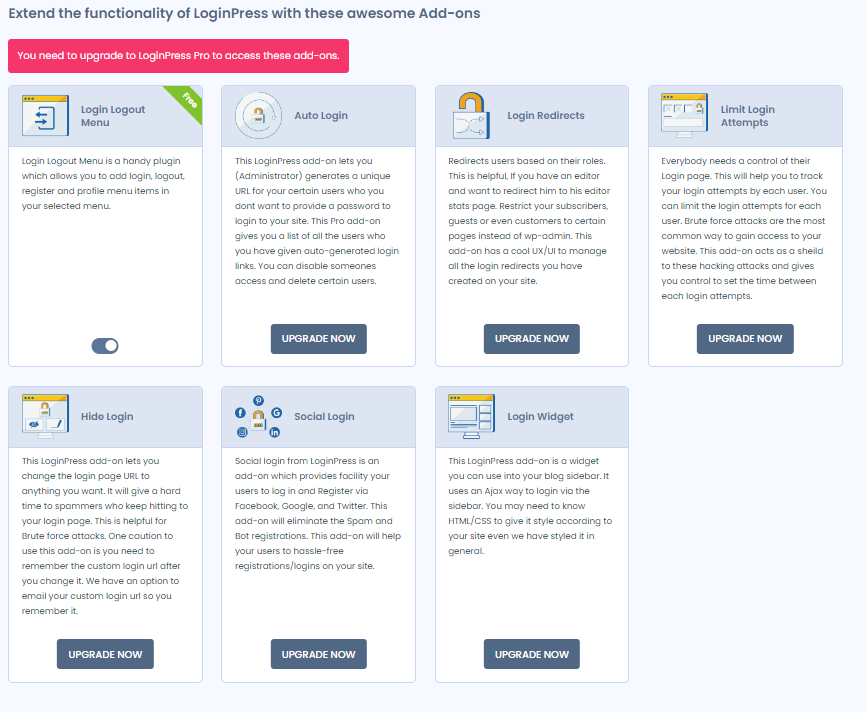
LoginPress Pro adds more features that strengthen the default WordPress login security, including:
HubSpot Customization Features
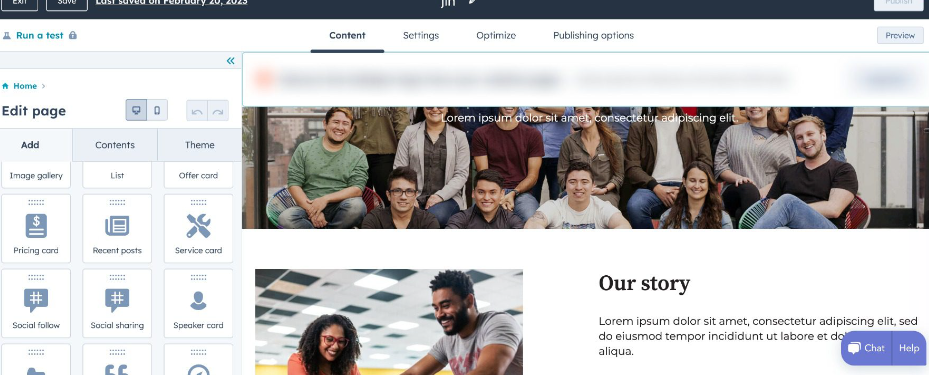
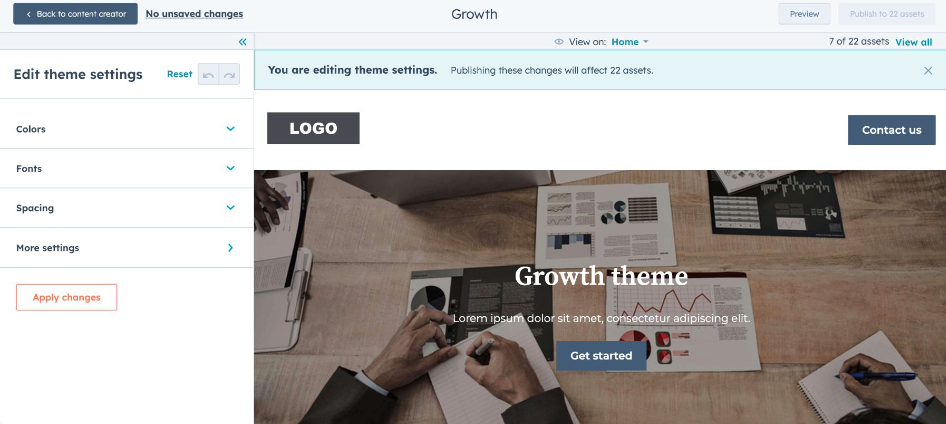
Like WordPress, HubSpot has built-in themes, but with limitations.
With this platform, you can customize different aspects of a page, including:
- Theme Settings
- Header
- Footer options
HubSpot offers a command-line interface (CLI) version for developers. This version allows them to control the customization options, like:
- Colors
- Footers
- Spacing
- More Settings
WordPress vs HubSpot: Publishing Tools
WordPress Publishing Tools
WordPress offers built-in publishing tools that suit bloggers, businesses, and more.
With this platform, you get a user-friendly interface that simplifies the process of building and managing content.
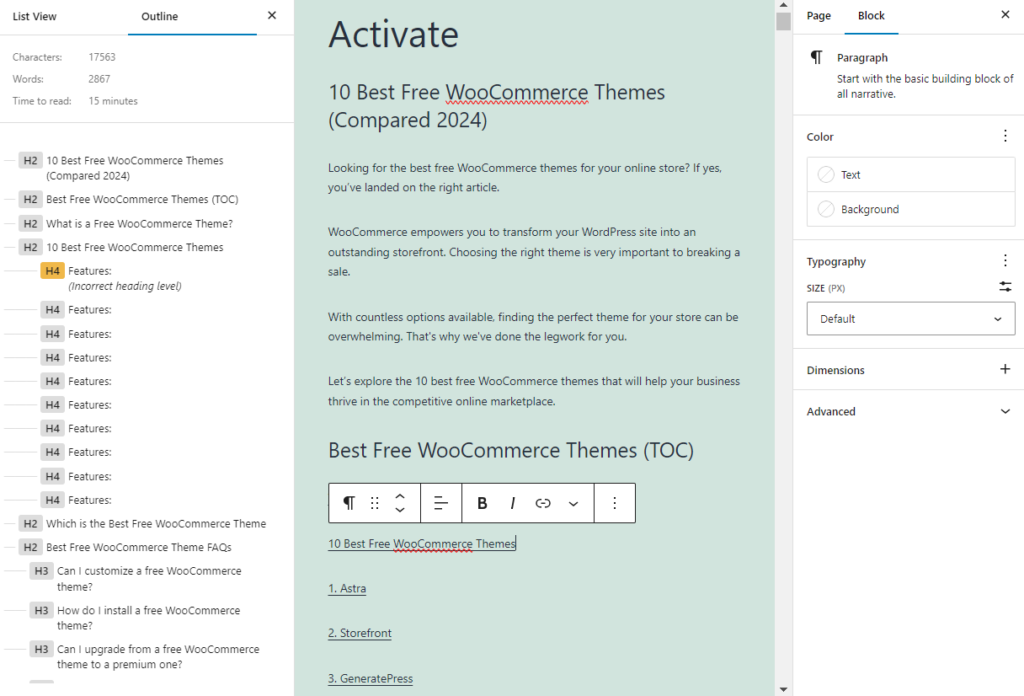
It comes with a visual editor known as the Gutenberg block editor. It enables users to add text, images, videos, etc., to create beautiful pages and posts.
See the image below:
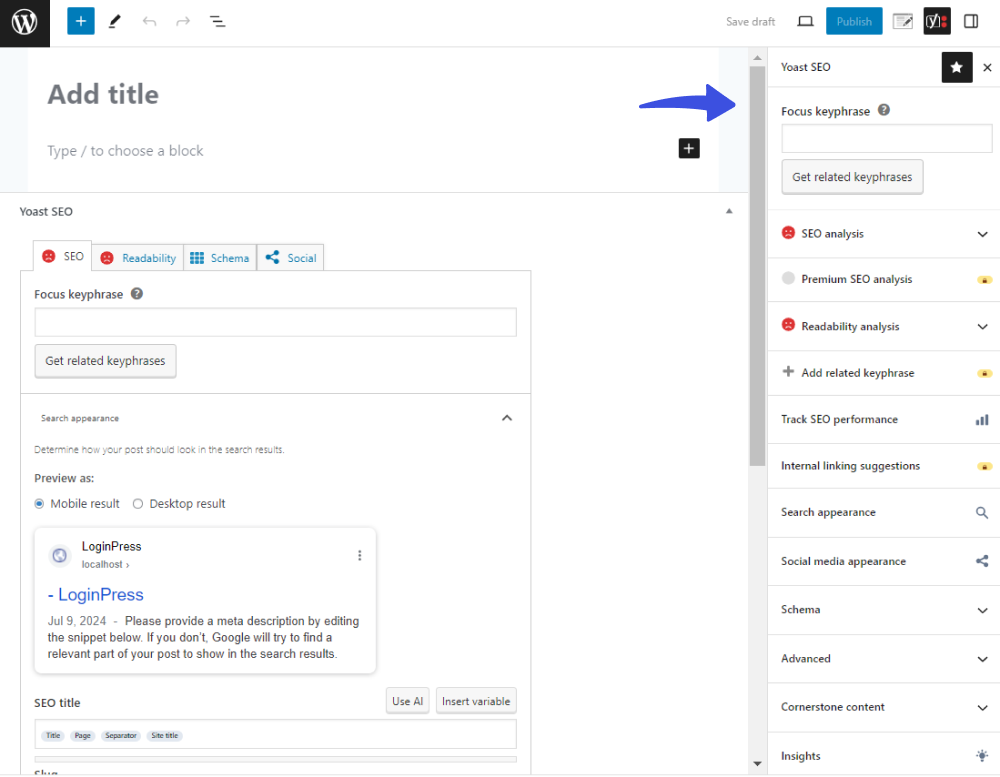
You can enhance WordPress publishing tools with multiple plugins, such as Yoast SEO.
These plugins work well alongside the Gutenberg block editor.
In a nutshell, WordPress offers a more flexible option for publishing tools. This makes WordPress CMS a better choice for users needing advanced editing features.
HubSpot CMS Publishing Tools
Compared to WordPress, HubSpot allows you to create blogs but with several limitations.
HubSpot helps you create:
- Website Pages
- Landing Pages
- Blogs
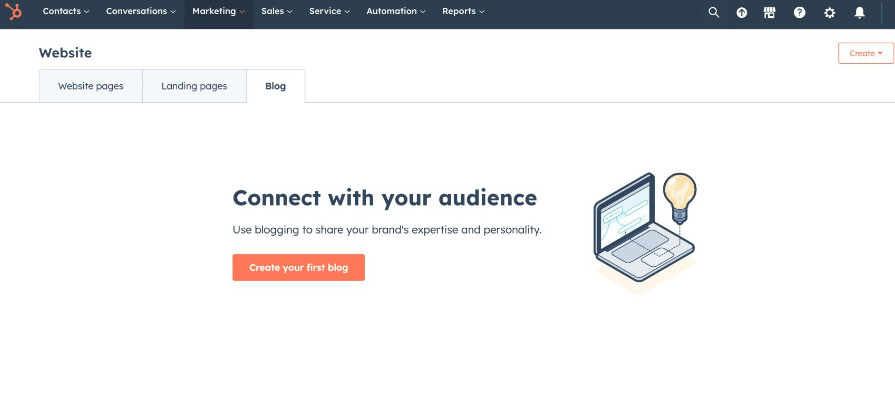
You can create a blog post with just a single click.
See the image below:
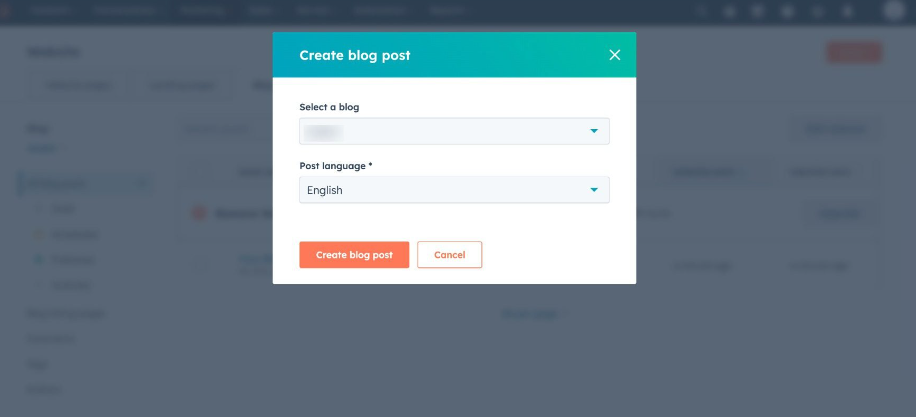
You can easily add blog content and select a theme to make it stand out.
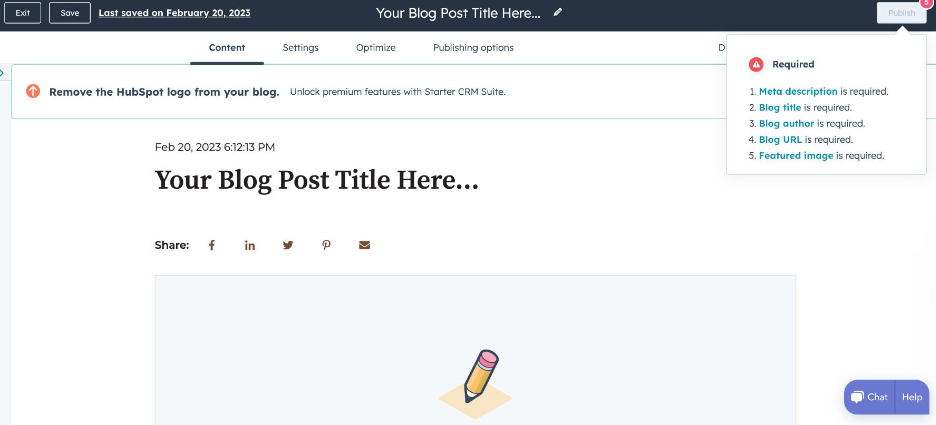
With that said, HubSpot provides reasonable publishing tools for your content strategy. But remember, it lacks the flexibility and range of options available in WordPress.
Again, WordPress is the better option for those who prioritize comprehensive publishing features and customization.
WordPress vs HubSpot: Themes and Templates
WordPress Themes and Templates
WordPress offers over 12,000 free themes. You can select the one that perfectly matches your brand and customize it with the built-in customizer or custom PHP code to suit your needs.
Take Twenty Twenty-Three, for example.
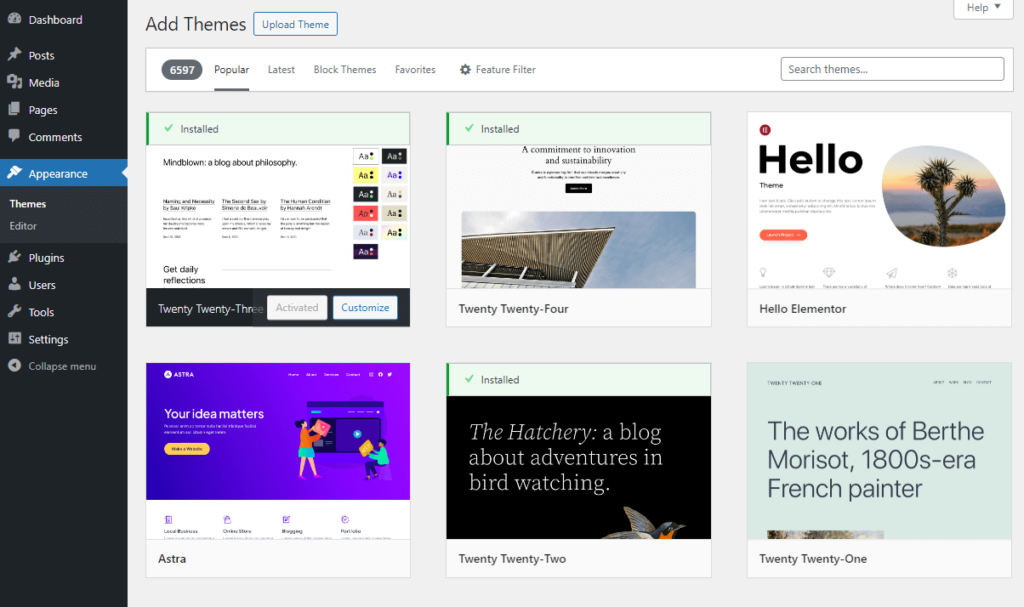
This modern and versatile theme has a sleek design. It is ideal for various website types, such as blogs and portfolios.
Note: To help select a theme that matches your business type, see our detailed guide on 25+ Best Free WordPress Themes.
After selecting a theme, click on the Customize button.
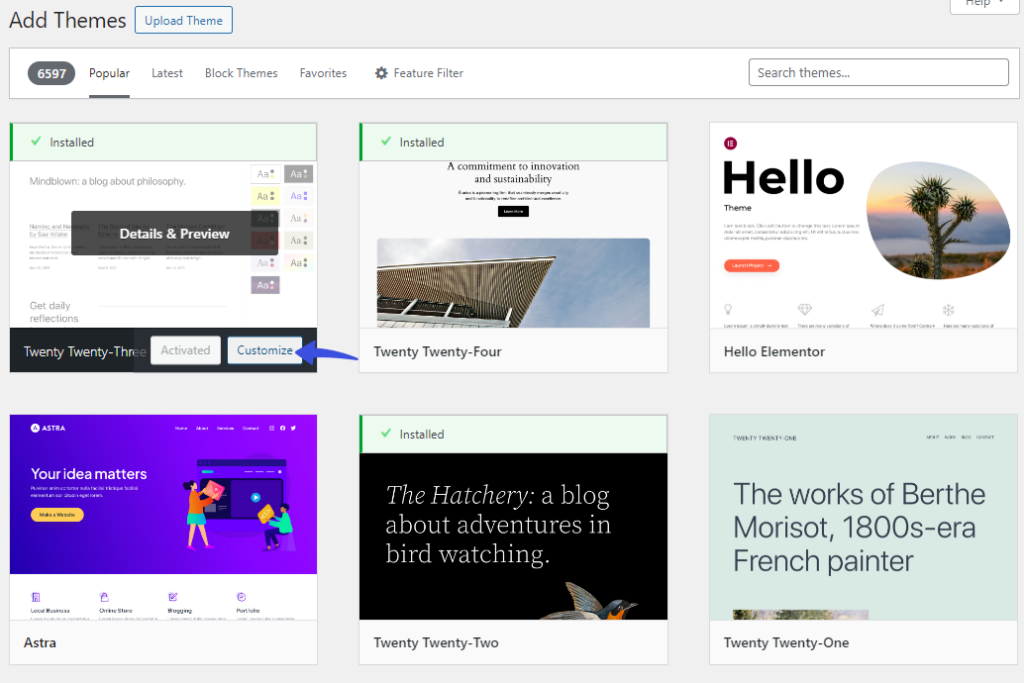
On the next screen, you will find all the options to customize your theme according to your preferences. For example, you can choose different style combinations for the theme styles.
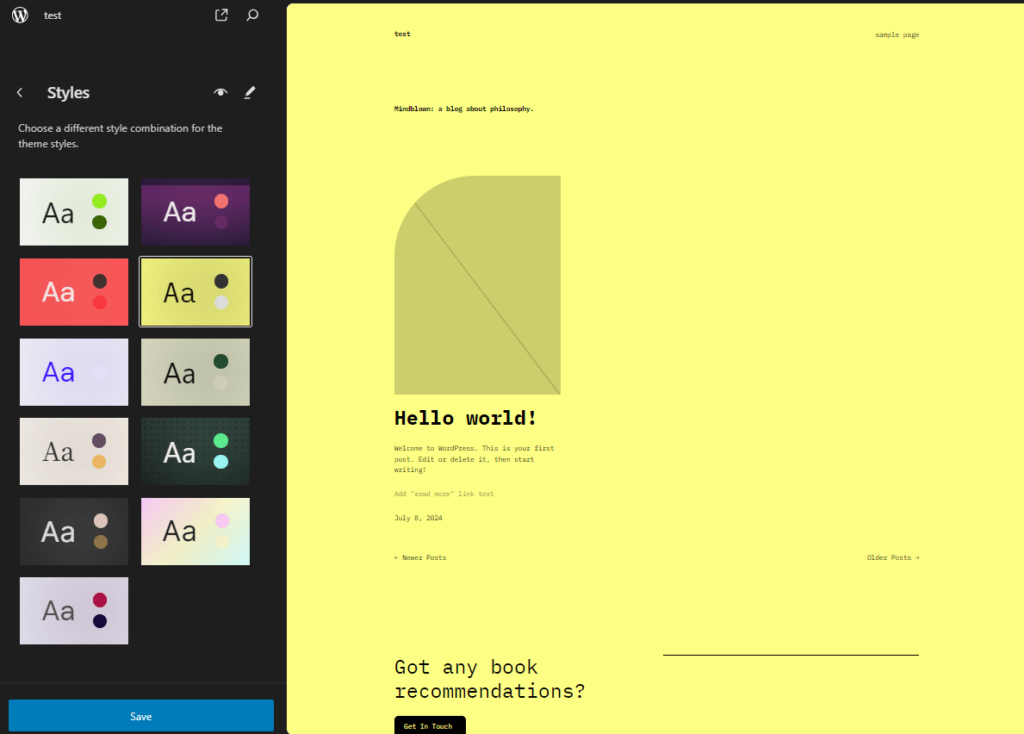
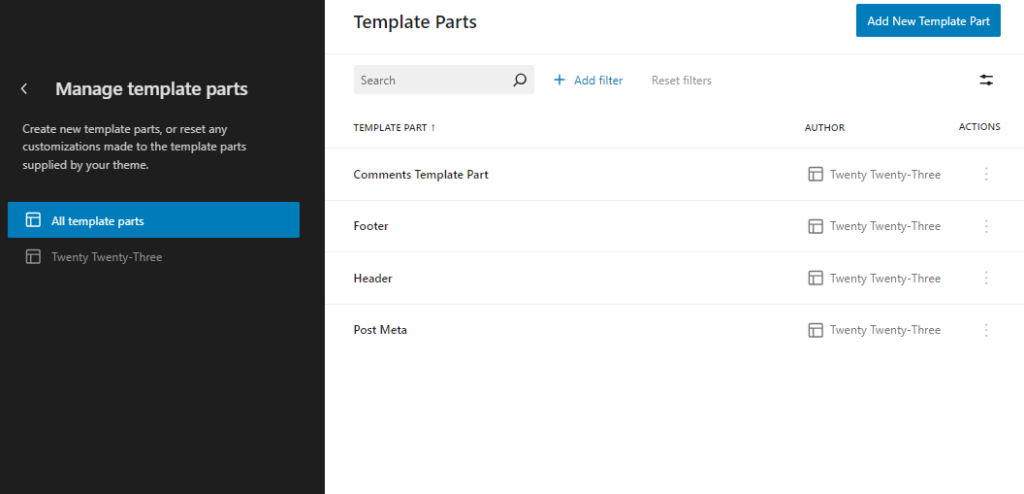
You can also create new template parts or reset any customizations for:
- Comments Template
- Footer
- Header
- Post Meta
HubSpot Themes and Templates
WordPress offers multiple themes and templates. You can customize them according to your needs, making it an excellent choice for users who want complete control over their site’s design and functionality.
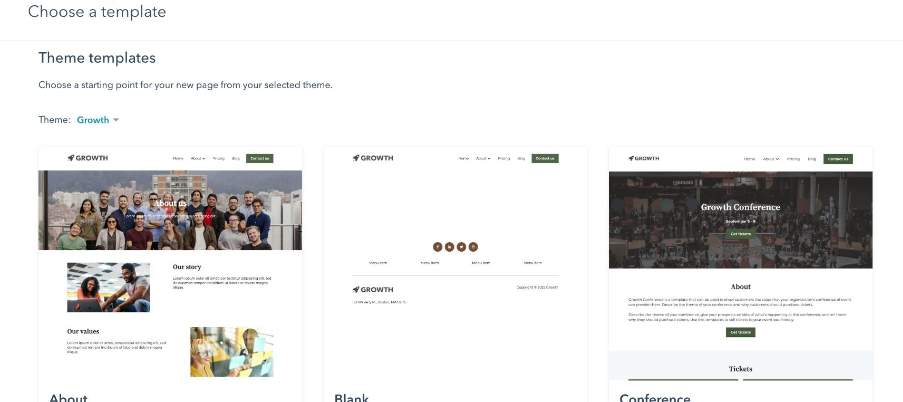
In comparison, HubSpot offers some free default themes as well. However, there are fewer options and less flexibility, which limits creativity and specific design needs.
For example, HubSpot gives you a limited number of default themes. You can select one and redesign it yourself.
See the image below:
WordPress is the clear winner in this category for businesses and individuals who prioritize design freedom and multiple customization options.
WordPress vs HubSpot: Security
WordPress Security
WordPress core is built to be a stable, secure, and trusted platform for building sites.
You can also add free and premium security plugins to strengthen your site’s security.
For example, there is LoginPress, which has several features to strengthen your site’s security, including:
- Social Login to add social login to your WordPress login form so that only authorized users can access your site.
- Hide Login helps you change the default WordPress login slug, e.g., /wp-login.php or /wp-admin/. It makes your login page harder for attackers to find.
- Limit Login Attempts caps the number of failed login attempts, which makes your login more secure.
- Auto Login creates a magic login link that eliminates the need to enter login credentials to access your site. You can share this link with people instead of giving them your login credentials.
- reCAPTCHA helps differentiate between bots and humans trying to log in to your site. It helps stop bots from logging in.
- Session Expire lets you set an expiration time for login sessions.
Many other security plugins exist, such as Jetpack, Wordfence, and more.
In addition, you can go for security audits for your WordPress site to mitigate the attack risks.
For example, you can keep your WordPress themes and plugins up to date, analyze activity logs, use a strong password, and much more.
HubSpot Security
HubSpot is a software-as-a-service (SaaS) solution that offers multiple security features for your site, such as:
- SSL certificate
- Network and perimeter protection
- Customer data protection
- Application protection, all in one platform
It eliminates the need to install third-party plugins on your account. Plus, you get a web application firewall that protects against DDoS attacks.
No doubt, WordPress security surpasses HubSpot’s built-in security capabilities with the help of security plugins.
WordPress vs HubSpot: eCommerce Capability
WordPress eCommerce
WordPress enables you to create an outstanding online store with the help of powerful eCommerce plugins, including:
- WooCommerce
- Easy Digital Downloads
- BigCommerce
- Shopify
However, WooCommerce is the most widely used plugin for this purpose. It is entirely free and has over 7 million active installations.
With this plugin, you get all the tools required to run a successful online store, like:
Unlike hosted eCommerce solutions, WooCommerce lets you own your store data. You can easily export it and move your site to any platform without breaking the core store.
HubSpot eCommerce
HubSpot doesn’t have a built-in eCommerce solution. You’ll need to use a third-party plugin, which can be a bit challenging for beginners. For example, you can add:
- ECWID
- Shopify
Remember, you’ll be required to add a sub-domain on your HubSpot site to get started with this solution.
Unlike WordPress, HubSpot handles only a few products. Plus, HubSpot provides a higher-cost eCommerce solution that offers less customization flexibility. Considering these important factors, WordPress stands out for delivering the best eCommerce solutions.
WordPress vs HubSpot: Analytics and Data
WordPress Analytics
WordPress offers multiple analytics plugins that keep you informed about the total number of site visitors, demographics, and activity on your site. This information can help you make informed decisions to grow your website and online business.
Analytify is the best Google Analytics plugin for WordPress.
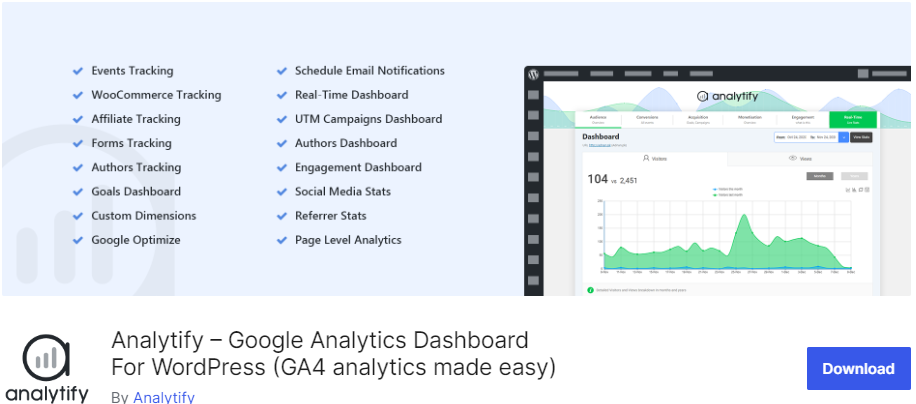
Analytify automates the process of adding Google Analytics tracking code in WordPress. All you need to do is install and activate the plugin on your WordPress site to simplify your GA4 reporting with Analytify Dashboard reports.
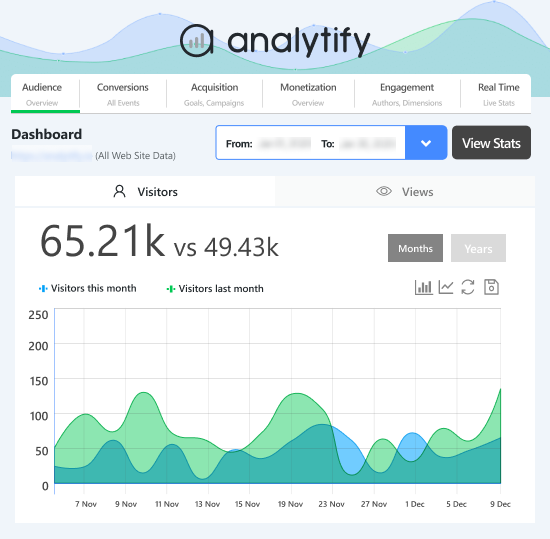
It removes the need to add the GA4 tracking code manually.
This plugin lets you get your site’s stats within your WordPress admin dashboard. For example, you can see detailed analytics for several important metrics, including:
- Sessions
- Visitors
- Bounce Rate
- Average Time on Site
- Page Views
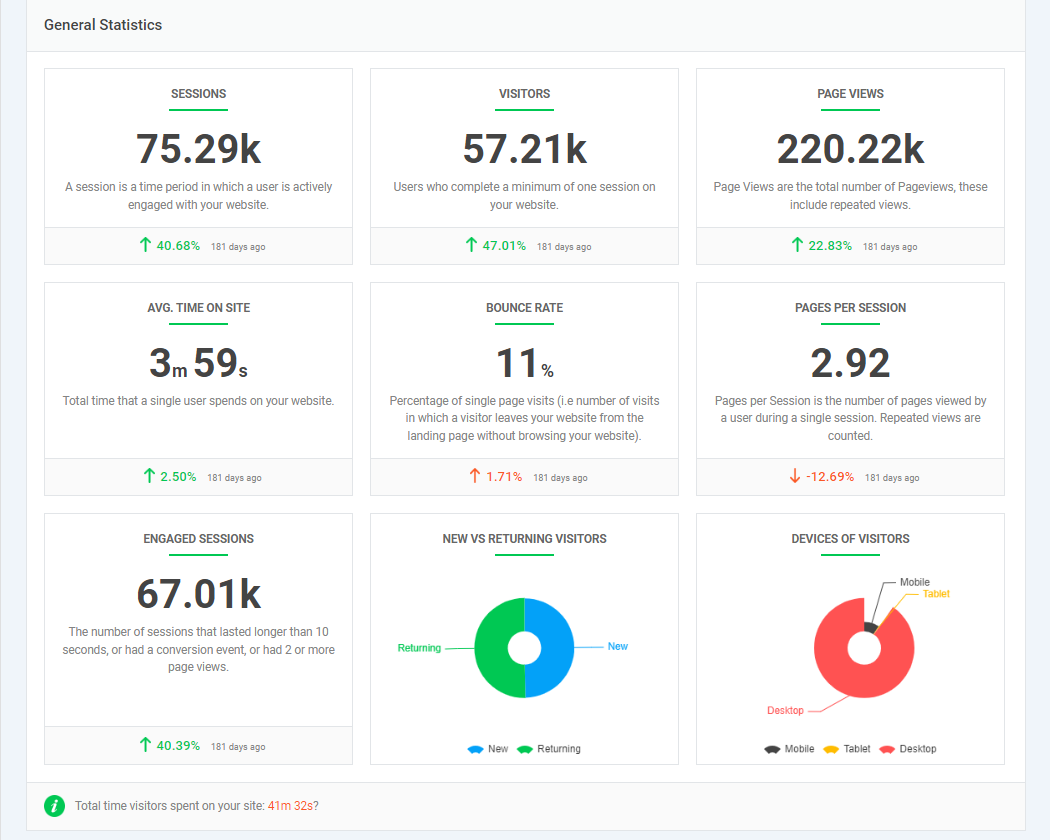
Unlike other WordPress analytics plugins, Analytify shows several actionable reports in a single dashboard view, such as:
HubSpot Analytics
HubSpot offers built-in analytics for your site. For example, HubSpot’s traffic analytics tool helps you get stats for:
- Traffic Source
- Topic Cluster
- Pages
- UTM Parameters
- Countries
- Device Types
See the image below:
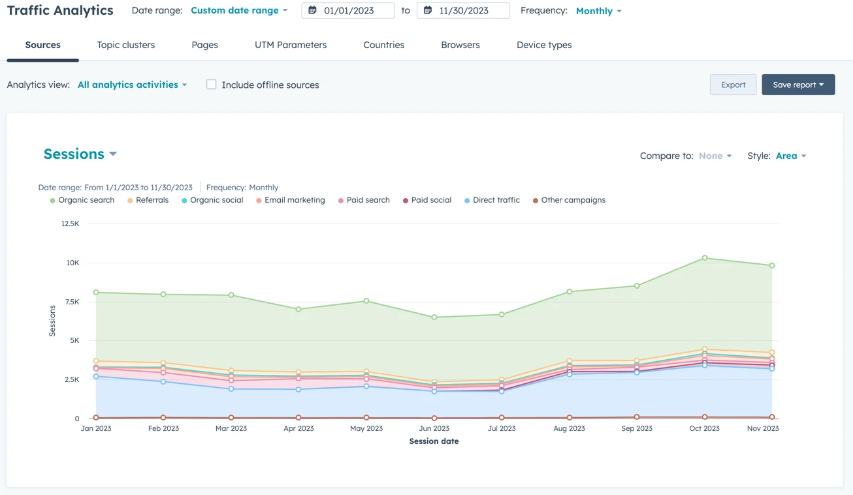
HubSpot requires users to install the tracking code on their site manually. Once done, they can begin tracking traffic. However, WordPress plugins, such as Analytify, make the job even easier.
WordPress vs HubSpot: SEO Features
WordPress SEO
By default, WordPress offers built-in search optimization tools, including:
- .htaccess
- Permalinks
- Blogrolls
- Pinging
Other than this, there are multiple third-party SEO plugins that you can use to improve search engine optimization (SEO), including:
- Yoast SEO
- Rank Math SEO
- AIOSEO
- SEO Plugin by Squirrly SEO
Note: See our detailed guide on 17 Best WordPress SEO Plugins – Expert Pick.
Yoast SEO has over 10 million active installations and has all the essential tools for optimizing your site. It offers many useful features, such as:
- Automated technical SEO improvements
- Canonical URLs
- Advanced XML Sitemaps
- Schema.org structured data integration
- Breadcrumbs
- Advanced Crawl Settings
Overall, WordPress SEO plugins help you optimize your site and improve its visibility in search results.
HubSpot SEO
HubSpot has SEO tools to help you improve your site’s search engine rankings and drive traffic.
This comprehensive feature set allows businesses to tackle all aspects of their SEO strategy in one place.
However, HubSpot doesn’t suit businesses with advanced SEO needs. This is where WordPress is again the winner!
WordPress vs HubSpot: Pros and Cons
WordPress Pros and Cons
| WordPress Pros | WordPress Cons |
|---|---|
| WordPress offers a user-friendly interface. | There can be performance issues, especially when overloaded with too many plugins or heavy themes. |
| You get many customization options that allow you to create a dream site. | It requires a steeper learning curve. |
| It offers a strong eCommerce solution. | It requires some know-how about HTML, CSS, and PHP. |
| You don’t require coding knowledge to get started with WordPress. | Sometimes, there are compatibility issues with plugins and themes. |
HubSpot Pros and Cons
| HubSpot Pros | HubSpot Cons |
|---|---|
| HubSpot offers over 300 built-in integrations. | It takes time to master. |
| It has a free trial period. | It is challenging to customize templates. |
| It offers powerful marketing automation. | HubSpot is high-priced for small organizations. |
| It has a drag-and-drop feature to help you design landing pages, etc. | It has limited eCommerce features. |
WordPress vs HubSpot Pricing
WordPress Pricing
WordPress.org is completely free. But you need two things to put your site online:
- Hosting plan
- Domain name
Starting prices from popular WordPress hosts, checked in October 2026 (introductory rates):
- SiteGround: from $2.99/month (12-month prepaid term, renews at $17.99/month)
- GoDaddy: from $6.99/month (1-year term)
- Bluehost: from $3.99/month (36-month term, renews at $9.99/month)
- Hostinger: from $2.99/month (48-month term, renews at $10.99/month)
- DreamHost: from $1.99/month (first 4 years, renews at $7.99/month)
Note: Are you confused about selecting a suitable WordPress hosting for your site? Don’t worry; we have a detailed guide on 11+ Best WordPress Hosting Providers 2026 to help you choose the right one for you.
Remember, over 59,000 free plugins and over 12,000 free themes are available in the WordPress repository. You can use them for your site without spending a penny.
However, there are premium versions for more advanced functionality.
So, your total WordPress cost depends on the themes and plugins your site needs.
HubSpot CMS Pricing
HubSpot’s CMS is now sold as Content Hub. It has a free plan for up to 2 users. Prices below were checked on HubSpot’s pricing page in October 2026.
Content Hub has four plans:
- Free: $0/month for up to 2 users.
- Starter: from $20/month per seat billed monthly, or $7/month per seat billed annually (promotional pricing).
- Professional: from $450/month billed annually ($500 monthly), with 3 core seats included.
- Enterprise: from $1,500/month with 5 core seats included.
Remember, you can select multiple products simultaneously to grow your business. The final cost will depend on your selected products.
WordPress vs HubSpot: Which is the Best CMS in 2026?
WordPress is the best CMS for most sites in 2026, and HubSpot is best for teams already invested in HubSpot’s CRM. We’ve compared WordPress and HubSpot regarding features, ease of use, customization options, publishing tools, and more.
WordPress is ideal for those seeking flexibility, extensive customization, and control over their site. It’s also cost-effective.
On the other hand, HubSpot is suited for those looking for an all-in-one solution for their business with solid marketing, sales, and service tools. But it is more expensive and less flexible.
Your choice depends on your specific needs and, most importantly, your budget.
| Features | WordPress | Hubspot |
|---|---|---|
| Ease of Use | ✓ | ✓ |
| Customization | ✓ | Limited Functionality |
| Themes | ✓ | Limited Functionality |
| Built-in Templates | ✓ | Limited Functionality |
| Publishing Tools | ✓ | ✓ |
| Security | ✓ | ✓ |
| SEO | ✓ | ✓ |
| eCommerce | ✓ | ✓ |
WordPress vs HubSpot FAQs
These FAQs help you understand the critical differences between WordPress and HubSpot and guide you in choosing the right platform for your needs.
WordPress and HubSpot are popular content management systems (CMS), but they serve different purposes. WordPress is the best option for you to create a blog site, online store, etc. On the other hand, HubSpot is one of the best marketing, sales, and service solutions.
WordPress is best for content management because it has powerful tools for blogging, media management, etc. Meanwhile, HubSpot integrates content management with marketing tools, making it better for businesses focused on marketing and campaigns.
WordPress security depends on the hosting provider, themes, and plugins. On the other hand, HubSpot offers built-in security.
WordPress offers thousands of plugins that allow integration with almost any third-party tool. Meanwhile, HubSpot integrates with marketing, sales, and CRM tools, but the range is limited compared to WordPress.
Final Thoughts
In conclusion, WordPress stands out for its flexibility, third-party integration, eCommerce support, and many other features.
Undoubtedly, it’s the best choice for users who prioritize customization, control over their site, and access to many themes and plugins. If you’re still weighing options, my list of the best CMS platforms covers the main alternatives.
Here are the key takeaways:
- WordPress vs HubSpot: Ease of Use
- WordPress vs Hubspot: Customization Options
- WordPress vs Hubspot: Publishing Tools
- WordPress vs Hubspot: Themes and Templates
- WordPress vs Hubspot: Security
- WordPress vs Hubspot: eCommerce Capability
- WordPress vs Hubspot: Analytics and Data
- WordPress vs Hubspot: SEO Features
You may also like these WordPress articles:
Leave a Reply