
The top WordPress development trends in 2026 are headless WordPress, full-site editing, AI-powered development, Core Web Vitals optimization and stronger privacy compliance. Seven more trends, from PWAs to green hosting, are covered below.
The future of WordPress will be shaped by a mix of new tech, user experiences, and more innovative business tools. These upcoming WordPress development trends will help your site run faster, look modern, and meet real user needs.
In this post, I will explain the top trends you should watch for and adopt early to boost your site’s performance.
I’m Muhammad Adnan, CEO of WPBrigade. These are the trends I’d pay attention to if I were planning a WordPress build this year.
WordPress Development Trends (TOC)
- 12 Emerging WordPress Development Trends
- Trend #1: Headless and Decoupled WordPress
- Trend #2: Full-Site Editing (FSE) and Block‑Based Development
- Trend #3: AI‑Powered WordPress Development
- Trend #4: Headless eCommerce and WooCommerce Innovations
- Trend #5: Performance and Core Web Vitals Optimization
- Trend #6: Enhanced Security and Privacy Compliance
- Trend #7: Progressive Web Apps (PWAs) and Mobile‑First Experiences
- Trend #8: Low‑Code and No‑Code WordPress Solutions
- Trend #9: API‑Driven Integrations and Microservices
- Trend #10: Personalization and UX Innovation
- Trend #11: Advanced Analytics and Conversion Optimization
- Trend #12: Sustainability and Green Hosting Awareness
- Bonus: Trends and Emerging Technologies
- Role of Analytify and LoginPress in WordPress Development Trends
- FAQs on WordPress Development Trends
- WordPress Development Trends: Conclusion
12 Emerging WordPress Development Trends
These 12 WordPress development trends shape how sites are built, secured and measured. The table gives a one-line summary of each.
| # | Trend | What It Means for Your Site |
|---|---|---|
| 1 | Headless and decoupled WordPress | WordPress manages content while a separate front end displays it |
| 2 | Full-site editing and blocks | Build whole layouts with blocks instead of code |
| 3 | AI-powered development | AI speeds up coding, content and testing |
| 4 | Headless ecommerce and WooCommerce | Faster, more flexible online stores |
| 5 | Core Web Vitals optimization | Speed and stability that affect rankings |
| 6 | Security and privacy compliance | Stronger protection and consent handling |
| 7 | PWAs and mobile-first design | App-like speed and offline support on phones |
| 8 | Low-code and no-code tools | Non-developers can build more on their own |
| 9 | API-driven integrations | WordPress connects to other apps and services |
| 10 | Personalization and UX | Content and offers adapt to each visitor |
| 11 | Advanced analytics | Data-driven decisions on content and conversions |
| 12 | Green hosting | Lower energy use and faster pages |
Trend #1: Headless and Decoupled WordPress
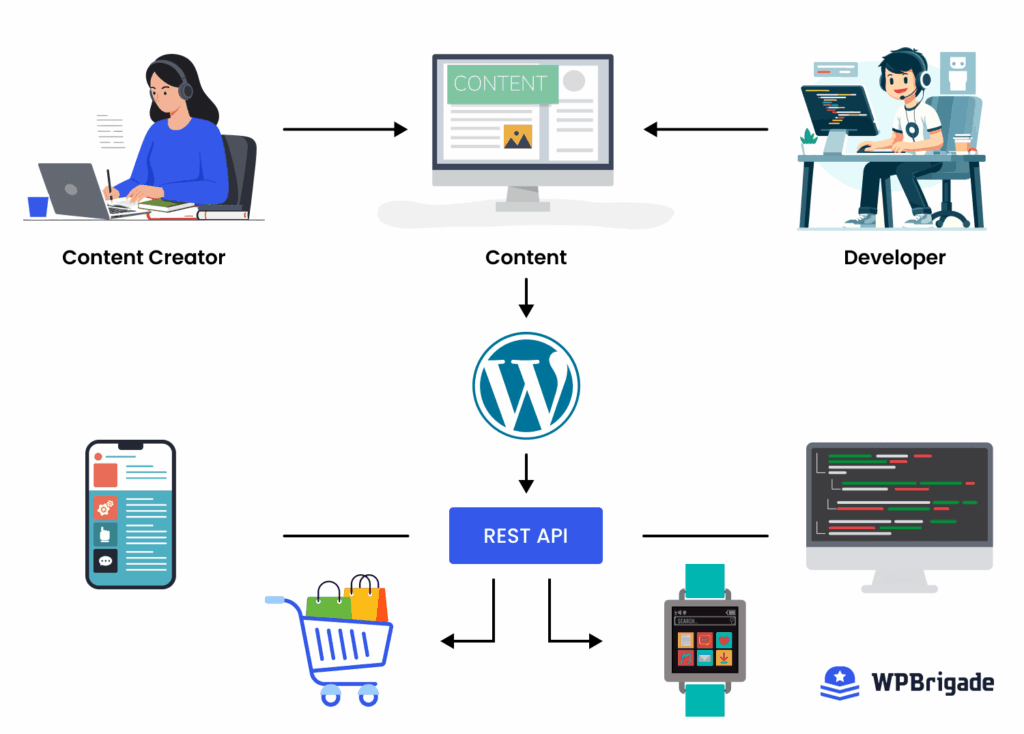
What it is: Headless WordPress separates the backend (content) from the frontend (display). This means WordPress stores content, while another technology, such as a JavaScript framework, handles what the user sees.
Benefits: Decoupling enables faster UIs, better scalability, and omnichannel publishing (web, mobile apps, kiosks). It also reduces the security attack surface and supports PWAs and edge rendering.
How to Adopt Quickly:
- Audit your site to evaluate if you need a headless setup. If your site has high traffic, multi-channel needs, or complex frontends, it is a good candidate.
- Choose a frontend stack: Next.js (SSR/ISR), Remix, or Gatsby.
Use wp-graphql or the REST API; add caching (CDN + edge) and monitor performance.
WPBrigade’s development services can build a flexible, high-performance content hub (using WordPress Multisite) to deliver distinct client experiences without duplicating or rewriting content.
Trend #2: Full-Site Editing (FSE) and Block‑Based Development
Core Concept: The evolution of the Gutenberg editor into Full-Site Editing (FSE), allowing blocks to define every part of a website, including headers, footers, and templates, all managed via theme.json.
Benefits: Clients can edit the site’s design elements (layouts, global styles) without developer assistance or touching code.
How to Adopt Quickly: Begin by selecting a Block Theme (like Twenty Twenty-Four) and using Block Patterns to quickly build consistent page sections without starting from scratch.
Trend #3: AI‑Powered WordPress Development
What It Means: The integration of Artificial Intelligence (AI) tools (like code generation, content creation, and personalized recommendations) into the WordPress ecosystem for building and managing sites.
Benefits: Development speeds up with AI-assisted coding/debugging, and end users receive more engaging, personalized content and product recommendations based on their behavior.
How to Adopt Quickly: Implement AI writing assistants or dedicated AI plugins to draft blog outlines and optimize content, or use AI tools like Copilot to speed up development workflows.
Trend #4: Headless eCommerce and WooCommerce Innovations
Core Concept: Using WooCommerce solely as a data backend (headless), accessible via APIs (REST/GraphQL), separating the e-commerce logic from a modern, fast, custom frontend application.
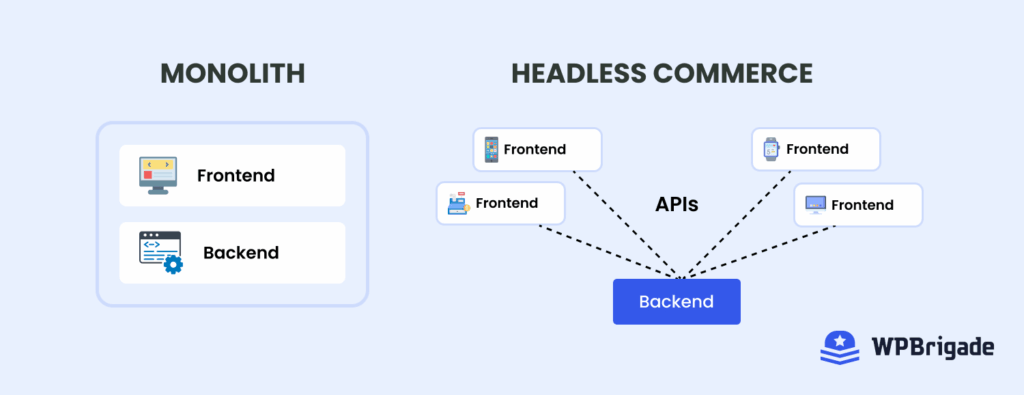
Benefits: Customers get lightning-fast, app-like performance (often via PWAs) and a unified shopping experience across the web, mobile apps, and social media, all powered by a single backend.
How to Adopt Quickly: Start by exploring available Headless WooCommerce frameworks (such as Gatsby or Next.js integrations) and focus on converting key pages into Progressive Web Apps (PWAs) to improve mobile speed.
Trend #5: Performance and Core Web Vitals Optimization
What It Is: A critical focus on optimizing site speed, interactivity, and visual stability (Core Web Vitals) to improve SEO rankings, reduce bounce rates, and enhance user experience.
Benefits: Users benefit from sites that load near-instantly, are highly responsive, and have a smooth, stable layout, leading to greater trust and a better browsing experience.
How to Adopt Quickly: Set up a strong caching strategy (using tools like WP Rocket or Cloudflare) and ensure image optimization and lazy loading are appropriately configured for all visual media.
Trend #6: Enhanced Security and Privacy Compliance
Core Concept: Prioritizing strong security measures (like 2FA and continuous monitoring) and mandatory compliance with global data privacy regulations (GDPR, CCPA) for sites handling sensitive user data.
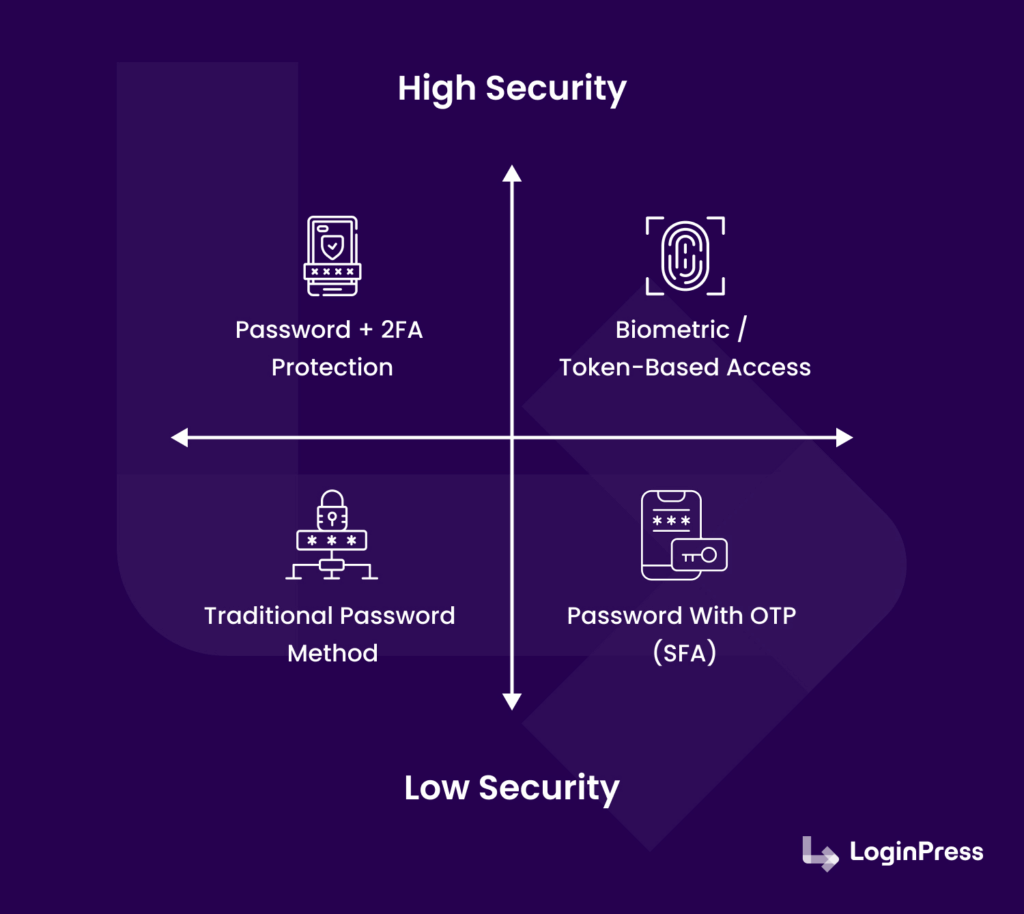
Benefits: Users are assured that their personal information is protected and that their privacy choices are respected, increasing confidence in the brand and website.
How to Adopt Quickly: Immediately enable Two-Factor Authentication (2FA) for all user roles and install a trusted security plugin to allow continuous monitoring and firewall protection. Custom login plugins like LoginPress can give you more control over the login page, better user management, and stronger login security. This is a win for client sites that care about both branding and safety.
Trend #7: Progressive Web Apps (PWAs) and Mobile‑First Experiences
What It Is: Mobile traffic accounted for 63.8% of web traffic in 2025, reflecting a growing audience using mobile phones for everything. To meet user expectations, WordPress sites will increasingly adopt a mobile-first design. PWAs are websites that function and feel like native mobile apps. They offer offline access, push notifications, and high-speed loading, even on poor networks.
Benefits: Users get a fast, reliable experience that can be “installed” on their home screen without going through an app store, significantly boosting engagement and retention, especially for mobile users.
How to Adopt Quickly: Use a reputable WordPress PWA plugin to generate the required manifest and service worker files, enabling app-like functionality with minimal coding effort.
Trend #8: Low‑Code and No‑Code WordPress Solutions
Core Concept: The increasing maturity and capability of visual tools, such as sophisticated page builders (Elementor, Bricks) and block editors, that enable non-developers to build complex, functional sites without writing code.
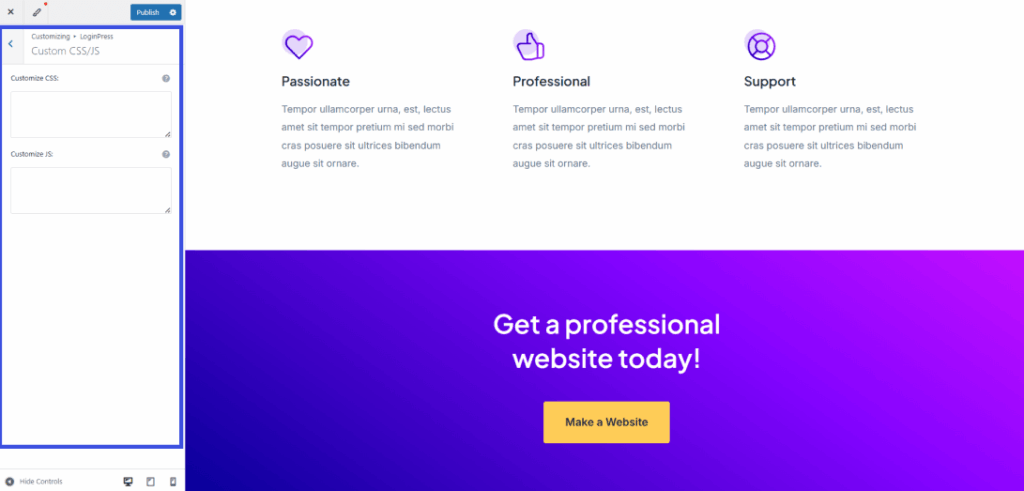
Benefits: Clients gain the ability to make significant layout and design updates independently, leading to faster site delivery and reduced reliance on developers for minor changes. These tools give flexibility, speed, and ease of use. You can deliver a solid site to a client without writing a single line of code.
How to Adopt Quickly: Select a powerful, well-supported low-code builder (e.g., Elementor or Bricks) and use its prebuilt templates and wireframes to build a site quickly.
For agencies such as WPBrigade, low-code solutions mean faster client delivery. For clients, it means easier updates and control without developer help. While custom themes and headless setups stay popular, low-code tools remain part of the WordPress toolkit, especially for simpler sites or tight budgets.
Trend #9: API‑Driven Integrations and Microservices
Core Concept: Using WordPress as a central hub for business operations by connecting it to various external systems (CRM, marketing, analytics) via its REST API or GraphQL, often implemented in a Microservices architecture.
Benefits: Information flows instantly across systems, meaning personalized customer data (from a CRM) can immediately inform website content, leading to relevant user experiences and better service. This way, you can connect WordPress to external systems, such as a CRM to manage leads or a marketing platform to track campaigns. Microservices architecture helps large or enterprise sites scale easily. Instead of a monolithic WordPress install, you split functions into separate services, such as search, user management, and content.
How to Adopt Quickly: Start by using dedicated integration plugins for your existing CRM or marketing platform to establish a two-way sync between WordPress and the external service.
Trend #10: Personalization and UX Innovation
What It Is: Shifting from static pages to dynamic sites that use behavior tracking and segmentation to deliver customized content, smart calls-to-action (CTAs), and adaptive navigation based on the specific user. According to one study, boosting the UX development budget by 10% can lead to an 83% increase in conversions.
What’s In It for You: Users see content, products, and CTAs specifically tailored to their history, region, or stage in the sales funnel, resulting in improved engagement, conversion, and satisfaction. With AI-driven tools and behavior tracking, WordPress sites can show content based on user behavior or segmentation.
How to Adopt Quickly: Implement a dynamic content plugin or a marketing automation tool that lets you change specific blocks (such as a banner or a CTA) based on basic user conditions.
Trend #11: Advanced Analytics and Conversion Optimization
Core Concept: Relying on detailed data tracking (user flows, engagement metrics, A/B testing) to make informed, data-driven decisions about site design, content strategy, and conversion paths.
Benefits: Users navigate sites that have been continually refined based on how real people interact with them, ensuring all critical paths (purchase, sign-up) are precise and efficient.
How to Adopt Quickly: Use a simplified analytics integration plugin (such as Analytify) to clearly display GA4 data directly in the WordPress dashboard, making insights immediately actionable for A/B testing. For agencies and business owners, that means more thoughtful planning. Instead of guessing what users want, you measure and act.
Building a site is one thing, but understanding how users use it is another. Data-driven decisions will shape WordPress sites.
Trend #12: Sustainability and Green Hosting Awareness
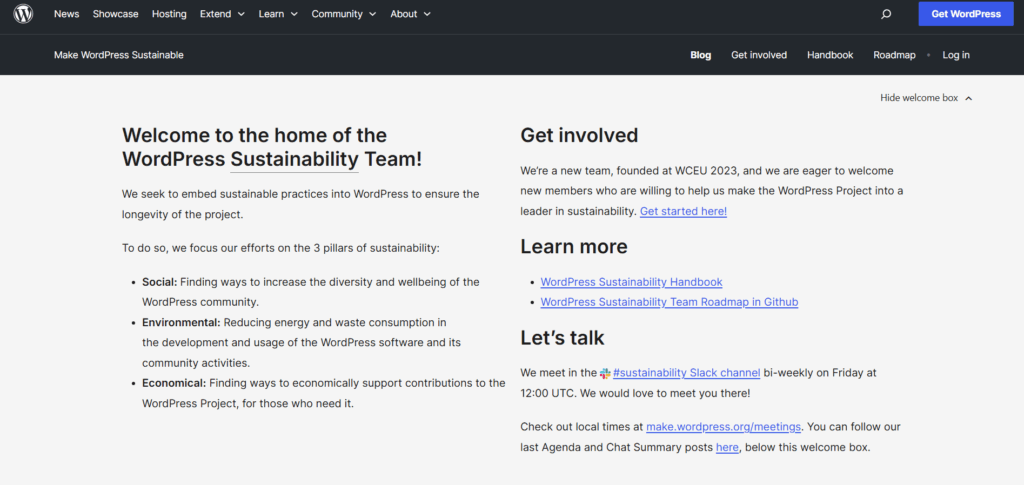
Businesses that are sustainable and promote green hosting are held in higher regard. Sustainable web practices will matter more.
What It Is: A growing movement to adopt web practices that minimize environmental impact, use lighter themes, and optimize code to reduce resource consumption. For sustainable WordPress, that means green hosting, efficient resource use, and energy-conscious development.
What’s In It for You: Users support businesses that demonstrate environmental responsibility, and they benefit indirectly from the lightweight, optimized sites that load faster and use less energy.
How to Adopt Quickly: Switch your hosting to a provider that explicitly uses renewable energy (Green Hosting) and audit your site to remove unnecessary heavy plugins and files.
Bonus: Trends and Emerging Technologies
Beyond the 12 main trends, a few newer technologies are starting to shape WordPress sites worldwide:
- Voice search and AI assistants: As smart speakers and voice assistants grow in popularity, WordPress sites may need voice‑optimized content and navigation.
- Web3 integration: Membership, payments, or identity systems built on decentralized tech in WordPress.
- Modular design patterns and themes: Themes may become more like Lego blocks: modular, reusable, and easily updated without breaking the site.
These emerging trends might still be new or experimental. But they show the path ahead: a future where WordPress is ready for whatever comes next.
Role of Analytify and LoginPress in WordPress Development Trends
The latest trends focus on making data-driven decisions and creating personalized experiences for user-focused WordPress sites. To support this shift, WPBrigade built two WordPress products that help businesses and agencies optimize their sites without extra complexity.
Analytify: Turning Data Into Easy, Actionable Insights
With analytics becoming a core part of WordPress development, Analytify makes tracking simple and clear. Instead of going through complex GA4 dashboards and reports, Analytify shows you user behavior, traffic sources, conversions, and engagement right inside WordPress.
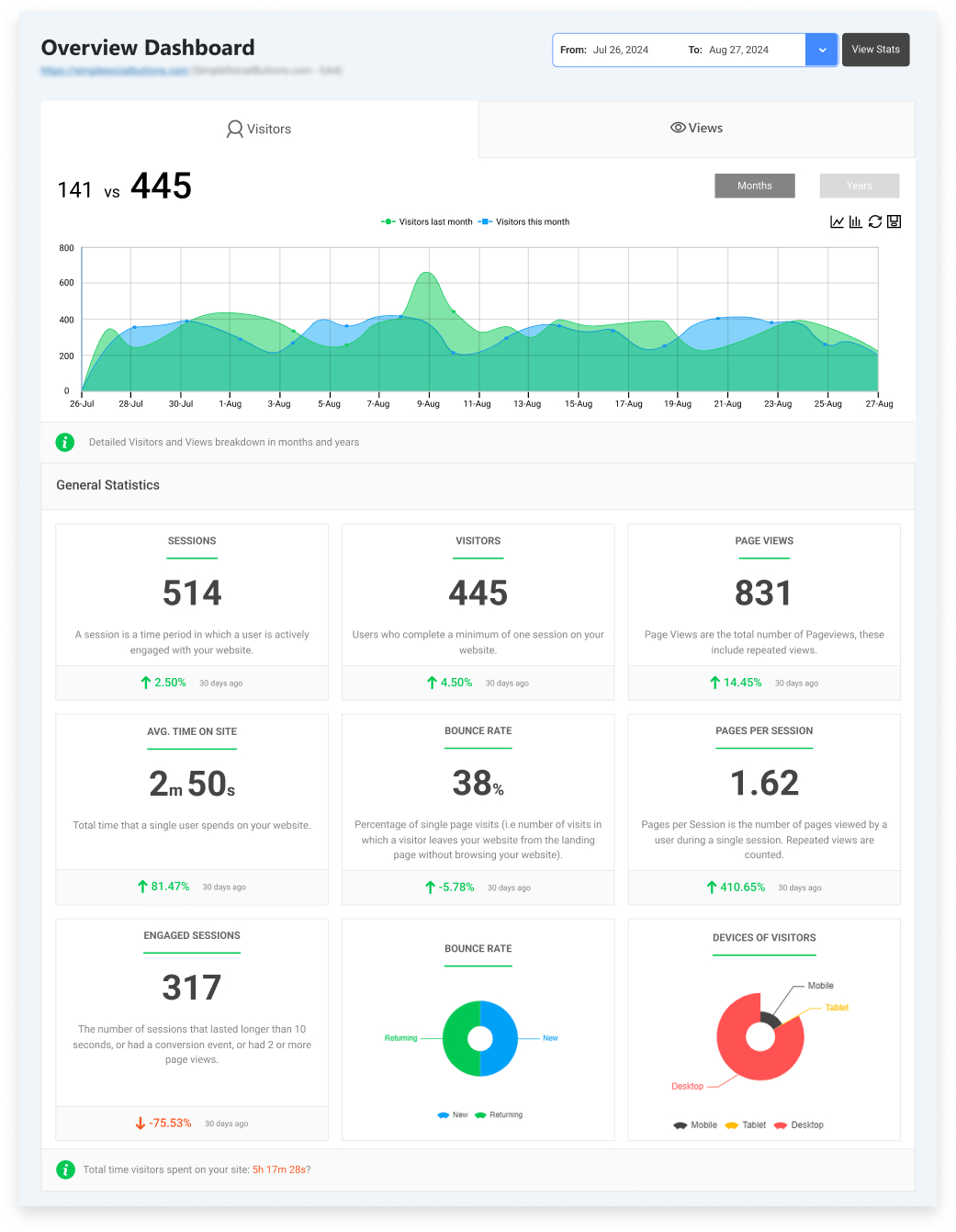
This aligns with trends such as advanced analytics and conversion optimization. Analytify gives you the data you need to test and improve, helping you make decisions that actually work for your brand.
LoginPress: Secure, Branded, and User-Friendly Access
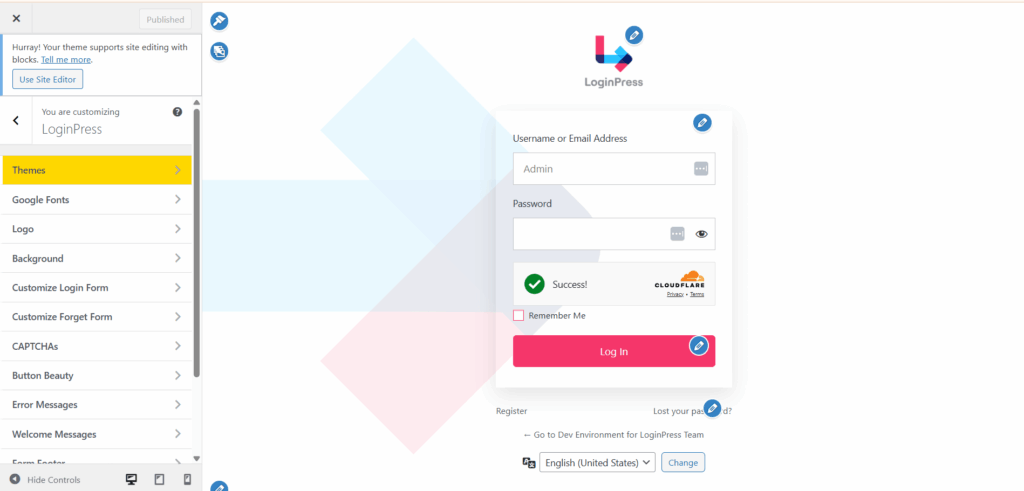
As AI-automated attacks grow and passwordless authentication becomes common, LoginPress solves a real-world problem: protecting the login experience while keeping it branded and user-friendly.
LoginPress provides customization features, such as an easy drag-and-drop interface and a branded design process for your login pages. LoginPress also supports key trends in security-first development, including built-in limits on login attempts, CAPTCHA, and magic link add-ons to enhance security.
These tools work together to ensure your WordPress site is secure, professional, and efficient.
FAQs on WordPress Development Trends
WordPress Development Trends: Conclusion
The world of WordPress is changing fast. The WordPress development trends show a mix of more innovative technology, better user experience, and stronger business tools.
For businesses and agencies, it pays to stay up to date on the latest trends, from headless setups to AI and from PWAs to sustainable hosting.
By embracing these trends, you build sites that are fast, secure, user-friendly, and ready for tomorrow. Tools like Analytify and LoginPress help you start strong, providing analytics and login security out of the box.
- What Makes a High-Performance WordPress Site?
- Why WordPress Is Still the Best CMS for Business Websites
Pick what fits your needs, plan carefully, and build with the next few years in mind. If you want a second opinion on a custom WordPress build, talk to our team.


Leave a Reply