
Webflow wins for design-first marketing sites with lean, non-technical teams. WordPress wins for content-heavy sites, WooCommerce stores, and anything needing deep plugin extensibility. That is the direct answer. Your situation decides which one fits.
You have probably read many versions of this comparison already. Here is what you will get in this guide: a current pricing breakdown with the real total cost of ownership, not just plan prices.
A head-to-head across six dimensions: design and build speed, CMS, pricing, SEO, performance and security, and extensibility. And a use-case decision table at the end that gives you a direct answer for your specific situation, not a vague “it depends.”
No platform won every category. The right answer depends on what you are building, who is maintaining it, and how fast your team needs to move.
Let’s start with the dimension that kills most platform decisions before they even begin: design-and-build speed.
Table of C/ontents
- What is the Key Difference Between Webflow and WordPress?
- Which Platform is Easier to Design and Build On?
- How Do Webflow CMS and WordPress Compare for Content Management?
- What is the Real Pricing Difference Between Webflow and WordPress?
- How Do Webflow and WordPress Compare on Speed and Security?
- Which Platform is Better for SEO: WordPress or Webflow?
- Which Platform Should You Choose? The Decision Framework
- FAQs on Webflow vs. WordPress
- Choosing Your Next Steps
What is the Key Difference Between Webflow and WordPress?
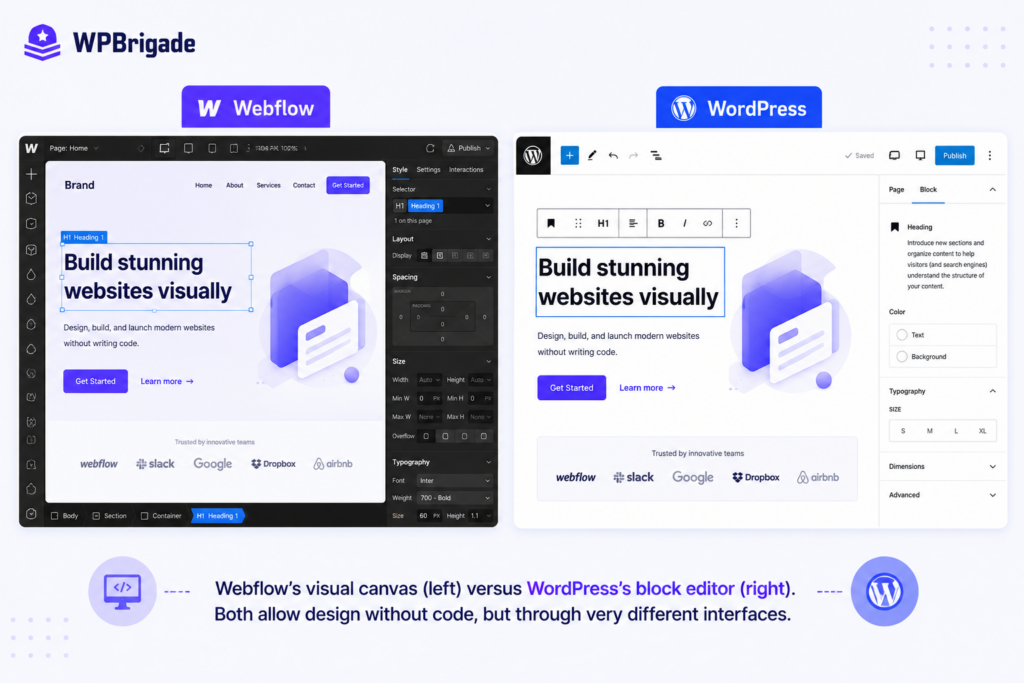
The core difference between Webflow and WordPress is that Webflow is a closed, all-in-one SaaS platform that bundles design, hosting, and CMS into a single subscription, while WordPress is an open-source CMS you install on your own hosting and extend with plugins, themes, and custom code.
How Do Webflow and WordPress Actually Compare?
| Factor | Webflow | WordPress |
| Platform type | Closed SaaS: design + hosting + CMS in one subscription | Open-source CMS: install on your own hosting, extend with plugins |
| Who controls hosting | Webflow (on AWS, global CDN included) | Choose your own provider |
| Upfront cost | From $15/month (Basic site plan) for sites with no CMS | Free software. Hosting from $30-$100/month + plugins + theme |
| Design approach | Visual canvas, pixel-level control, no theme constraints | Block editor (Gutenberg) within theme constraints |
| Customization ceiling | High for design; limited without Webflow custom code for complex backend logic | Virtually unlimited with plugins and custom development |
| Maintenance burden | Platform manages hosting, security, updates | Owner manages hosting, plugin updates, security patches |
| Content editing | Webflow Editor (non-technical users) or CMS Collections | WordPress admin, Gutenberg editor, any role-based permissions |
| Market share | Used by Dropbox, Spotify, Monday.com | 41.9% market share globally |
The right choice depends on who maintains the site and what you are building. That question becomes clear when you look at the design and build experience directly.
Which Platform is Easier to Design and Build On?
For design-first teams building a visually appealing site, Webflow provides granular controls without writing code first.
WordPress, on the other hand, is easier for content-first teams that need a CMS framework with thousands of ready-made functionality options.
When building a site on Webflow, you can choose between three design paths: generating layouts with its agentic AI model, starting from a pre-built template, or crafting a fully customized design down to the last pixel.
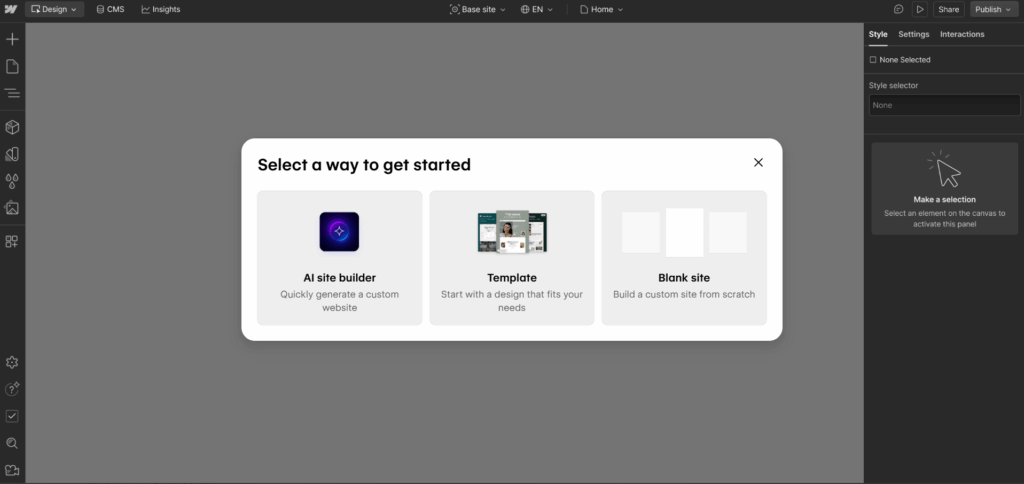
Webflow’s visual design system helps design-first teams easily build pixel-perfect layouts with low code to no code constraints.
Here is a quick video showcasing how the Webflow AI site builder works for designing a minimalistic portfolio website:
The native AI layout generator delivers modern, minimalistic design frameworks. Webflow suits marketing teams who require granular layout control over small to mid-sized sites without complex database dependencies.

Important: Webflow is not a beginner tool. The canvas gives you full CSS-level control, and building the design requires real hands-on experience. If you are a content editor or a non-technical marketer, the WordPress admin is the better choice.
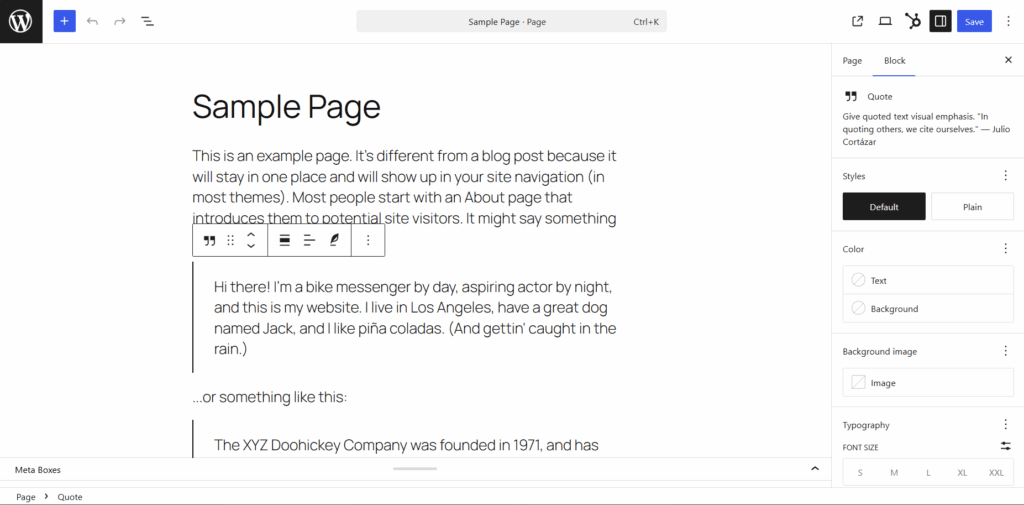
WordPress uses the Gutenberg block editor. Full Site Editing provides layout control within the theme limits. For highly unique layouts, custom engineering is required.
Consider your execution requirements:
- Choose visual canvases for precise aesthetic layouts.
- Choose template blocks for component assembly.
- Use custom themes for advanced interface control.
Here is a hypothetical example of the design difference between the two platforms:
A SaaS marketing team built a 15-page site with custom animations and a CMS-driven blog, and launched it on Webflow in three weeks. The same scope on WordPress required six weeks: theme selection, custom post types, plugin configuration, and two rounds of developer QA.
Webflow won at launch speed, but WordPress won on the blog’s CMS flexibility that the team needed 18 months later when their content operation scaled to 80 posts.
That is a real trade-off. Webflow compresses the build, and WordPress scales what the build can eventually become.
Quick Summary: Which Builder Gives Your Team More Control?
| Platform Option | Interface Strategy | Learning Curve | Production Time |
| Webflow Visual Canvas | Direct raw box model modification | Steep technical curve, best for design teams | Rapid layout completion |
| WordPress Block Layouts | Structured component building blocks | Low initial overhead | Variable development speed |
Final Verdict
Webflow uses a visual canvas. Designers import assets directly from Figma while marketing teams change layouts without developer intervention. However, the canvas demands deep knowledge of CSS styling properties. It is not an entry-level tool.
WordPress uses the block editor, and FSE provides layout control within theme limits for deeper customization and scalability.
Design flexibility dictates your publishing process. Next, let’s compare content management.
How Do Webflow CMS and WordPress Compare for Content Management?
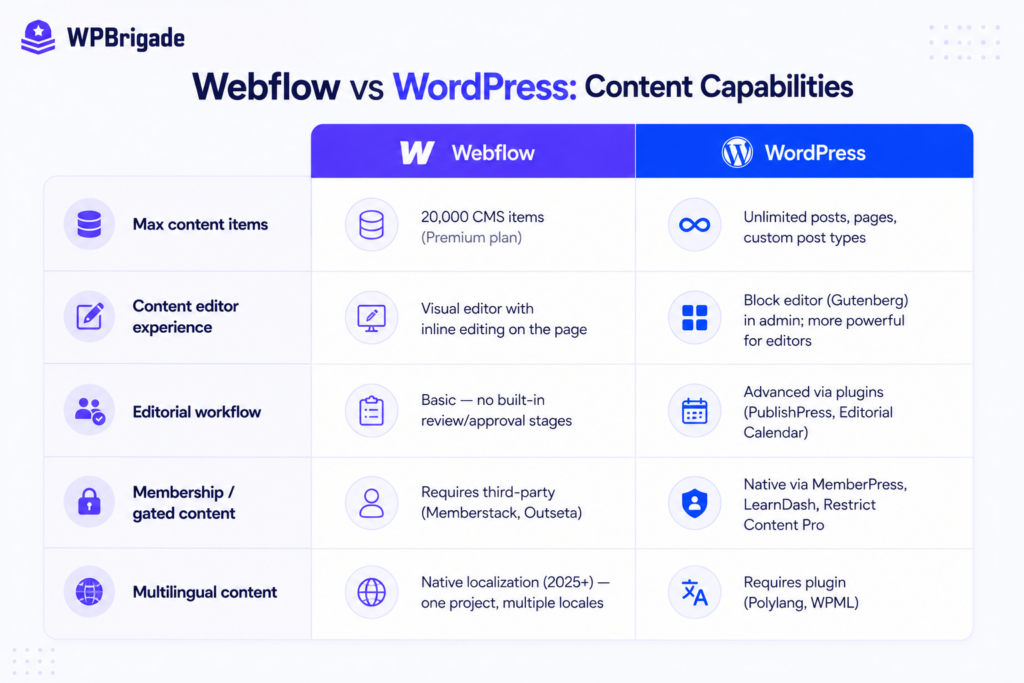
Webflow CMS uses a structured Collections system that ties content to visual layouts, making it ideal for design-consistent content at a moderate scale.
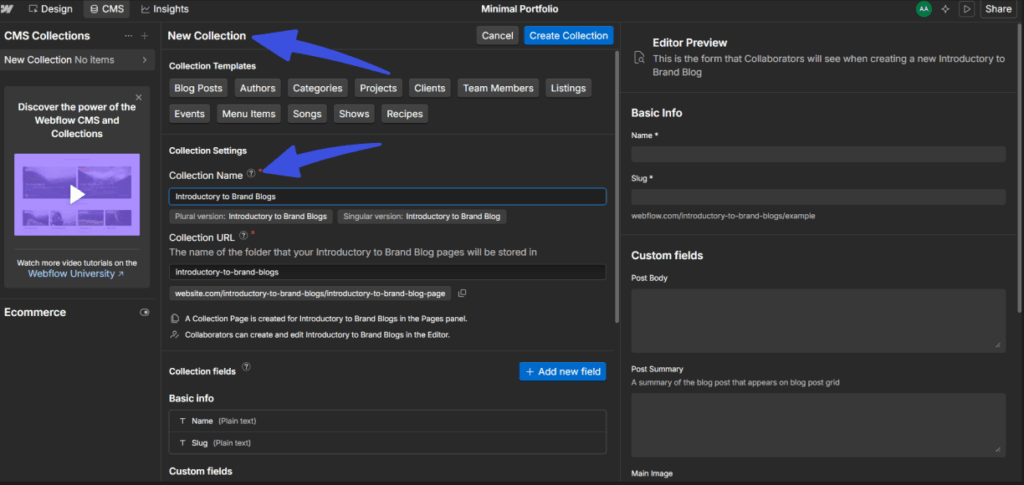
Webflow allows you to create a new CMS Collection, name it, and preview the live editor concurrently. But it caps Premium plan databases at 40 Collections and 20,000 total CMS items.
Furthermore, layout performance faces rendering constraints because Webflow restricts pages to 40 Collection lists and 100 items per list.
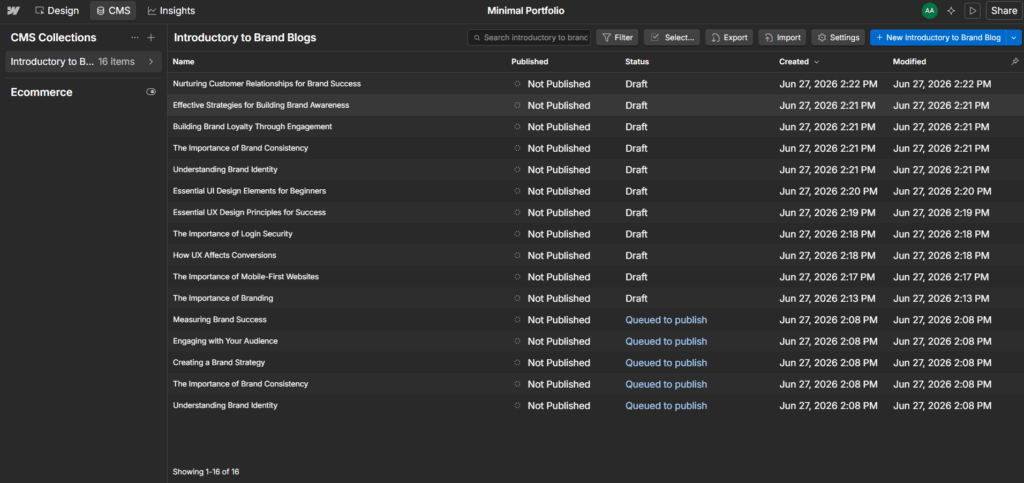
This capacity limit forces platform migrations or expensive Enterprise upgrades when media hubs grow. Webflow also dropped native user accounts in early 2026, which means gated content portals now require paid external connectors.
The difference is not just volume. It is workflow depth.
Webflow CMS gives marketing teams fast, visual publishing. Content like a case study page, a team bio, a product changelog: these publish quickly with inline editing directly on the page.
WordPress is better for high-volume publishing and editorial teams managing hundreds or thousands of posts.
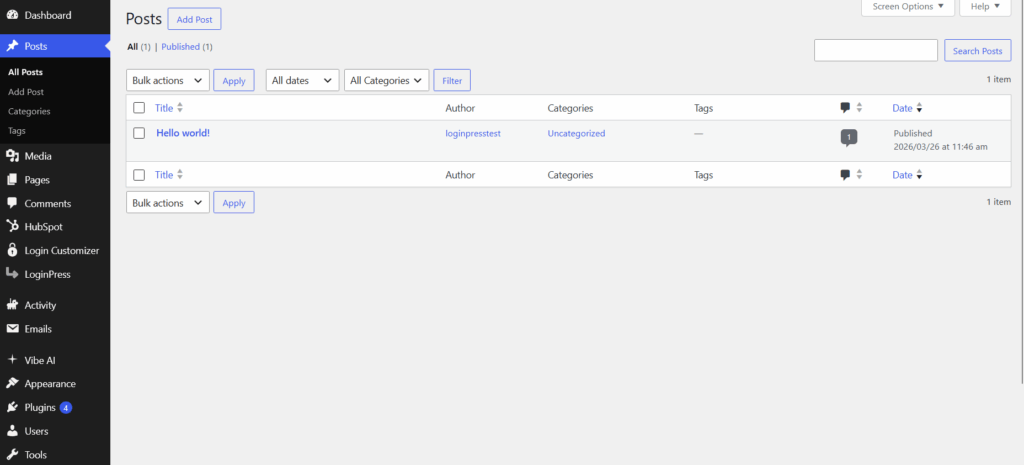
WordPress separates content from design. That separation is a feature for editorial operations. Unlimited posts, custom taxonomies, author management, and scheduled publishing workflows make it the stronger choice for content-heavy sites.
How Does Webflow CMS Stack Up Against WordPress for Content Teams?
| Feature | Webflow CMS | WordPress |
| Max content items | 20,000 CMS items (Premium plan) | Unlimited posts, pages, custom post types |
| Content editor experience | Visual inline editing on the live page | Block editor in admin; more powerful for complex editorial needs |
| Editorial workflow | Basic: no built-in review or approval stages | Advanced via plugins: editorial calendars, review stages, role controls |
| Membership and gated content | Requires third-party tools; Webflow dropped native Memberships in January 2026 | Native via multiple membership plugins across price points |
| Multilingual content | Native localization since 2025: one project, multiple locales | Requires a plugin for multilingual support |
Final Verdict
Webflow CMS wins for marketing sites publishing case studies, landing pages, and structured content at moderate volume. WordPress wins for editorial operations, documentation sites, knowledge bases, and any site requiring membership or gated content.
What is the Real Pricing Difference Between Webflow and WordPress?
Webflow charges a predictable monthly subscription of around $15-$25 (basic to premium plans) that includes hosting, security, and CDN; WordPress software is free, but WordPress maintenance costs anywhere from $30 to $5,000+ per month in 2026, according to Codeable.
Webflow simplified its core subscription levels in mid-2026. However, collaboration seats require separate Workspace subscriptions.
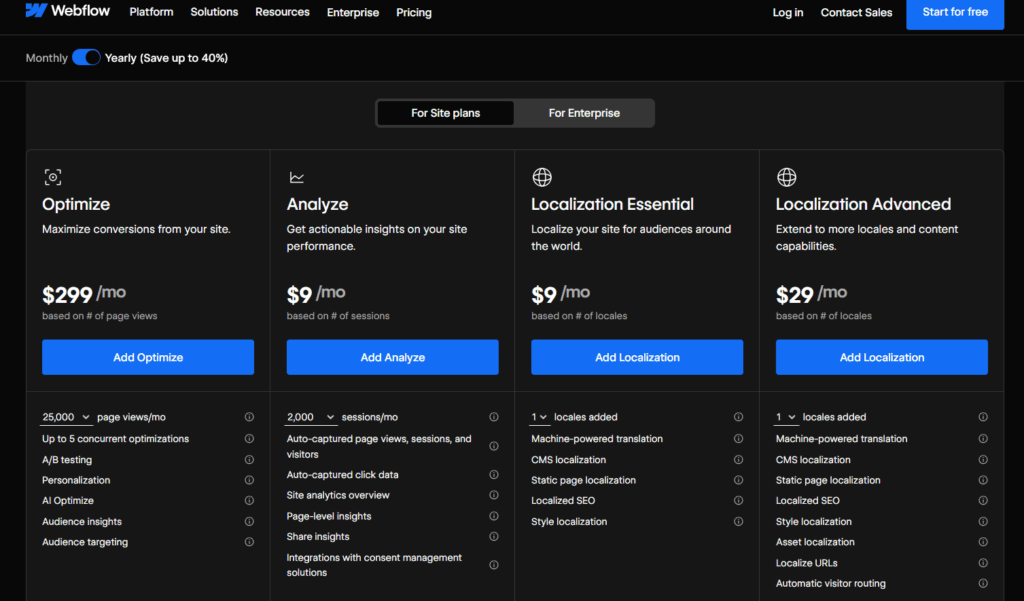
B2B marketing teams regularly spend money on advanced optimization features that introduce an extra monthly fee apart from the subscription.
With WordPress, you choose your own assets. You also pay separately for enterprise cloud hosting. If you add premium plugins, there are extra yearly costs.
To learn more about different WordPress hosting, check out our guide on Managed WordPress Hosting vs Shared Hosting (Compared 2026).
What are the True Total Ownership Costs in 2026?
| Cost Component | Webflow (Annual Billing) | WordPress (Managed Hosting) |
| Platform/software | $15-$25/month (site plan) | Free (open-source core) |
| Hosting + CDN + SSL | Included in site plan | $3-$100+/month (hosting provider) |
| Workspace/collaboration | $19-$49/month (separate, Core to Growth) | Included (unlimited users) |
| SEO tools | Native (included) | $0-$99/year via plugins |
| Security management | Managed by Webflow | $0-$299/year + maintenance hours |
| A/B testing/analytics | Optimize: $299/month add-on | $0-$199/year via plugins |
| Developer maintenance | Minimal (platform managed) | $300-$2,000/month if outsourced |
| Realistic total/month | $34-$74/month (site plan plus workspace, no dev needed) | $150-$500/month (with maintenance) |
A Forbes analysis highlights these cost issues. True budgets depend on internal engineering availability and the type of operational tasks required for the organization.
Important: Webflow’s native A/B testing and personalization tool, Webflow Optimize, costs $299/month as a separate add-on. Most articles show Webflow’s $15 to $25/month site plan and stop there. For a marketing team that needs experimentation built into its growth workflow, the add-on changes the all-in cost. Factor it in before you build your budget.
Final Verdict
Webflow costs less for teams without a developer and sites under moderate content volume. WordPress costs less for teams with in-house development capacity and high publishing velocity.
Verify current Webflow plan pricing at webflow.com/pricing before finalizing your budget, as plan structures changed in 2026.
Although pricing tells you what each platform costs to run, it is your SEO that tells you what each platform costs to neglect.
How Do Webflow and WordPress Compare on Speed and Security?
Webflow usually offers faster load times and better security out of the box since these features are handled by the platform. WordPress can be just as fast and secure, but this depends on your choice of hosting, plugins, and regular upkeep.
The way each platform is built also affects how much work you need to do to manage your site each day.
How Does Infrastructure Impact Core Performance Metrics?
- Webflow Speed Baseline: Sites utilize AWS edge hosting configurations alongside global CDN routing. Clean semantic code compiles natively without extensive runtime application layers.
- WordPress Speed Scaling: Premium optimized stacks match native environments. The performance gap closes when WordPress runs on top-tier managed hardware.
- Webflow Security Protocols: Webflow’s architecture uses strict SOC 2 Type II compliance frameworks. The closed platform has no third-party plugins for attackers to exploit.
- WordPress Security Management: Extensible installations face a larger attack surface. The annual report by Wordfence shows that 81% of vulnerabilities disclosed in 2024 had a ‘Medium’ severity CVSS score.
Speed
Webflow uses AWS for hosting and includes a global CDN with every plan. Its code is clean, and there are no plugins to slow down page loading. Sites usually get strong Core Web Vitals scores, as long as they don’t use heavy third-party scripts.
WordPress can also achieve similar performance scores. Using managed hosting with server-side caching, image optimization, and CDN helps a lot.
However, getting there takes careful setup and regular maintenance. When WordPress is well hosted, the main difference is the extra work needed to keep it running smoothly, not the maximum performance itself.
Security
Webflow has SOC 2 Type II certification. DDoS protection and automatic updates are included by default, and there are no plugins for attackers to target.
WordPress has a different set of risks. Its plugin system can lead to growing technical debt over time.
Wordfence’s 2024 annual report found that 37% of WordPress vulnerabilities could be exploited with just subscriber-level access. The risk of plugins is a real concern.
Still, a well-maintained WordPress site on managed hosting, with only a few plugins and regular updates, can be very secure. Most vulnerability statistics come from sites that are not well-maintained, not from those that are carefully managed.
What are the Speed and Security Trade-Offs Between Webflow and WordPress?
| Factor | Webflow | WordPress |
| Hosting infrastructure | AWS, global CDN, included | Your choice: quality varies by provider |
| Core Web Vitals out of the box | Consistently strong | Requires configuration to achieve equivalent scores |
| Security management | Platform-managed: SOC 2 Type II, automatic updates | Owner-managed: plugin updates, patches, monitoring |
| Plugin attack surface | None | Real risk: most vulnerabilities enter through plugins |
| HIPAA compliance | Not available on any Webflow plan | Achievable with correct hosting and configuration |
Note: Webflow is not HIPAA compliant on any plan. For healthcare, health tech, or any product handling protected health information, this is a platform blocker with no workaround.
Final Verdict
For teams without dedicated security maintenance, Webflow wins on both speed and security by default. For teams with proper hosting discipline and active maintenance, both platforms reach equivalent results. The HIPAA constraint is absolute regardless of team capability.
Which Platform is Better for SEO: WordPress or Webflow?
WordPress offers more advanced SEO options thanks to its plugins, ability to scale content, and full control over schema markup. Webflow, on the other hand, is easier to maintain and comes with built-in SEO tools that work well right away.
Both platforms can help your site rank in search results. The main differences are how much ongoing work they require and the limits each one sets for SEO growth.
Where WordPress wins on SEO
WordPress lets you control every ranking factor in detail using dedicated SEO plugins such as Rank Math. You can set meta titles, descriptions, canonical tags, breadcrumbs, XML sitemaps, 301 redirects, and structured data for each post.
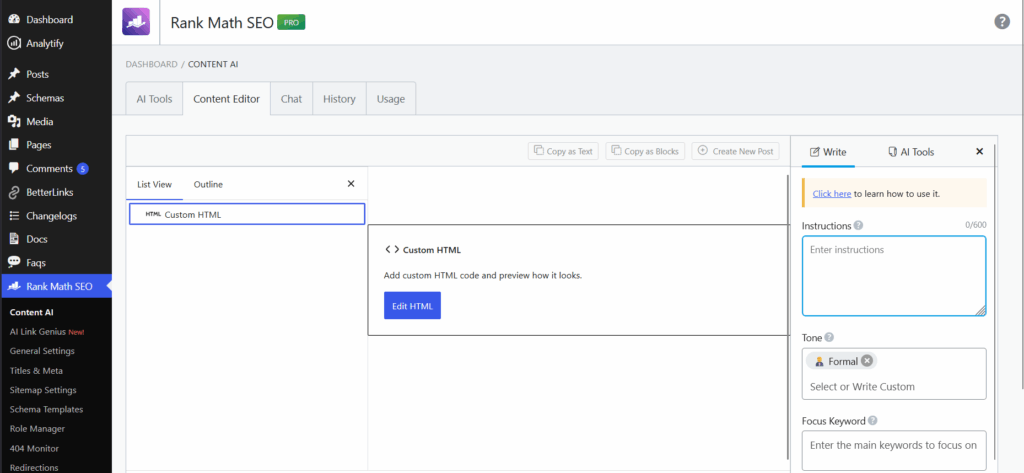
It is also easier to create and check advanced schema types like FAQPage, HowTo, Product, and Review compared to Webflow. If you need to generate thousands of pages automatically, WordPress does not limit you.
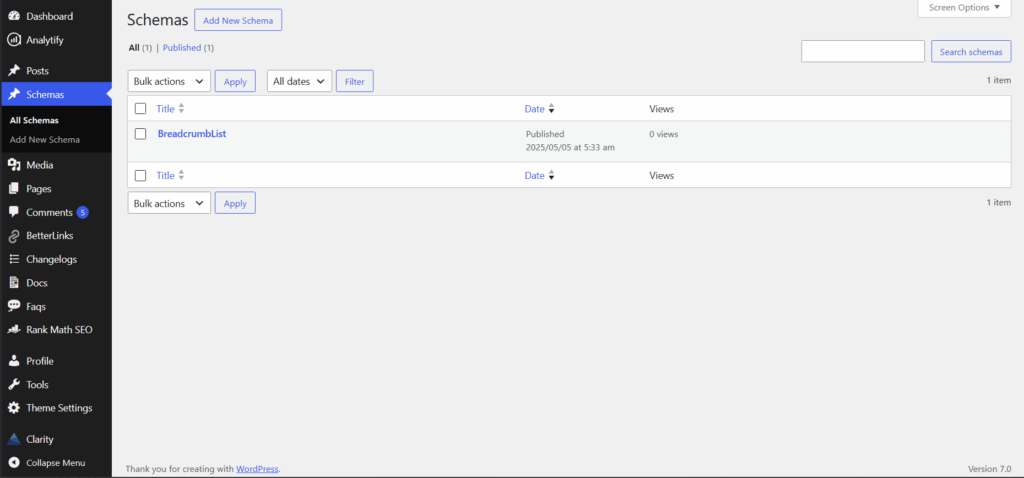
If your site has a lot of content and you want to build authority on many topics, WordPress is a better choice for long-term SEO.
Where Webflow Wins on SEO
Webflow’s SEO tools work correctly on day one. No plugin is required. Meta editing, automatic XML sitemap generation, 301 redirect management, and mobile-first output are all native.
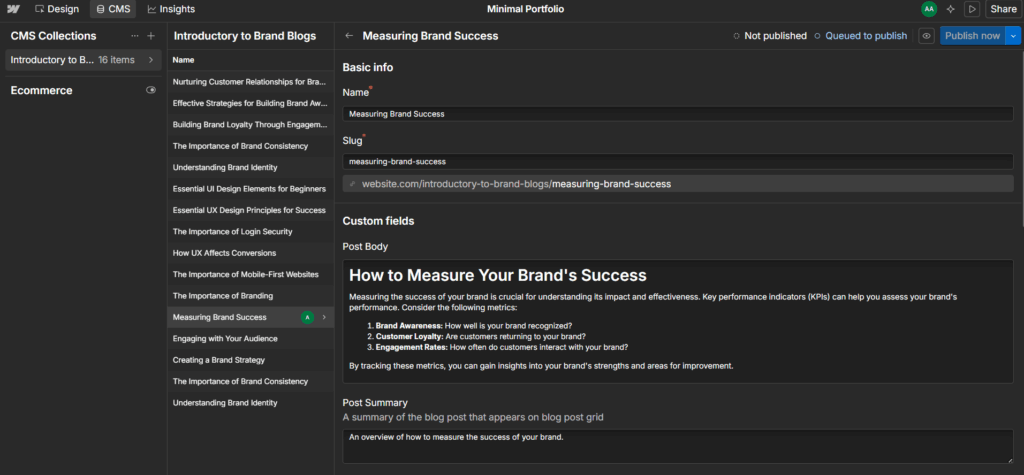
In January 2026, Webflow added an AI-powered SEO audit panel that generates meta descriptions and alt text directly in the Editor. The SEO audit panel flags missing elements and returns a prioritized fix list.
Enterprise plans gain additional per-site controls. One constraint: the AI tools only operate on the primary locale, so multilingual SEO teams cannot apply them across language variants.
Webflow has clear limits in certain technical SEO situations.
- Nofollow link attribution: You cannot add rel=”nofollow” to individual links in CMS content without using custom code or third-party scripts. This attribute is missing from the server-rendered HTML. This is important if you publish a lot of sponsored or affiliate links.
- Relational schema markup: Webflow’s native schema field cannot bind to Reference or Multi-Reference fields. A complex relational schema requires custom code embeds rather than visual configuration.
- Paginated canonical tags: If you want canonical tags for paginated pages, you need to add custom JavaScript. Webflow does not create these tags automatically.
- No server-level access: You cannot use an .htaccess file, set cache headers beyond what Webflow’s interface allows, or make any server-side changes on any plan.
Final Verdict
WordPress is the best choice for sites with lots of content, niche authority sites, or large-scale programmatic SEO. If you have a design-focused marketing site with moderate content and a small team, Webflow is easier to maintain and makes ongoing SEO more manageable.
If you are a founder or marketing director, Webflow’s technical SEO limits mean your developer will have to create workarounds for things that WordPress can do out of the box. These issues can be fixed, but they will take extra time and money.
Which Platform Should You Choose? The Decision Framework
The right platform depends on three factors: what you are building, the size and technical depth of your team, and how much ongoing maintenance you are willing to manage.
Which System Matches Your Business Objectives Best?
| Your Situation | Recommended Platform | Why |
| SaaS marketing site, design-first, lean team (1-3 people) | Webflow | Fast builds, low maintenance, marketing team independent from devs |
| Content-heavy site or blog with 500+ posts | WordPress | CMS scale, editorial workflows, unlimited posts and taxonomies |
| Complex ecommerce store | WordPress | Unmatched for product depth, integrations, and custom checkout flows |
| Portfolio, agency site, or brand marketing site | Webflow | Visual control, Figma import, fast to launch and update |
| Membership or community site | WordPress | Webflow dropped native memberships in 2026; WordPress has mature solutions |
| High-growth SaaS with a large content operation | WordPress | Content scale, programmatic SEO, complex integrations |
| Small local business website or landing page | Either | Webflow if minimal content; WordPress if you want to grow content over time |
| Multilingual / global marketing site | Webflow | Native localization is now strong; one project, multiple language variants |
If you decide to use WordPress, WPBrigade can build and maintain a custom site for your SaaS company, content team, or WooCommerce store. We take care of development and maintenance, so your team avoids the usual WordPress headaches.
We designed and built Markon’s new website at WPBrigade. The aim was to bring Markon’s mission to life through clear storytelling and an engaging experience, using custom WordPress development with dedicated SEO and performance work.
Not sure which option is right for you? These two questions can help you decide:
- Does your marketing team need to alter visual layouts independently without engineering support? If yes, select Webflow.
- Do you need complex database connections, large catalogs, or custom backend integrations? If so, choose WordPress.
FAQs on Webflow vs. WordPress
Choosing Your Next Steps
Webflow and WordPress are both capable platforms that serve different builders with different needs. The decision is not about which is objectively better; it is about which one matches your team’s resources, your site’s content requirements, and the maintenance overhead you can sustainably manage.
How Should Your Team Proceed?
- Analyze Your Core Match: Use the decision matrix to identify which platform matches your site type and team structure, then write down the three specific factors that tipped the balance.
- Audit Technical Infrastructure: If you are leaning toward WordPress, audit your current hosting situation. Managed hosting on an optimized platform remains the single most important decision for long-term WordPress performance and security.
- Get a free WordPress project estimate: If you need a custom WordPress build for your SaaS application, content site, or WooCommerce store, contact the specialized engineering team at WPBrigade to discuss your project scope and receive a development estimate.
Whichever platform you choose, align your selection with your team’s day-to-day development capacity.
Check out more on CMS platforms here:
Which platform currently powers your business, and what is the biggest bottleneck your team faces with it? Let us know in the comments below!
Leave a Reply