

For most WordPress sites, I’d start with Yoast SEO. If you want more free features, like extra schema types and redirects, Rank Math is the better pick. All in One SEO is a solid third choice if you like a setup wizard.
You also need two helper plugins. Broken Link Checker finds dead links. XML Sitemap Generator for Google builds detailed sitemaps. Together, these five plugins cover on-page SEO, technical SEO and indexing.
We run Yoast SEO on wpbrigade.com, so that section comes from daily use. For the other four, we went through each WordPress.org listing feature by feature.
Best SEO Plugins for WordPress (TOC):
- Best SEO Plugins for WordPress at a Glance
- What Does a WordPress SEO Plugin Do?
- 1. Yoast SEO: Best SEO Plugin for Most WordPress Sites
- 2. Rank Math: Best for Free Advanced Features
- 3. All in One SEO: Best for Guided Setup
- 4. Broken Link Checker: Best for Fixing Dead Links
- 5. XML Sitemap Generator for Google: Best for Detailed Sitemaps
- Feature Comparison: Yoast SEO vs Rank Math vs All in One SEO
- Which WordPress SEO Plugin Should You Use?
- How to Track SEO Results Inside WordPress
- FAQs: Best SEO Plugins for WordPress
- Final Verdict
Best SEO Plugins for WordPress at a Glance
These are the five best SEO plugins for WordPress in 2026. Each one solves a different SEO job.
| Plugin Name | Best For | Active Installs | Price |
|---|---|---|---|
| Yoast SEO | On-page SEO and readability for most sites | 10+ million | Free; Premium available |
| Rank Math | More free features, schema and redirects | 4+ million | Free; Pro available |
| All in One SEO | Guided setup and SEO checklist | 2+ million | Free; Pro available |
| Broken Link Checker | Finding and fixing broken links | 500,000+ | Free |
| XML Sitemap Generator for Google | Detailed XML, HTML and RSS sitemaps | 1+ million | Free |
What Does a WordPress SEO Plugin Do?
A WordPress SEO plugin helps search engines read and rank your content. It controls titles, meta descriptions, sitemaps and schema. It also checks each post against SEO rules before you publish.
- Titles and metas: sets the text shown in search results.
- Sitemaps: lists your pages for search engines.
- Schema: adds structured data for rich results.
- Content analysis: checks keywords and readability.
- Redirects: sends old URLs to new ones.
1. Yoast SEO: Best SEO Plugin for Most WordPress Sites
Yoast SEO is the best SEO plugin for most WordPress sites. It has 10+ million active installs and a 4.8 out of 5 rating. Yoast SEO scores every post for SEO and readability with a simple traffic light.

- Real-time SEO and readability analysis
- Automatic XML sitemaps
- Schema structured data
- Search result previews for desktop and mobile
- FAQ and HowTo blocks with built-in schema
- Premium adds AI tools, redirects and internal link suggestions
2. Rank Math: Best for Free Advanced Features
Rank Math is the best SEO plugin if you want advanced features for free. It has 4+ million active installs. Rank Math includes 16+ schema types, a redirect manager and 404 monitoring in the free version.
- 30+ SEO tests per post
- 16+ schema types
- Redirects and 404 monitor
- Search Console and Analytics connections
- Content AI and AI visibility tools (paid)
3. All in One SEO: Best for Guided Setup
All in One SEO is the best pick if you want a guided setup. It has 2+ million active installs. A setup wizard walks you through titles, sitemaps and schema in minutes.
- Setup wizard
- TruSEO on-page analysis with unlimited focus keywords
- Smart schema markup
- Robots.txt editor
- Breadcrumbs with schema
4. Broken Link Checker: Best for Fixing Dead Links
Broken Link Checker is the best free tool for finding dead links in WordPress. Broken links hurt user experience and waste crawl budget. Broken Link Checker scans your posts and lists every link that fails.
- Free cloud scan or local scan
- Lists broken links and redirects
- Edit or unlink from one screen
- 500,000+ active installs
Use the cloud scan on large sites. The local scan can raise CPU use on shared hosting.
5. XML Sitemap Generator for Google: Best for Detailed Sitemaps
XML Sitemap Generator for Google is the best choice if you need more sitemap control. It builds XML, HTML and RSS sitemaps. It has 1+ million active installs.
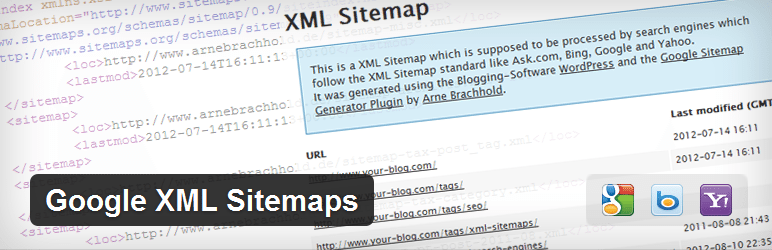
- XML, HTML and RSS sitemaps
- Free for personal and commercial sites
- Skip it if Yoast, Rank Math or AIOSEO already builds your sitemap
Feature Comparison: Yoast SEO vs Rank Math vs All in One SEO
Yoast SEO, Rank Math and All in One SEO all cover the core SEO features for free. The differences show up in extras.
| Feature | Yoast SEO | Rank Math | All in One SEO |
|---|---|---|---|
| Titles and meta descriptions | Free | Free | Free |
| XML sitemaps | Free | Free | Free |
| Schema markup | Free | Free, 16+ types | Free |
| Readability analysis | Free | Not listed | Not listed |
| Redirect manager | Premium | Free | Pro |
| Setup wizard | Free | Free | Free |
| Search Console connection | Via integrations | Free | Free |
All three free versions include these core tools:
- SEO titles and meta descriptions
- XML sitemaps
- Schema markup
- On-page content analysis
Which WordPress SEO Plugin Should You Use?
Use one main SEO plugin and add helpers only if you need them. Running two main SEO plugins causes duplicate meta tags.
| Your Situation | Use This |
|---|---|
| New blog or business site | Yoast SEO |
| You want free redirects and more schema types | Rank Math |
| You want a guided setup | All in One SEO |
| Your site has hundreds of old posts | Add Broken Link Checker |
| You need HTML or RSS sitemaps | Add XML Sitemap Generator for Google |
How to Track SEO Results Inside WordPress
Track SEO results by connecting Google Search Console and GA4 to WordPress. SEO plugins prepare your pages. Analytics shows if the work brings traffic.
Analytify shows Search Console keywords and GA4 traffic for each post inside WordPress. You see which posts gain clicks after an SEO update. Read our guide to the best Google Analytics plugins for WordPress.
- Install one main SEO plugin and finish its setup.
- Submit your sitemap in Google Search Console.
- Connect GA4 and Search Console to WordPress.
- Check clicks and rankings for each post every month.
- Update posts that lose clicks for 13 weeks or more.
SEO plugins are only one part of a healthy site. Our essential WordPress plugins guide covers backups, email delivery and login security too.
FAQs: Best SEO Plugins for WordPress
Answers to the SEO plugin questions we hear most:
Yoast SEO is the best SEO plugin for most WordPress sites. Rank Math is better if you want free redirects and more schema types.
Yoast SEO is simpler and has the larger user base. Rank Math gives more advanced features in its free version. Both handle the core SEO tasks well.
No. Use one main SEO plugin only. Two main SEO plugins create duplicate titles, meta tags and sitemaps. Helper plugins like Broken Link Checker are fine to add.
No. Yoast SEO, Rank Math and All in One SEO all build XML sitemaps. Add a separate sitemap plugin only if you need HTML or RSS sitemaps.
Check that Settings > Reading does not block search engines. Then submit your sitemap in Google Search Console. New sites can take a few weeks to get indexed.
Watch clicks and impressions in Google Search Console after each update. A plugin score is a guide, not a result. Analytify shows these Search Console numbers per post inside WordPress.
Final Verdict
Yoast SEO is the best SEO plugin for most WordPress sites. Rank Math is the best free option for advanced features. Add Broken Link Checker to keep old content healthy.
Leave a Reply