

Disclaimer: If you face any issues with our new update and need timely assistance, contact our dedicated support team or explore our WordPress.org support section.
Under Construction and Maintenance Mode 3.0 rebuilds the settings screen in React, updates the background template, adds new Customizer controls and lets you include or exclude specific pages and posts. All four changes are available in both the free and Pro versions.
This release updates the plugin’s UI, makes it faster and easier to maintain with a new React-based settings screen, adds more ways to customize visuals, and lets you control where maintenance mode shows up on each page.
Table of contents
| Update | What It Means for You | Version |
|---|---|---|
| React settings screen | Faster settings that save without full page reloads | Free + Pro |
| Updated background template | A more modern, on-brand maintenance page | Free + Pro |
| New Customizer controls | More control over the page’s visual design | Free + Pro |
| Include and exclude pages and posts | Keep chosen pages live while the rest of the site is in maintenance mode | Free + Pro |
Here’s a closer look at each new feature:
1. React Migration: Enhanced Speed and Stability (Free + Pro)
The most significant change in version 3.0 is the complete rebuild of the main settings screen using React.js.
You can still access the plugin from Settings >> Under Construction, but once you arrive, you’ll find a brand-new interface designed around clarity and ease of use.
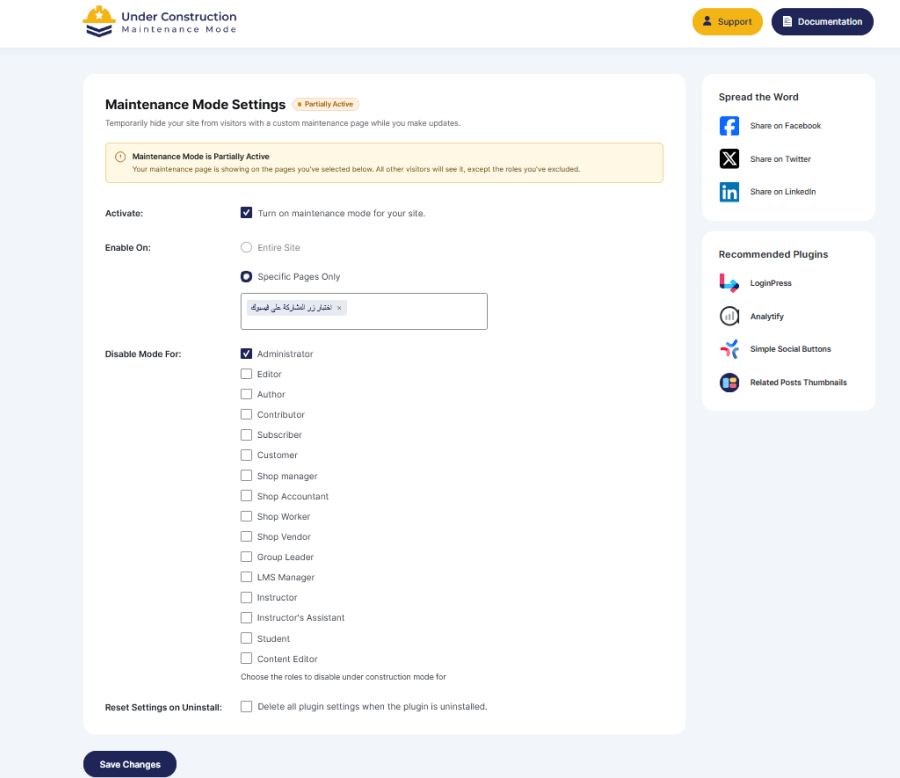
Key Benefits of This Transition
Immediate Interactions: Settings toggle and save without full-page reloads, which speeds up your work, even on busy dashboards.
- Redesigned Interface: A cleaner layout with an improved visual hierarchy, making it easier for non-technical users to understand and navigate.
- Future-Proofing: The updated codebase enables faster deployment of new features and security updates.
2. Updated Background Template in the Customizer (Free + Pro)
Your site’s under-construction page should feel on-brand and modern. Version 3.0 updates the Customizer background template to meet contemporary design standards, with all visual changes previewable in the WordPress Customizer before you publish.
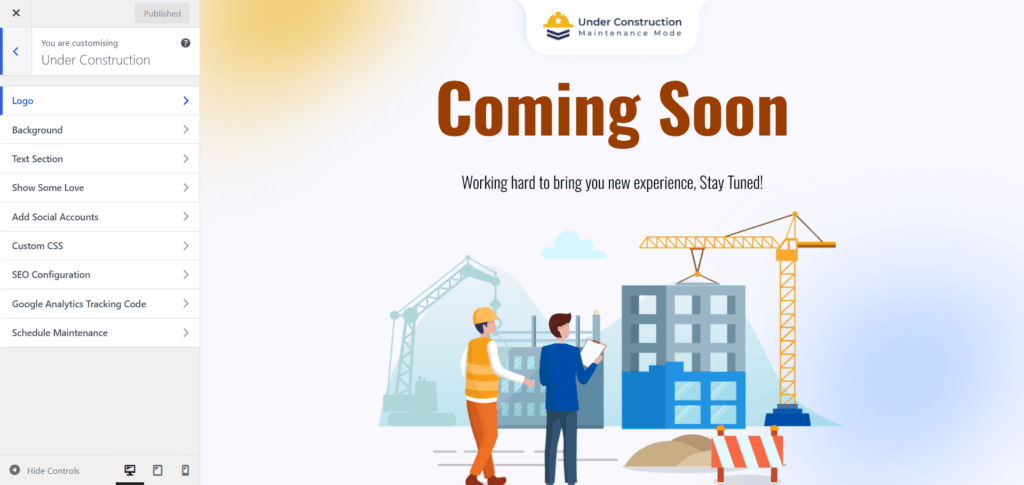
- Cleaner Layout and Spacing: A modernized baseline design that looks great out of the box.
- Improved Hierarchy: Your logo, headline, and call-to-action stand out without any extra configuration.
- Better Mobile Behavior: The background template renders correctly across all screen sizes and devices.
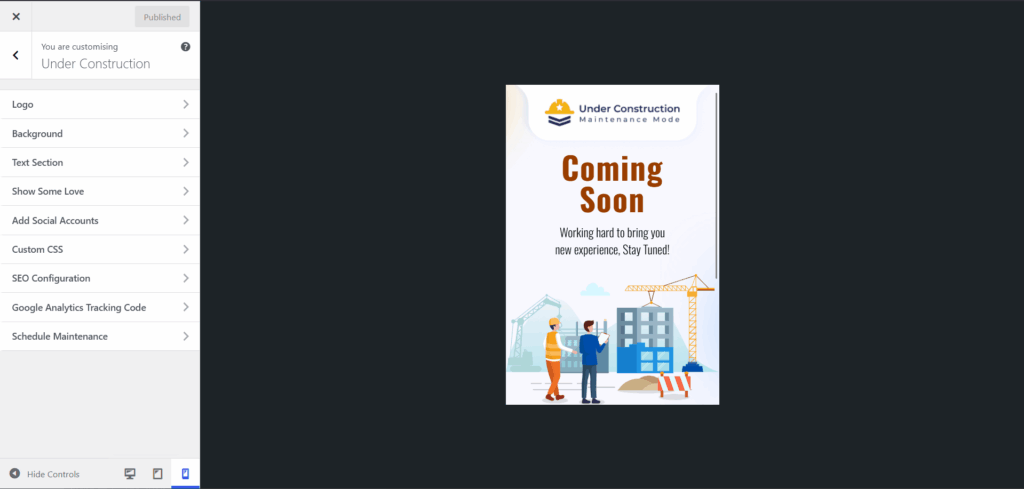
3. New Customizer Controls for Visual Flexibility (Free + Pro)
Under Construction Maintenance Mode 3.0 introduces several new Customizer controls that give you more control over how your maintenance page looks, all manageable from a single, visual interface without any custom code.
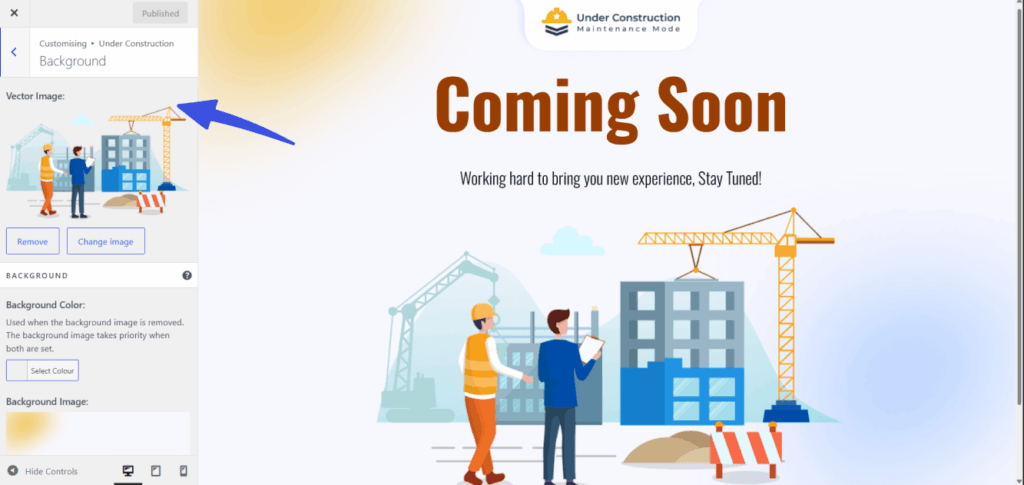
- Vector Image Toggle: You can now decide whether to show or hide the decorative vector illustrations on your maintenance screen. Turn vectors on for a more visual, playful look, or turn them off for a minimal, content-first design.
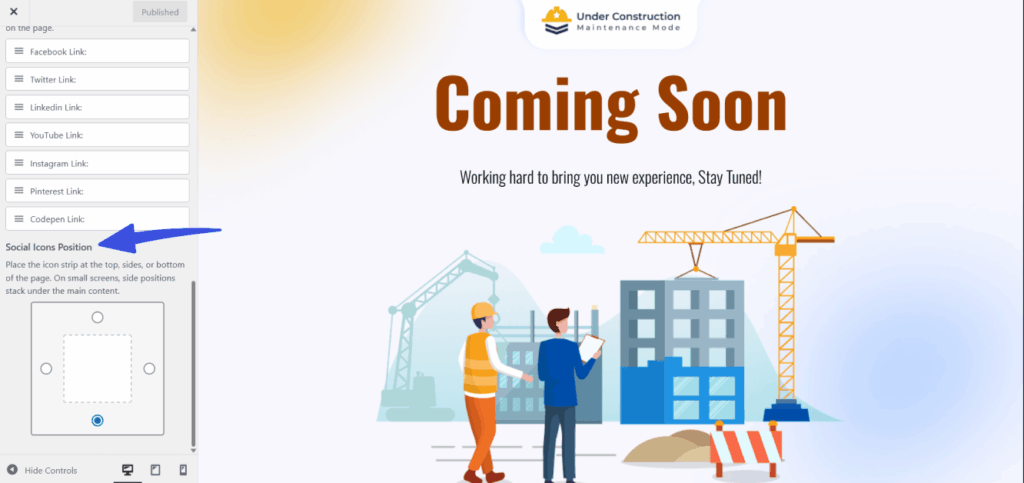
- Social Icon Placement: We’ve expanded how you can control social icons on your maintenance page. Choose where icons appear (for example, in the footer area), adjust their alignment, and use drag-and-drop ordering in the Customizer to arrange them exactly how you want.
4. Smarter Settings for Page Control (Free + Pro)
Under Construction Maintenance Mode 3.0 adds new include/exclude settings to help you control exactly where the under-construction page appears across your site.
These settings are available directly from the main settings screen, with no custom code or extra plugins required.
Include / Exclude Pages and Posts
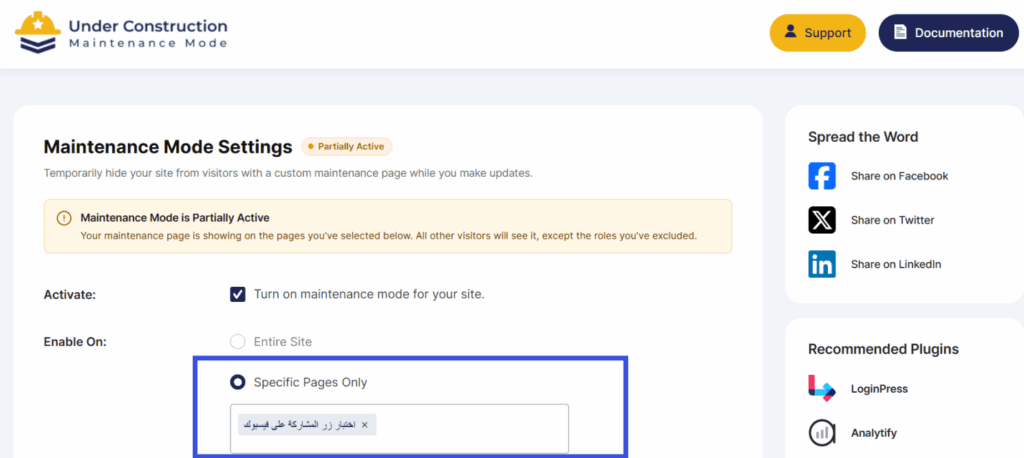
- Include specific pages/posts
Enable maintenance mode only on select pages or posts, leaving the rest of the site untouched.
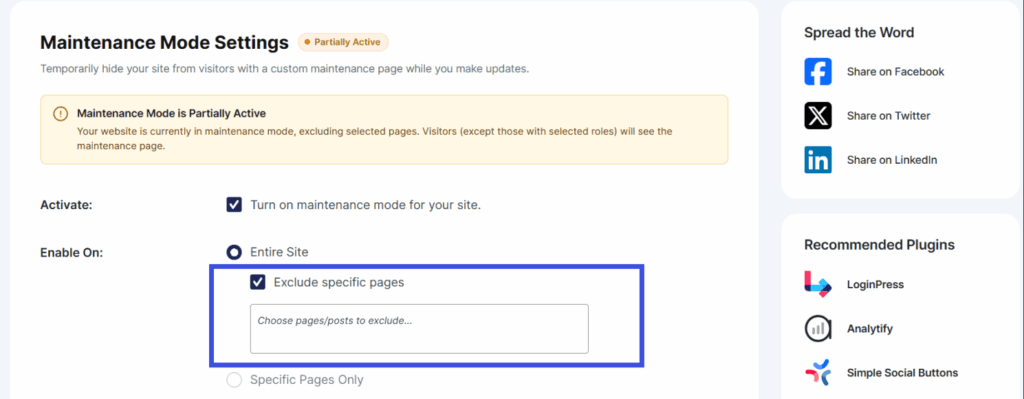
- Exclude specific pages/posts
Keep chosen pages live even when maintenance mode is fully enabled, which is ideal for landing pages or contact forms.
Common Use Cases
Keep a landing page or booking form live while you work on the rest of the site. Hide only certain in-progress sections without taking down your entire site.
Time to Update
Upgrade to Under Construction Maintenance Mode 3.0 today to get the new React-powered interface, updated Customizer template, expanded visual controls, and granular page-level targeting.
Need more help? Contact our dedicated support team.
As always, please back up your site before running any major update.



Leave a Reply