
WordPress 6.7 was released on November 12, 2024. It added the Twenty Twenty-Five theme, Zoom Out mode for patterns, block bindings in the editor, updated data views and the Preview Options API.
This release includes a new default theme, enhanced user interface tools, media and editor enhancements, new template registration, and preview APIs.
This release reflects WordPress’s commitment to making site-building more powerful and intuitive.
WordPress 6.7 (TOC):
Here are the main WordPress 6.7 changes at a glance.
| Feature | What It Does |
|---|---|
| Twenty Twenty-Five theme | New default block theme |
| Zoom Out mode | Build pages from patterns at a zoomed-out view |
| Block bindings UI | Connect blocks to custom fields in the editor |
| Data views | Updated layouts for pages, templates and patterns |
| Preview Options API | Lets plugins add custom preview options |
| Performance and security | Faster loading and security hardening |
WordPress 6.7 Overview
Highlights of the release include:
- New Default Theme Twenty Twenty-Five
- Improved Block Editor
- Manage Block Bindings Directly
- Redefined Data Views
- Zoom Out to Compose with Patterns
- Preview Options API
- Improved User Experience
- Performance Enhancements
- Security enhancements
Exploring WordPress 6.7 Features & Improvements
New Default Theme: Twenty Twenty-Five
One of the highlights of WordPress 6.7 is the launch of the new default theme, Twenty Twenty-Five.
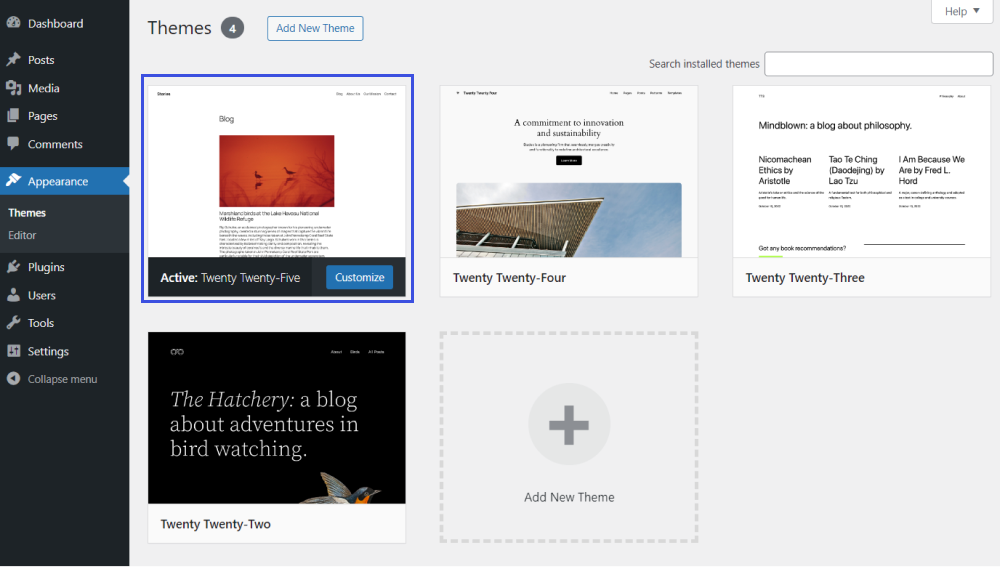
This theme offers clean design, accessibility, and flexibility. It’s built to work smoothly with the latest WordPress block editor enhancements and new design tools, like:
- It lets you add a grid layout for the density of information.
- You can hide/show the filters.
- It allows you to change the column order in table views.
- Graduate data view options out of a menu to allow more design expression.
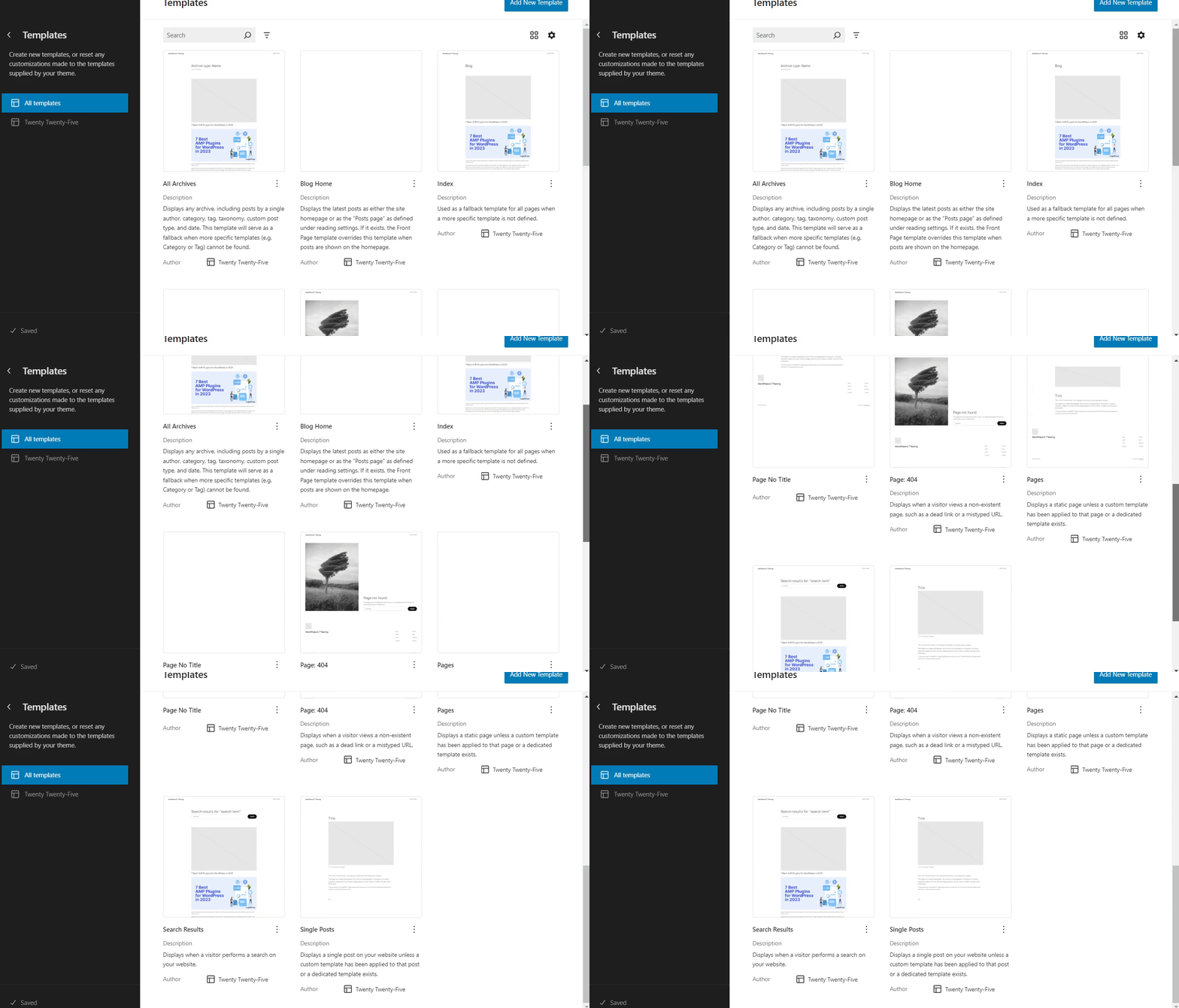
Users can expect an upgraded experience in the Templates section to create custom templates directly within the theme’s Customizer.
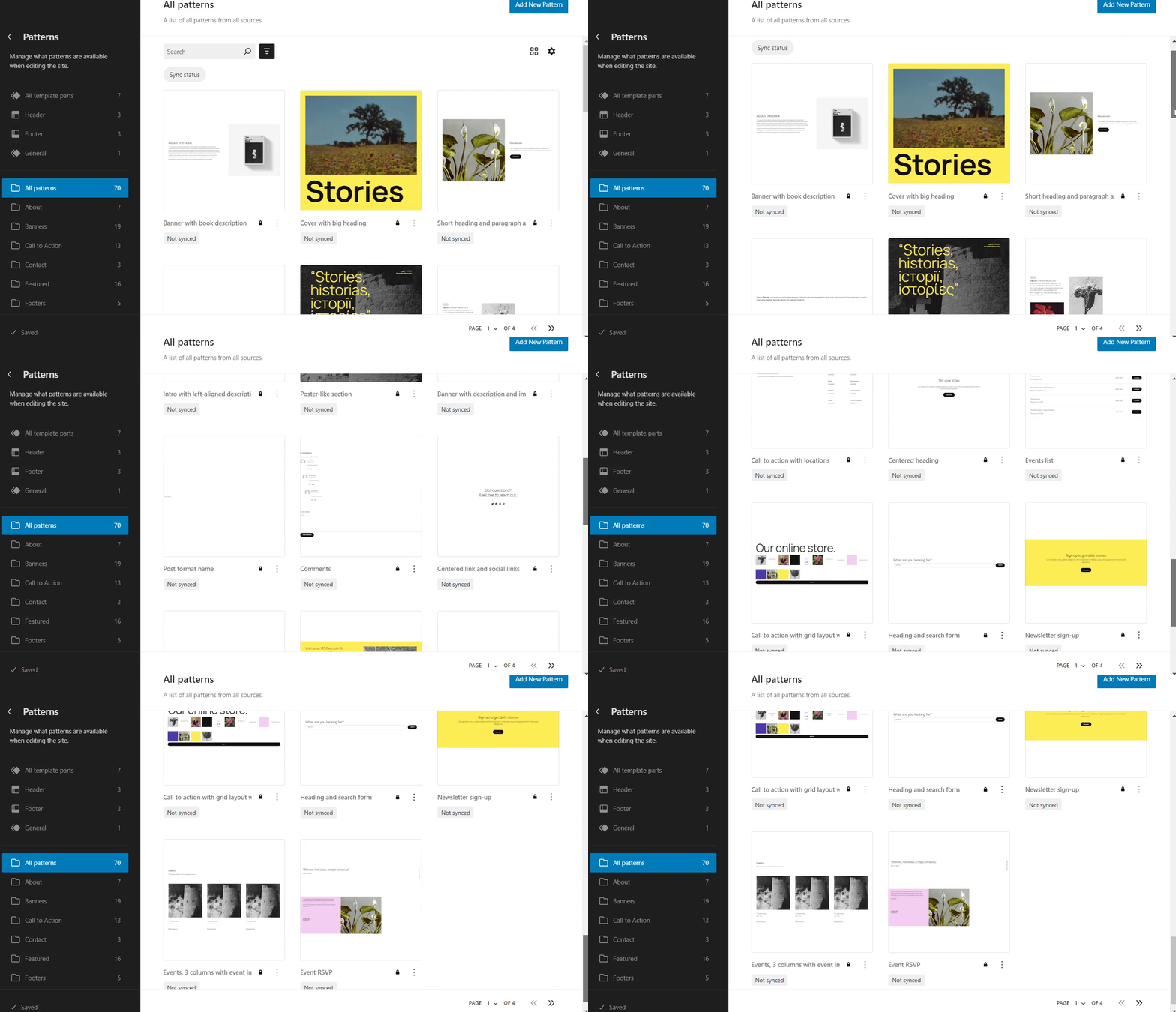
In addition, the Patterns feature has been expanded, allowing users to implement a wider variety of patterns with more customization options.
Improved Block Editor
In WordPress 6.7, the upgraded block editor offers more flexibility and is easier to use.
With these upgrades, you get more intuitive design adjustments, finer layout control, and quicker access to block-specific settings.
The result is a friendlier editing experience for beginners and experienced users alike.
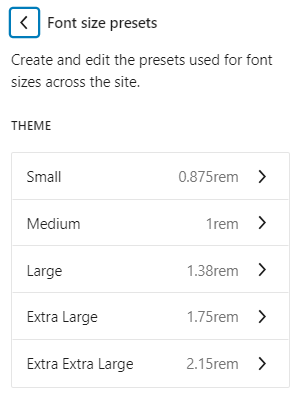
For example, enhanced controls for typography settings give users more flexibility in adjusting text across various blocks.
See the font size presets:
Manage Block Bindings Directly
The Block Binding API, introduced in WordPress 6.5, received a significant update in WordPress 6.7. This enhancement gives developers greater control over managing custom fields and attributes within blocks.
See the image below:
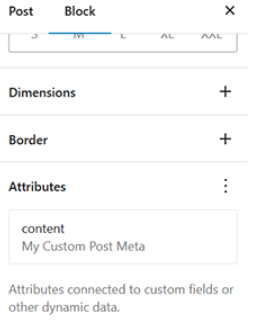
You can now select metadata directly with the updated user interface in the block settings. This update makes it easier and faster to integrate custom data into your blocks. As a result, you don’t have to rely on the Code Editor to connect block attributes to custom fields.
Redefined Data Views
WordPress 6.7 offers a redefined data views feature for easier customization and management.
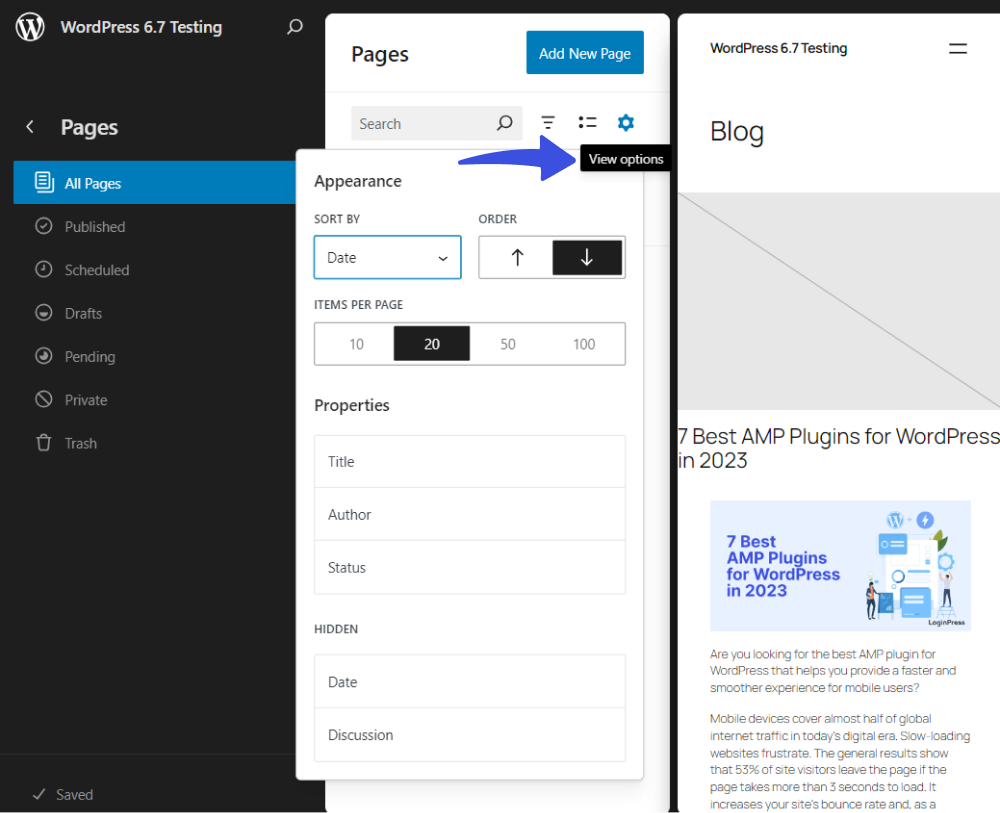
This allows users to customize the display and management of data more efficiently in terms of:
- Sort (e.g., by date, order, etc.)
- Properties (e.g., Title, Author, and Status)
- Hidden (e.g., Date and Discussion)
This makes organizing, filtering, and acting on data easier in the editor.
Zoom Out to Compose with Patterns
In addition, the Gallery block now supports lightbox functionality. This feature improves the visual experience by allowing users to zoom in on images without leaving the main content.
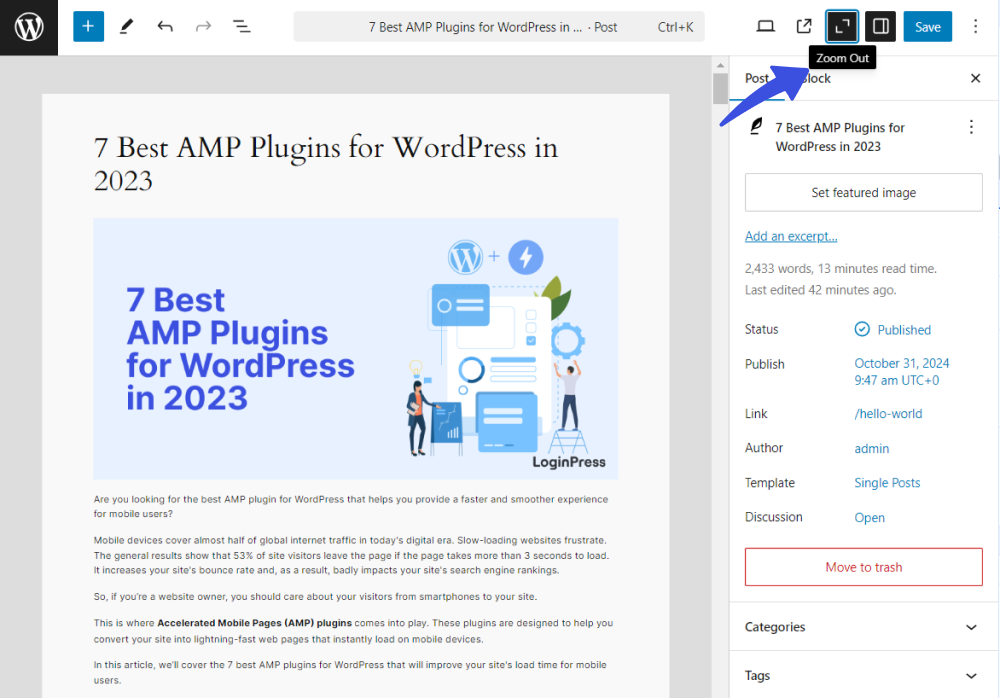
See the image below:
Media handling also improves image compression and loading speed.
The update also makes managing and organizing media easier, providing faster and more efficient workflows. This upgrade benefits content-heavy sites looking to improve performance and deliver faster-loading media content to users.
Preview Options API
With the new Preview Options API in WordPress 6.7, you can see custom preview settings directly within the editor.
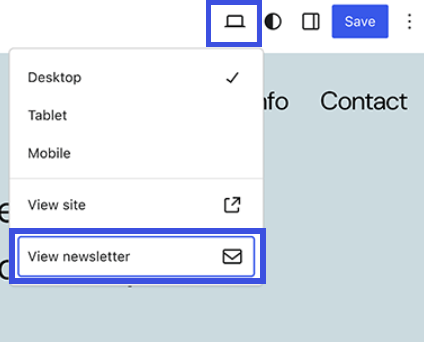
This update makes it easier to visualize how content will appear before it’s published.
Improved User Experience
WordPress 6.7 includes several user experience enhancements.
Key improvements are:
- Improved block controls
- Enhanced media management
- Improved responsiveness in the block editor
These upgrades allow users to design their sites more effectively, making it easier to create and customize content without technical knowledge.
Performance Enhancements
WordPress 6.7 brings notable performance enhancements focused on optimizing loading speeds and resource management.
With image compression and caching mechanisms, you can deliver media faster and reduce page load times.
These updates aim to provide a more responsive experience for visitors, which can improve engagement and retention.
Security Enhancements
With the latest release, WordPress introduces security enhancements by adding new controls for block bindings, which restrict modification permissions solely to admin users.
These changes also reduce the risk of vulnerabilities such as cross-site scripting (XSS) and SQL injection.
These improvements aim to safeguard user data, reduce site manipulation risks, and make WordPress a more secure platform for site builders and administrators.
Release Timeline Overview
WordPress 6.7 shipped on November 12, 2024, after the planned beta and release candidate testing. For the newest release, read everything new in WordPress 7.0.
WordPress 6.7 focused on user experience, performance, and security, making it an important milestone for the WordPress community.


Leave a Reply