
Learning WordPress takes 1 to 2 weeks for the basics, 1 to 2 months for intermediate skills, and 6 months to 2+ years for advanced development. Your timeline depends on your starting skills, how you learn and what you want to build.
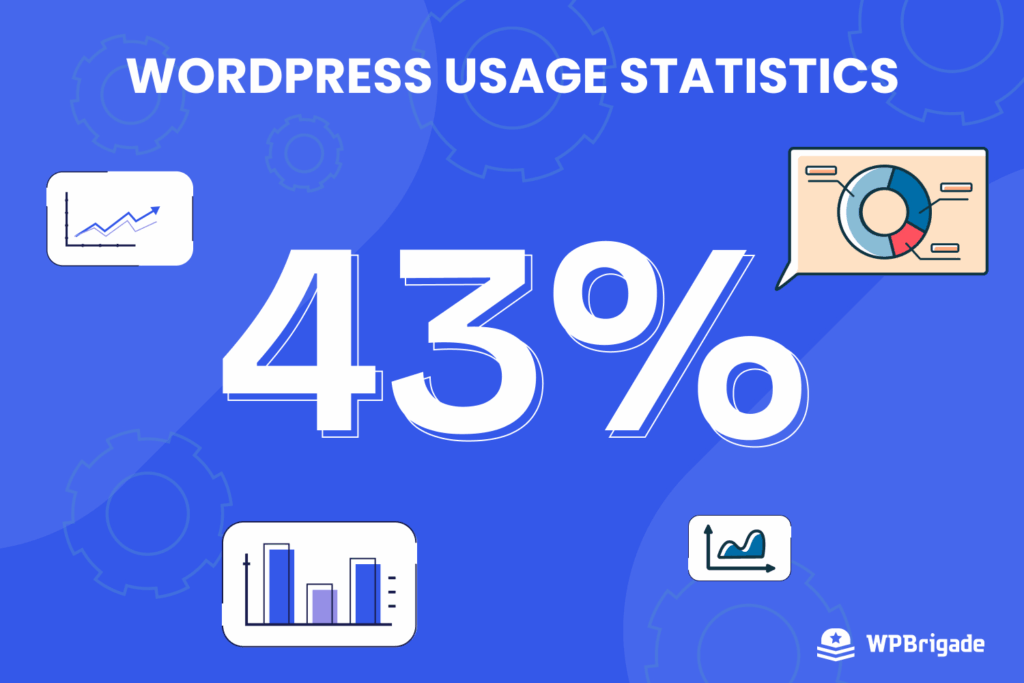
WordPress holds 58.7% of the CMS market and runs 40.2% of all websites, according to W3Techs data from October 2026. That makes it one of the most useful web skills to learn.
After testing most of the tutorials and guides out there, here’s what we learned: Bloggers can publish in under a week, business owners can build sites in 1-2 months, and developers can master themes in 6+ months.
In this guide, we share how long each stage of learning WordPress takes and the resources for each stage.
We will give you straightforward timelines and skills that matter for learning WordPress efficiently, so you don’t waste time on irrelevant information.
How Long Does it Take to Learn WordPress (TOC):
Key Factors that Affect Learning WordPress
How quickly you learn WordPress depends on four key factors: your starting skills, your goal, the time you can spend each week, and how you learn.
| Key Factors | Description |
| Current skill level | Are you a complete beginner, tech-savvy, or intermediate? |
| Your goal | Is your goal blogging, building a scalable business site, or development? |
| Time invested per week | Are you spending 1 hour a day or 10+ hours a week? |
| Learning method | Are you using courses, hands-on practice, or mentorship? |
How Long Does it Take to Learn WordPress?
You can learn WordPress in three phases: basics in 1 to 2 weeks, intermediate skills in 1 to 2 months, and advanced skills in 6 months or more. Here’s what you can realistically learn in each phase, starting with the first 1 to 2 weeks.
Basic WordPress (1-2 Weeks)
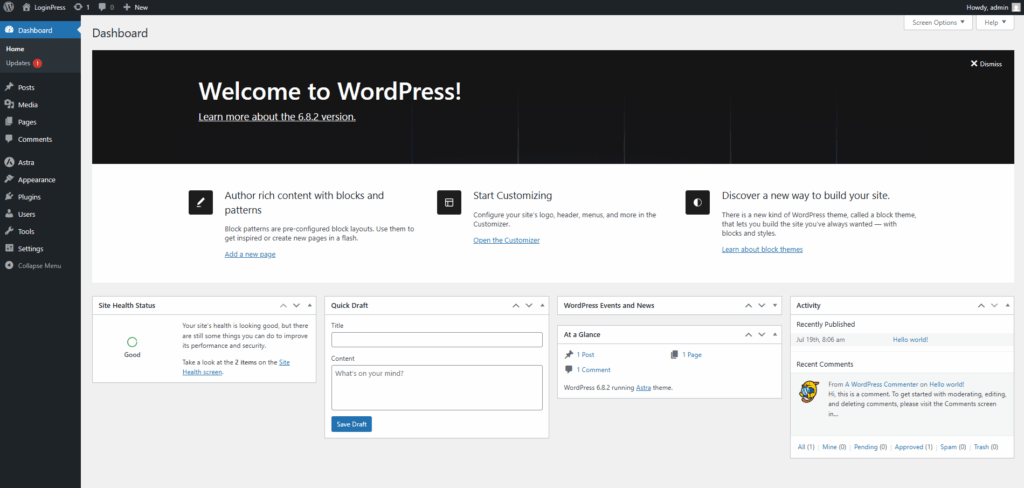
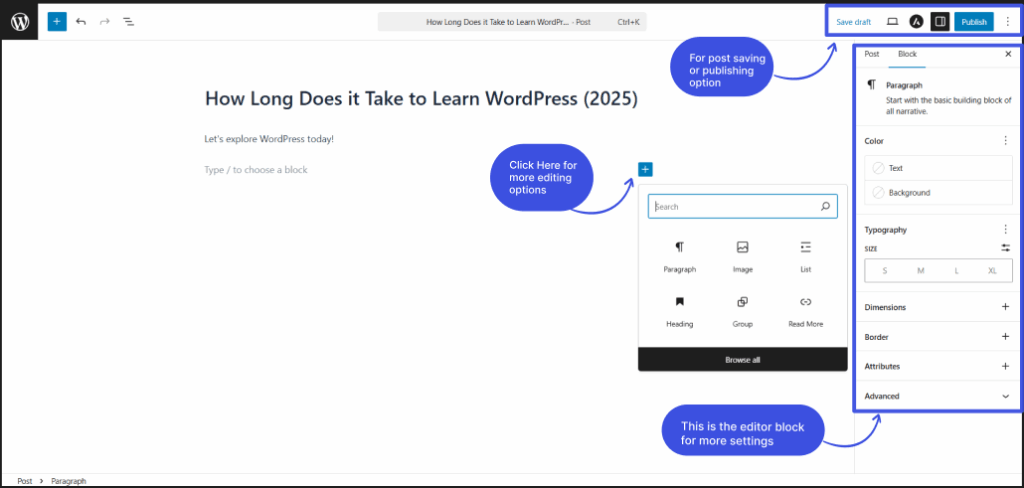
The dashboard is your site’s command center. You can use it to write posts, change designs, and adjust settings, all from one screen.
Skills you’ll learn:
- Basic Installation: Set up WordPress on live hosting or locally using Local.
- Core Navigation: Confidently use the dashboard, editor, and settings panel.
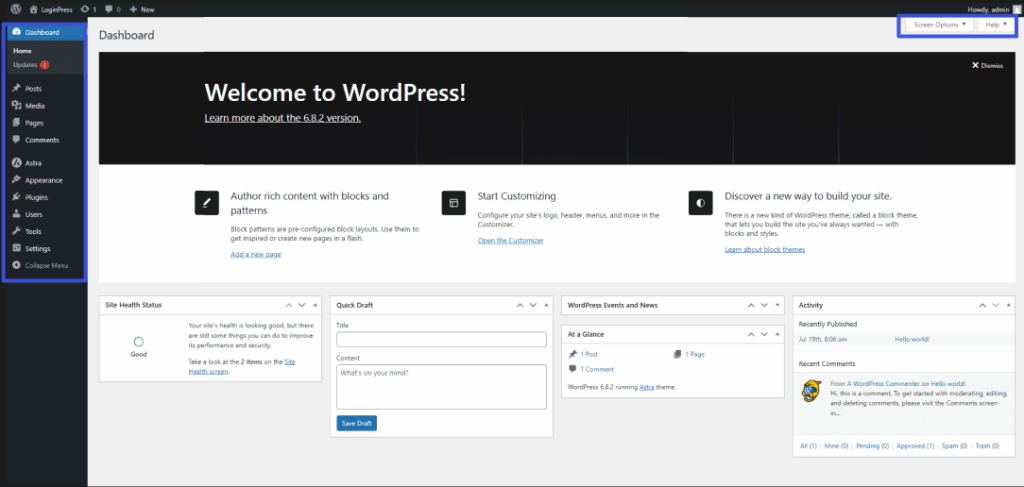
- Content Creation: Publish posts/pages with images, categories, and tags.
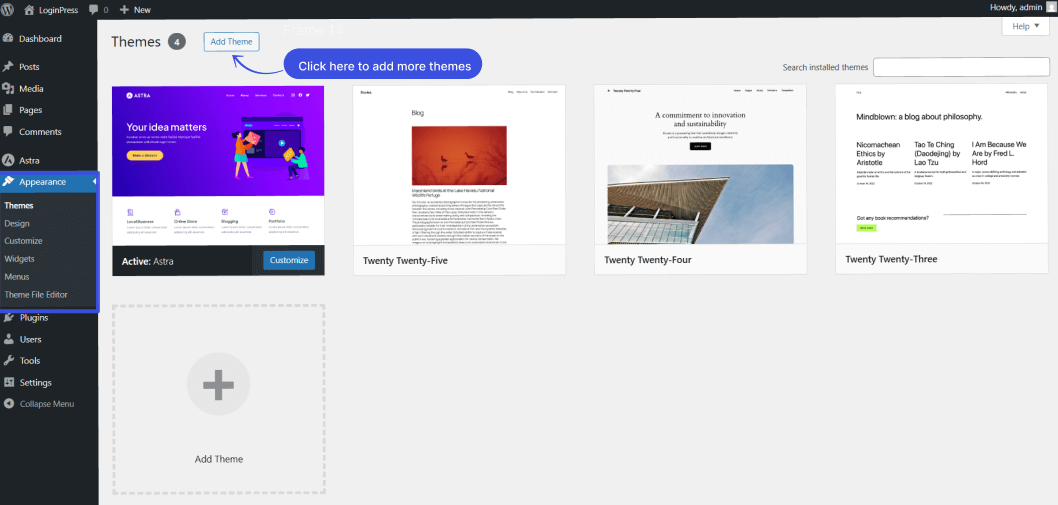
- How to Install Themes: Install and activate essentials (e.g., Astra theme).
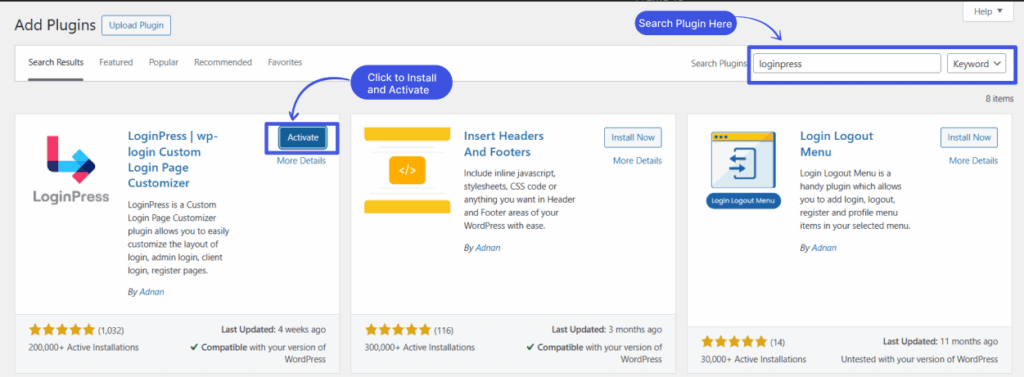
How to Install Plugins: Learn to install and activate plugins for your WordPress site (e.g., LoginPress and Analytify).
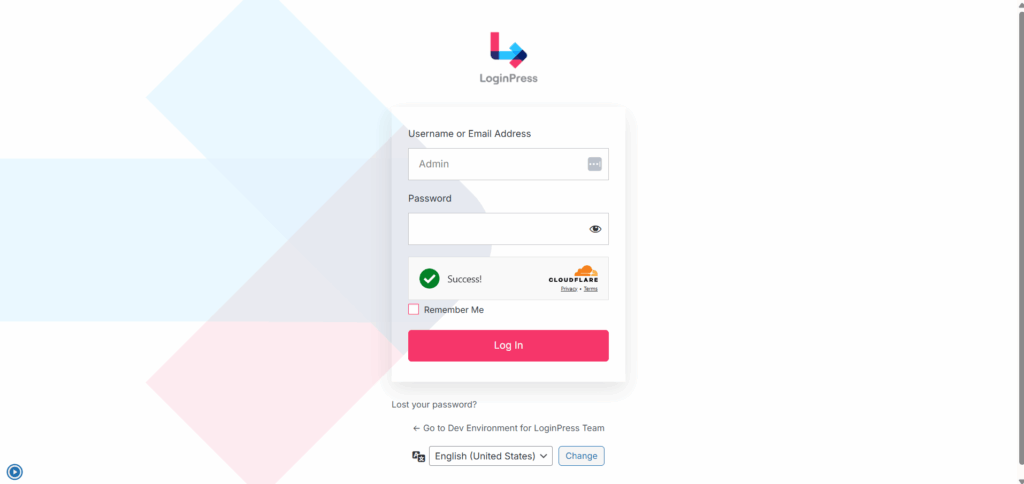
Basic Login form and security using LoginPress: Configure a customized login form for your site and ensure top-notch security by using the LoginPress login customizer plugin. This WordPress plugin, with 250,000+ installations, makes login customization quick and easy with its drag-and-drop feature.
Basic website performance using Analytify: You can configure a customizable and easy-to-understand GA4 analytics dashboard for tracking your site’s performance.
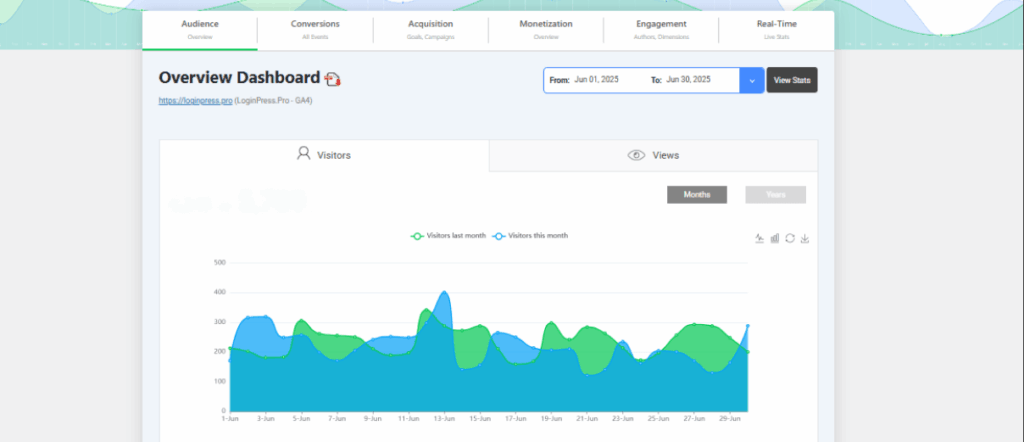
Time Investment: 5–20 hours (1–2 hours daily).
Here is the key point: watching tutorials ≠ learning WordPress. You can learn by building a real project (even a pretend one), and you’ll learn customization twice as fast through mistakes.
Try this:
- Build a fake business site (coffee shop, gym, etc.)
- Redesign it 3 different ways using free themes.
- Break things on purpose (then fix them)
This learn-by-breaking method often teaches you faster than a course. So build a dummy WordPress website today and experiment!
Intermediate Skills (1-2 Months)
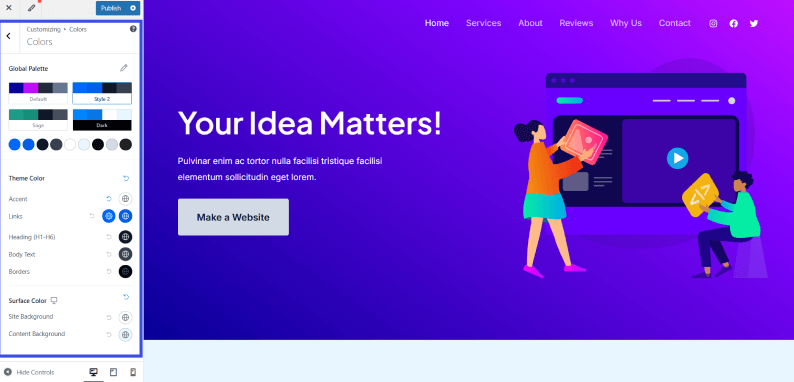
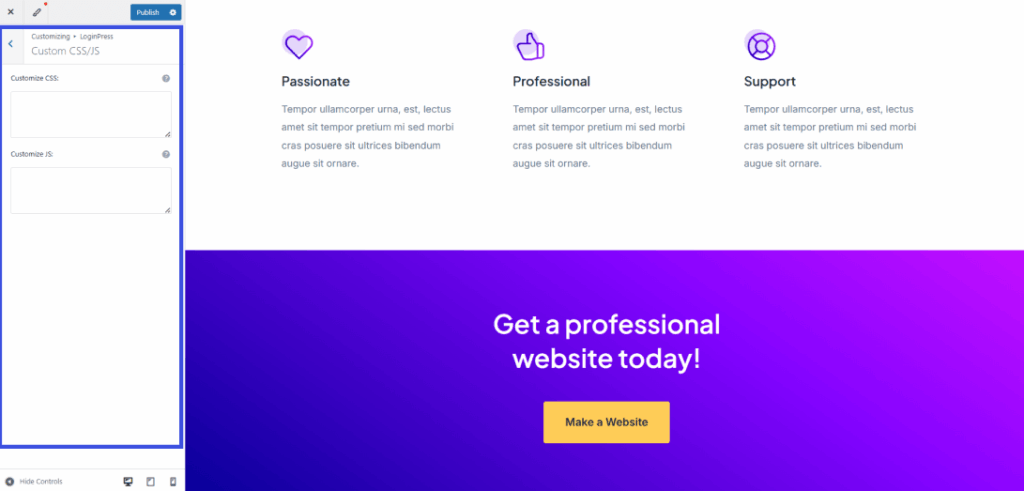
- Theme Customization: Modify layouts using drag-and-drop builders (Elementor, Divi) or CSS snippets (e.g., change fonts via Additional CSS).
Skills you’ll learn:
- Page Builders: Design landing pages without code using pre-built templates.
- WooCommerce Setup: Configure product pages, payment gateways (PayPal/Stripe), and shipping zones.
- Performance Tweaks: Install caching plugins (WP Rocket) and optimize images (ShortPixel).
Time Investment: 40–100 hours.
Advanced WordPress (6 Months to 2+ Years)
Advanced WordPress gives you complete creative control. It requires a serious commitment to coding and development. At this stage, you move from user to developer and build custom solutions beyond off-the-shelf plugins.
Skills you’ll learn:
- Custom theme/plugin development (PHP, HTML, CSS, JS)
- Working with WordPress hooks & APIs
- Debugging & performance optimization
- Contributing to WordPress core
Time Investment: 500+ hours (varies by coding experience)
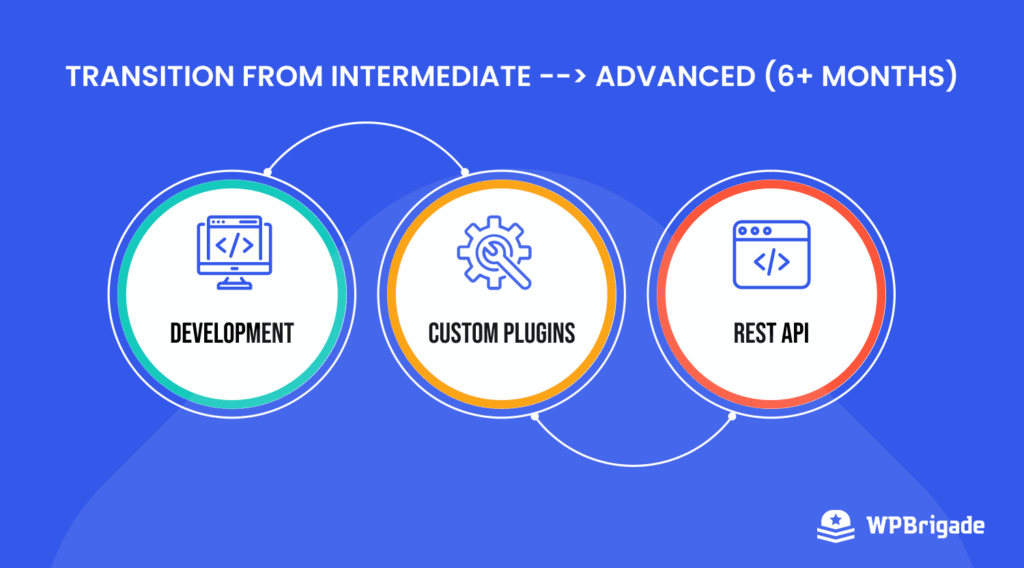
To jump from intermediate to advanced WordPress development:
- Master hooks (actions/filters): They’re the backbone of custom functionality
- Experiment with REST API: Start by fetching external data
- Convert a theme to blocks: Forces deep WordPress architecture understanding
- Debug with WP_DEBUG: Learn by fixing real errors
Most guides skip this transition phase, but breaking existing plugins and themes is a fast way to learn.
Developer Tip: Follow the WordPress Developer Handbook and practice by forking GitHub repos.
Learning WordPress for Different Goals
Your WordPress learning time depends on your goal: about 1 to 2 weeks for blogging, 1 to 2 months for a business site, 2 to 3 months for eCommerce, and 6+ months to become a developer. Here’s how you can focus your efforts:
| Goal | Time Required | Key Skills |
| Blogging | 1-2 weeks | Posts, SEO, basic themes |
| Small Business Site | 1-2 months | Page builders, plugins |
| E-commerce | 2-3 months | Product setup, payments, security |
| WordPress Developer | 6+ months | PHP, JavaScript, APIs |
Factors That Affect WordPress Learning Speed
Three factors set your WordPress learning speed: the hours you have each week, the quality of your learning resources, and how much hands-on practice you get.
1. Time Available Per Week
The time you can spend each week sets how quickly you learn WordPress. If you invest:
- 1-5 hours/week: Progress will be slow (basic skills in 3-6 months).
- 5-15 hours/week: Steady progress (intermediate in 2-3 months).
- 15+ hours/week: Fast-track learning (advanced in 6-12 months).
Pro Tip: Consistency matters more than cramming. Even 30 minutes daily is better than one long session per week.
2. Access to Learning Resources
The quality of your learning materials dramatically impacts speed. Here are some resources to learn WordPress in more depth:
- Structured Courses (Udemy, LinkedIn Learning): Faster than random YouTube videos.
- Official Docs (WordPress.org): Best for foundational knowledge.
- Communities (Reddit, Facebook Groups): Quick troubleshooting.
- Avoid: Outdated tutorials, as WordPress changes often.
3. Hands-On vs. Theoretical Learning
Most important of all, hands-on learning (building and testing a dummy website) helps you retain knowledge faster.
- Theoretical Learning (Watching tutorials only) leads to slow progress and is easy to forget.
- Hands-On Practice (Building a real website) will result in 3x faster retention.
Best Approach: Follow the Watch >> Do >> Repeat method. This method is an iterative approach to learning WordPress faster.
- Watch a tutorial to learn WordPress.
- Apply it immediately to a test WordPress site for practice.
- Experiment beyond the tutorial and figure out errors on your own.
Resources for Learning WordPress Quickly
The best free and paid resources for learning WordPress are LoginPress tutorials, the WordPress.org documentation, YouTube channels and Udemy courses.
These are the resources I’d point a new learner to, grouped by how you like to learn:
1. LoginPress Tutorials
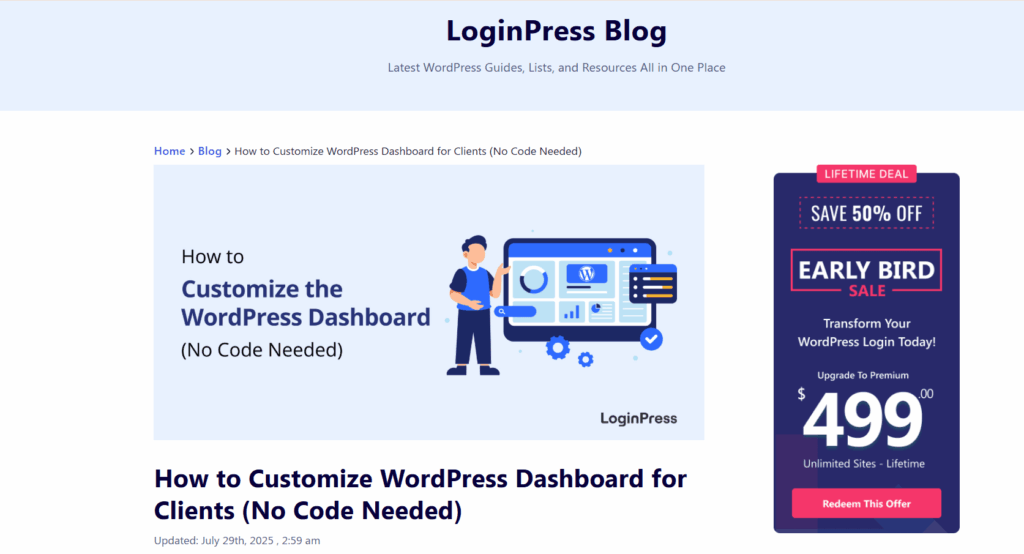
LoginPress is one of the best WordPress plugins for customizing and securing your WordPress login page. If you want detailed tutorials on WordPress login form customization, LoginPress tutorials are a great place to start.
How to Customize WordPress Login Page Using LoginPress: This step-by-step guide will show you how to easily design and customize your WordPress login page using LoginPress. The tutorial covers customizing your login form themes, adding custom logos, and integrating top-grade security features.
Best for: With its mostly drag-and-drop features, LoginPress is a great resource for beginner to intermediate WordPress learners.
2. WordPress.org Official Documentation
The official WordPress documentation is the most reliable and comprehensive resource for beginners and experts alike. This includes everything from installation instructions to advanced development techniques.
3. Top YouTube Channels for Visual Learners
Some of the top YouTube channels for learning WordPress are:
WPCrafter: This channel suits business owners. It offers practical tutorials focused on building client websites and monetizing WordPress skills.
WPBeginner: This channel offers a simple learning experience and easy-to-follow guides for absolute beginners. It has jargon-free tutorials that make complex topics approachable.
4. Structured Udemy Courses for Comprehensive Learning
For more structured learning, here are some courses you can take to learn WordPress, from the basics to the advanced level:
What it offers: Complete A-Z WordPress training with hands-on projects
Best for: Beginners who prefer structured, curriculum-based learning
Key feature: Includes lifetime access to course updates and a completion certificate
What it offers: Get into in-depth theme/plugin development and API integration.
Best for: Aspiring WordPress developers ready for technical training.
Key feature: Teaches real-world coding standards used by professionals.
WordPress is a skill that grows with practice. The right roadmap makes a big difference for professionals and beginners alike.
Tips to Speed Up WordPress Learning
The fastest way to learn WordPress is to build a real site while following one structured course. These tips help:
1. Use Practice Projects (The Golden Rule)
The best way to learn WordPress is by practicing what you have learnt through tutorials and applying it to a dummy project. Here are some starter practice projects you can build:
- Clone a simple site like a local restaurant page
- Rebuild your current company site in WordPress
- Create a portfolio site with 3 sample projects
2. Follow a Structured Path
The best learning sequence for WordPress is:
- Week 1-2: Dashboard navigation + Content creation + Basic SEO
- Month 1: Theme customization + Page builders + Forms
- Month 2-3: Security + Performance + E-commerce basics
- Month 4+: Custom development + API integrations
Avoid: Jumping into PHP before understanding the WordPress loop.
3. Join WordPress Communities
Where to get instant help while learning WordPress:
- Reddit’s r/WordPress (250k+ members)
- WordPress Slack (official developer community)
- Local Meetups (check Meetup.com)
Pro Tip: Search before asking, since most of the beginner questions already have answers.
WordPress Learning FAQs
Learning WordPress can be completely free if you stick to official documentation, YouTube tutorials, and community forums. For more structured learning, investing $50-$200 in premium courses and test hosting will give you hands-on experience with professional tools. If you want the fastest results, a $300+ budget unlocks mentorship programs and advanced plugins/themes. WordPress scales from zero-cost basics to premium development skills.
Yes, you can use WordPress without coding knowledge. However, basic HTML/CSS helps when you need finer customization beyond preset options. For advanced functionality like custom plugins or deep theme modifications, PHP/JavaScript becomes necessary. While coding expands your capabilities, many bloggers and small businesses thrive using only no-code tools.
For rapid progress, follow a 30-Day Challenge. This challenge means you spend the first 10 days on daily tutorials and hands-on practice, then build a complete test site in the next 10 days. In the final 10 days, you will integrate advanced features like e-commerce or memberships. The key is structured, project-based practice, not just passive watching.
Learning WordPress: Final Thoughts
To learn WordPress fully, you can follow a clear path: 1-2 weeks for basics, 1-2 months for customization, and 6+ months for development skills. But timelines mean nothing without action. Your real progress begins the moment you start building something.
Don’t wait for “perfect” knowledge. Launch a test site today, even if it’s just a practice blog or dummy store. Consistent hands-on practice beats endless cramming.
The best WordPress developers all started where you are now. Pick one resource, open your dashboard, and make your first edit now!
That is all for this article! Here are some related blogs you can read for more WordPress-related content:
Leave a Reply