
For most sites, I’d pick LoginPress as the WordPress login plugin. It lets you brand the login page with your logo, colors and background, with no code. LoginPress Pro adds social login, reCAPTCHA, login limits and redirects.
Pick Custom Login Page Customizer for a free, simple redesign. Pick Colorlib Login Customizer for free ready-made templates. Pick Admin Custom Login for background slideshows. Pick Nextend Social Login if you only need social login buttons.
We build LoginPress at WPBrigade and contribute to Custom Login Page Customizer. I put LoginPress first because it’s the only plugin here that handles both design and security. Install numbers come from each plugin’s WordPress.org page.
Best Login Plugins for WordPress (TOC):
- Best Login Plugins for WordPress at a Glance
- What Does a WordPress Login Plugin Do?
- 1. LoginPress: Best Login Plugin for WordPress
- 2. Custom Login Page Customizer: Best Free Simple Redesign
- 3. Colorlib Login Customizer: Best for Free Templates
- 4. Admin Custom Login: Best for Background Slideshows
- 5. Nextend Social Login: Best for Social Login Only
- Feature Comparison: WordPress Login Plugins
- Which WordPress Login Plugin Should You Choose?
- How to Customize the WordPress Login Page With LoginPress
- FAQs: Best Login Plugins for WordPress
- Final Verdict
Best Login Plugins for WordPress at a Glance
Five login plugins for WordPress are worth using in 2026. Here is what each one is best at:
| Plugin Name | Best For | Free Version | Active Installs |
|---|---|---|---|
| LoginPress | Branded and secure login pages | Yes | 200,000+ |
| Custom Login Page Customizer | Simple free login redesign | Yes | 90,000+ |
| Colorlib Login Customizer | Free login page templates | Yes | 50,000+ |
| Admin Custom Login | Background slideshows and Google Fonts | Yes | 20,000+ |
| Nextend Social Login | Social login buttons only | Yes | 200,000+ |
What Does a WordPress Login Plugin Do?
A WordPress login plugin changes how your wp-login page looks and works. The default page shows the WordPress logo. A login plugin replaces it with your brand.
Login plugins fall into two groups. Design plugins change the look. Security plugins limit who can log in. LoginPress does both.
- Branding: logo, colors, fonts and background.
- Messages: custom error and welcome text.
- Security: reCAPTCHA and login attempt limits.
- Access: social login and login redirects.
- Forms: styled registration and password reset pages.
1. LoginPress: Best Login Plugin for WordPress
LoginPress is the best login plugin for WordPress if you want design and security in one place. LoginPress customizes the wp-login page through the WordPress Customizer. You see every change live before you save.
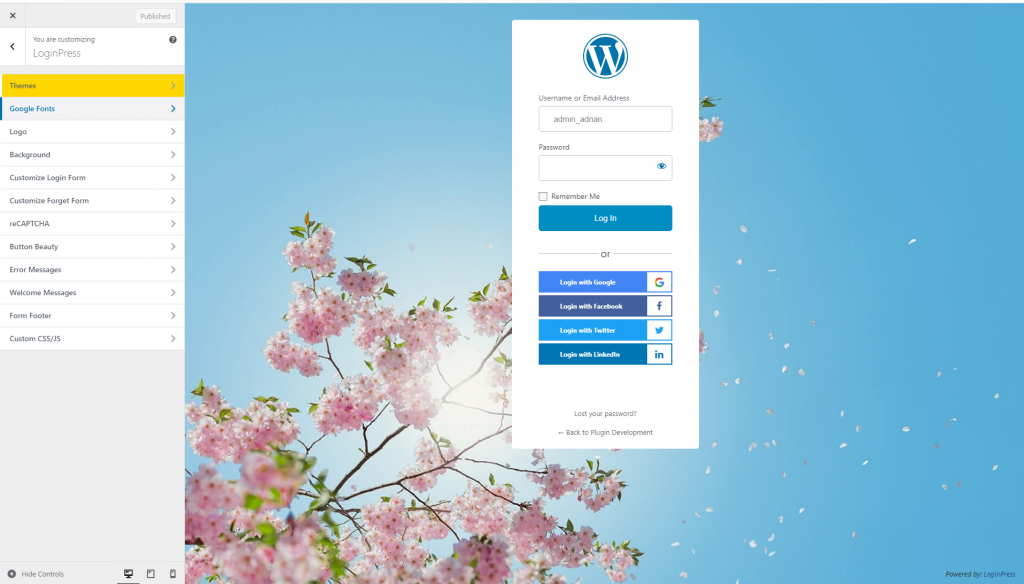
LoginPress has 200,000+ active installs on WordPress.org and a 4.8 out of 5 rating. LoginPress is built and maintained by WPBrigade.
LoginPress Free Features
- Custom logo, background image and colors
- Form, field and button styling
- Custom error and welcome messages
- Styled registration and password reset forms
- Custom footer text and links
- Mobile responsive login page
LoginPress Pro Add-ons
- Social login with Google, Facebook and more
- Google reCAPTCHA on login and registration
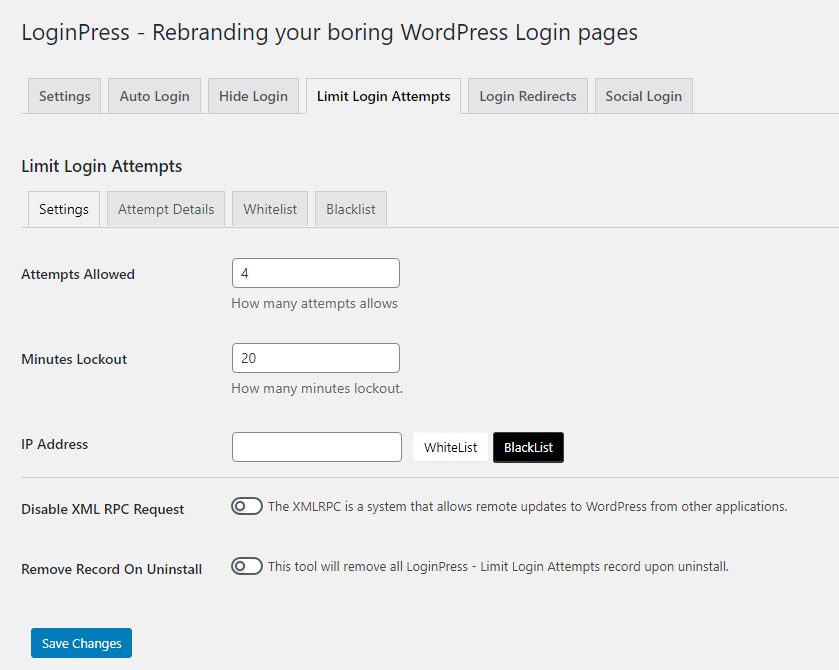
- Limit login attempts with IP blocking
- Login and logout redirects by user role
- Ready-made login page templates
- Login with username or email only
LoginPress Pricing
LoginPress has a free version on WordPress.org. LoginPress Pro costs $99/year for 2 sites, $199/year for unlimited sites, or $499 lifetime. Every plan has a 14-day money-back guarantee.
2. Custom Login Page Customizer: Best Free Simple Redesign
Custom Login Page Customizer is the best free choice for a quick login redesign. It changes the logo, background, colors and fonts with a live preview. It has 90,000+ active installs.
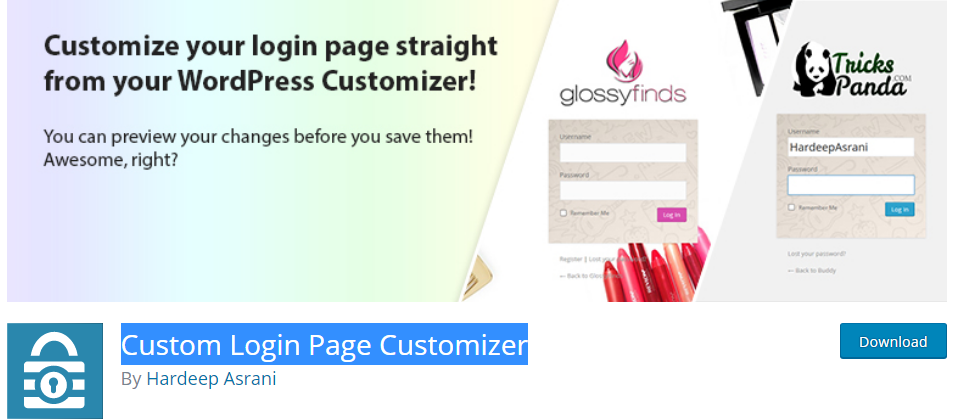
- Live preview in the WordPress Customizer
- Logo, background and color controls
- Login with username, email or both
- Custom CSS support
- Multisite support
3. Colorlib Login Customizer: Best for Free Templates
Colorlib Login Customizer is the best pick for free login page templates. It includes nine templates, such as gradient, dark and glassmorphism styles. It has 50,000+ active installs.
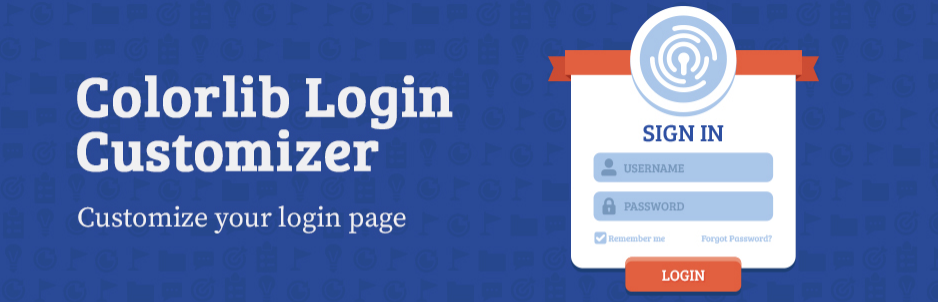
- Nine ready-made templates
- Logo size and URL controls
- Multi-column layouts
- Export and import settings as JSON
- Works with custom login URL plugins
4. Admin Custom Login: Best for Background Slideshows
Admin Custom Login is the best choice if you want a background slideshow on the login page. It also offers 500+ Google Fonts and social media icons. It has 20,000+ active installs.
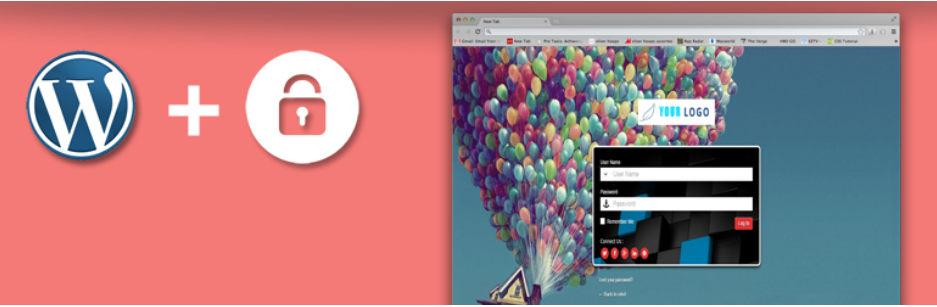
- Background color, image or slideshow
- Login form position and colors
- Google reCAPTCHA
- Social media icons
- Login limits and IP rules in the Pro version
5. Nextend Social Login: Best for Social Login Only
Nextend Social Login is the best pick if you only need social login buttons. The free version supports Facebook, Google and X. It has 200,000+ active installs.
- Adds social buttons to login and registration
- Links social accounts to user profiles
- Free Facebook, Google and X login
- No login page design controls
We removed WordPress Social Login from this list. WordPress.org closed it in July 2023 for a security issue. If you still run it, replace it with a maintained option.
Feature Comparison: WordPress Login Plugins
LoginPress covers the most design and security features of the five plugins. The table below lines them up feature by feature.
| Feature | LoginPress | Custom Login Page Customizer | Colorlib Login Customizer | Admin Custom Login | Nextend Social Login |
|---|---|---|---|---|---|
| Logo and background | Yes | Yes | Yes | Yes | No |
| Live preview | Yes | Yes | Yes | Not listed | No |
| Ready-made templates | Pro | Yes | Yes | No | No |
| Google reCAPTCHA | Pro | No | No | Yes | No |
| Limit login attempts | Pro | No | No | Pro | No |
| Social login | Pro | No | No | Pro | Yes |
Which WordPress Login Plugin Should You Choose?
The right WordPress login plugin depends on your goal. Use this table to match your need to a plugin.
| Your Goal | Best Plugin |
|---|---|
| Brand and secure the login page in one plugin | LoginPress |
| Free quick redesign | Custom Login Page Customizer |
| Free templates | Colorlib Login Customizer |
| Background slideshow | Admin Custom Login |
| Social login buttons only | Nextend Social Login |
| Client sites for an agency | LoginPress Agency plan |
How to Customize the WordPress Login Page With LoginPress
You can customize the WordPress login page with LoginPress in five steps. It takes about five minutes.
- Install and activate LoginPress from Plugins > Add New.
- Go to LoginPress > Customizer.
- Upload your logo and set the background.
- Style the form, fields and buttons.
- Click Publish to save your new login page.
See our guide to essential WordPress plugins for the rest of your plugin stack. Read WordPress best practices for more login security tips.
FAQs: Best Login Plugins for WordPress
Common questions about customizing and securing the WordPress login page:
LoginPress is the best login plugin for WordPress for most sites. It brands the login page without code. LoginPress Pro adds social login, reCAPTCHA and login limits.
Install LoginPress and open LoginPress > Customizer. Change the logo, background, form and buttons with a live preview. Click Publish to save.
Yes. LoginPress has a free version on WordPress.org with logo, background and form styling. LoginPress Pro starts at $99/year for 2 sites.
Yes. LoginPress Pro adds social login to the login page. Nextend Social Login is a free option that adds social buttons only.
A cache or a security plugin is the usual cause. Clear your site and browser cache first. Then check if a plugin changed your login URL. Your custom design applies to the new URL.
A new design alone does not stop attacks. Security comes from reCAPTCHA, login attempt limits and strong passwords. LoginPress Pro adds reCAPTCHA and login limits on top of the design.
Final Verdict
LoginPress is the best login plugin for WordPress if you want branding and security in one plugin. Custom Login Page Customizer and Colorlib Login Customizer are good free options for design only.
Leave a Reply