
The Google Analytics Tracking Code feature allows you to track visitor activity on your under-construction or maintenance page.
By integrating Google Analytics, you can monitor traffic patterns, user behavior, and other valuable data even while your site is not fully live.
In this guide, we’ll show you how to add the Google Analytics code using the Under Construction Maintenance Mode Plugin, so you can keep track of important metrics during your site’s maintenance or redesign phase.
How to Add the GA4 Tracking Code #
Follow these simple steps to add Google Analytics tracking to your maintenance or coming soon page:
Step 1: Get Your Google Analytics Tracking Code #
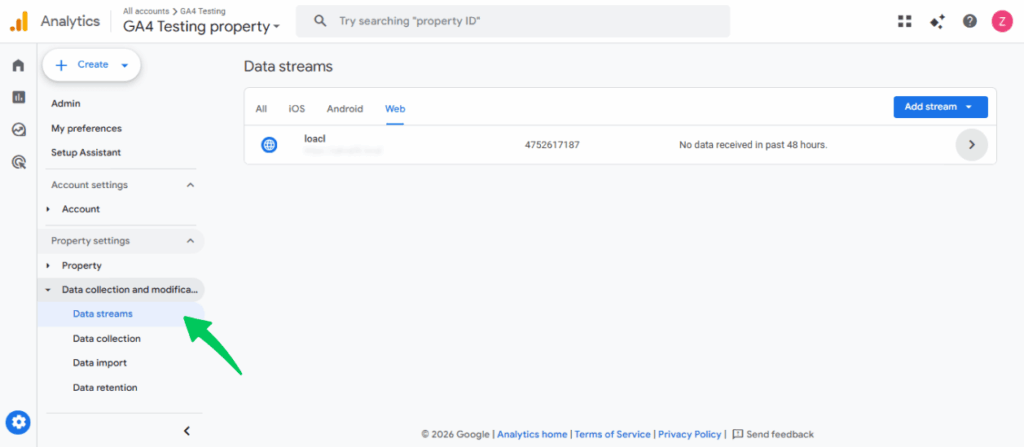
Go to Google Analytics. Then navigate to Admin >> Data Streams.
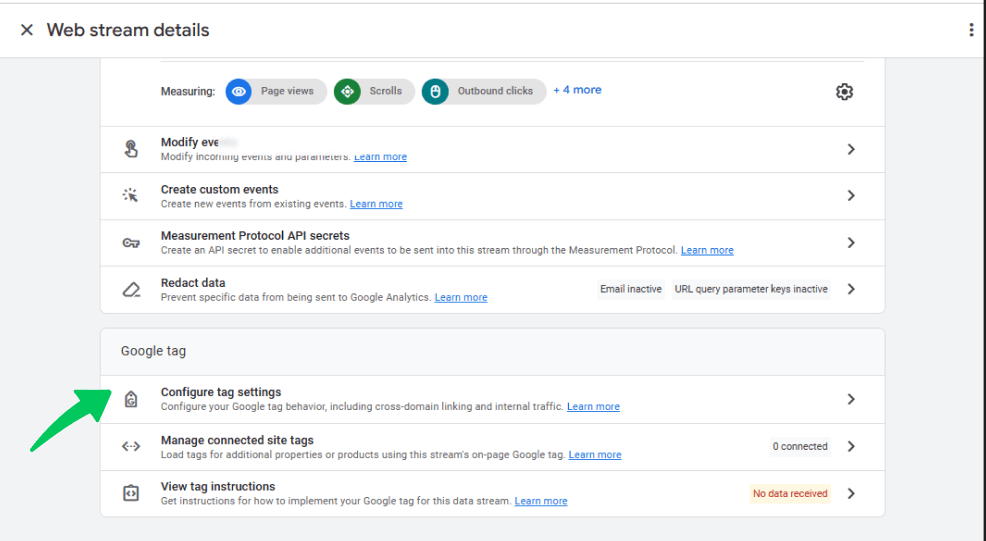
Next, go to Web >> Configure Tag Settings to find your Global Site Tag (gtag.js).
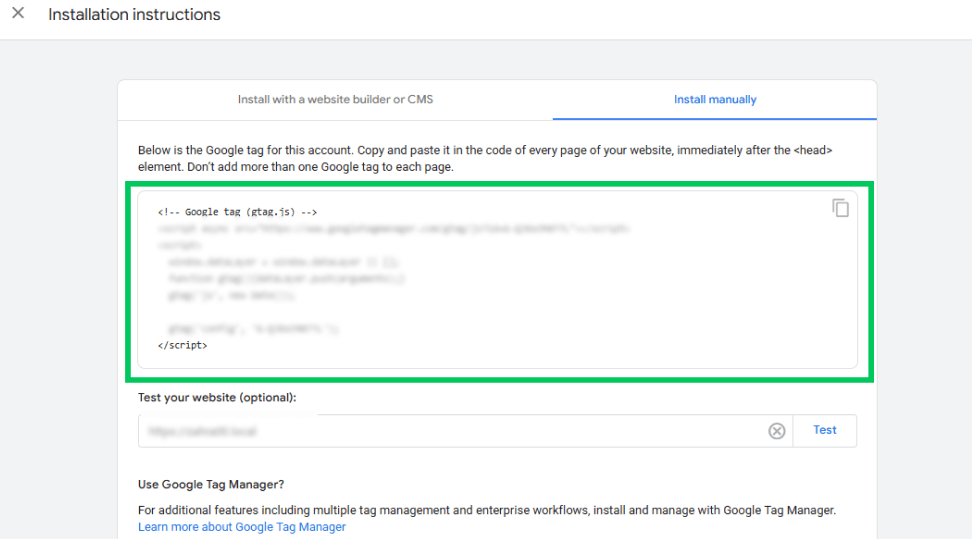
You can copy the entire tracking script provided by Google Analytics.
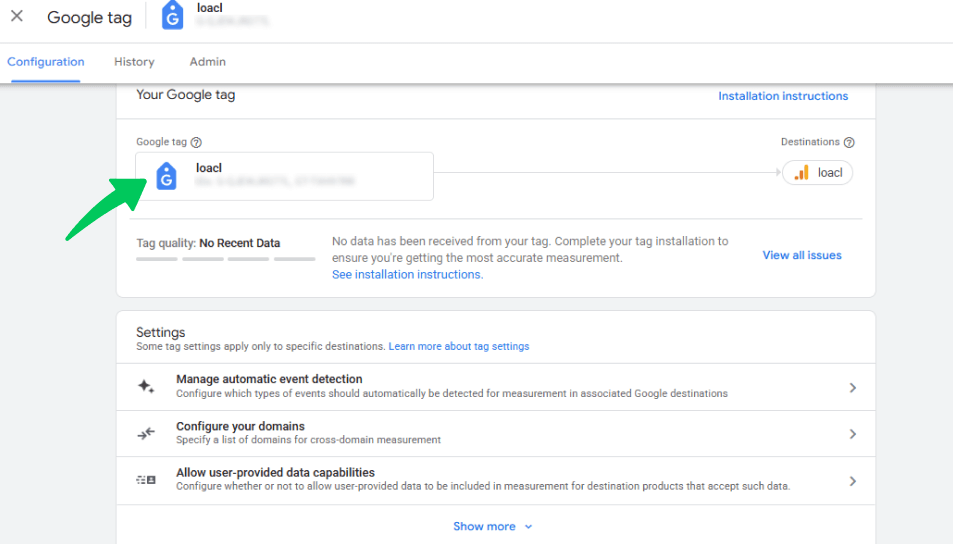
Then click the installation instructions shown in the above screenshot. After that, click on Install Manually.
Step 2: Add the Tracking Code in the Customizer #
In your WordPress Dashboard, go to Appearance >> Customize >> Under Construction.
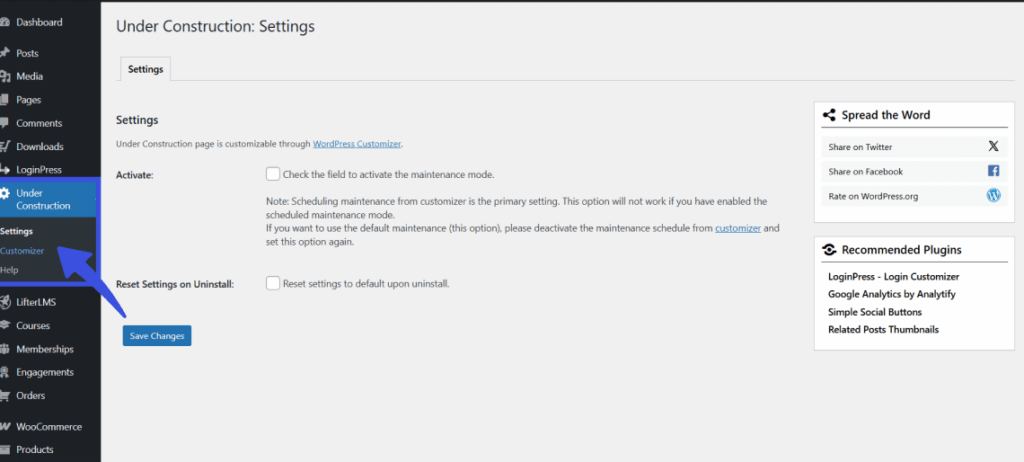
From the plugin customizer, click on the Google Analytics Tracking Code section.
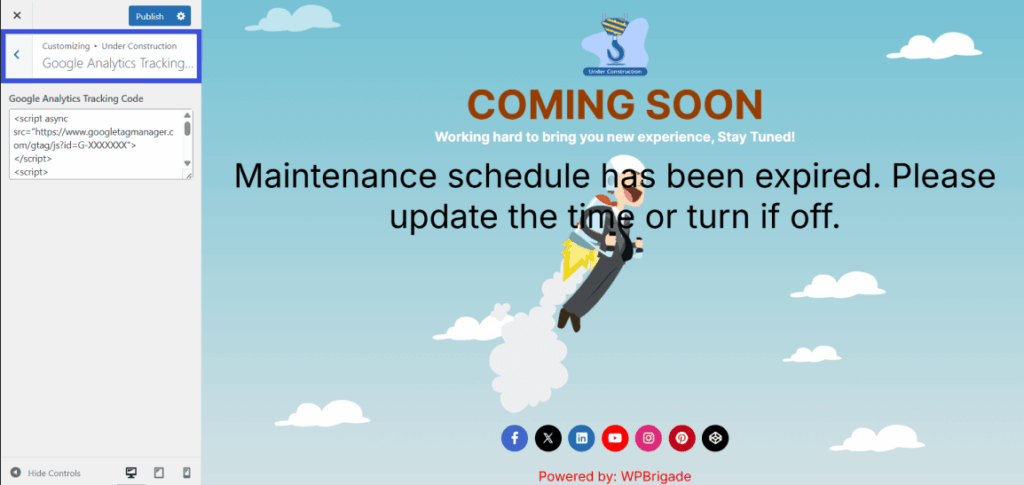
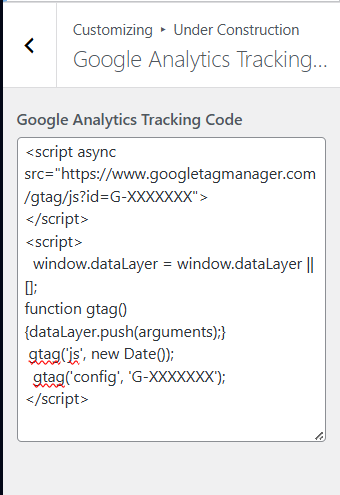
Paste the copied Google Analytics tracking code into the provided text area.
Step 3: Save Your Changes #
Click the Publish button in the top-left corner of the Customizer to apply the Google Analytics tracking code to your page.
What Happens Next? #
Once saved, Google Analytics will start tracking visitor activity on your maintenance or coming soon page. This allows you to gather data on user behavior, traffic sources, and devices even when the main site is under maintenance.
Why Use It? #
- Monitor Visitors During Maintenance: Understand how many people are visiting your under-construction page and how they interact with it.
- Analyze Traffic Sources: See where visitors are coming from (e.g., direct, referral, search engines).
- Gain Insights Before Launch: Analyze user behavior on your maintenance page to inform your site’s relaunch or full launch.
Adding the Google Analytics Tracking Code to your under-construction or maintenance page allows you to track valuable user data while your website is temporarily offline.
It ensures you can measure the effectiveness of your maintenance period and gather useful insights to support your site’s future success.
Still have questions? Reach out to our support team for quick assistance