
The Show Some Love feature lets you display a small credit link in the footer of your under-construction or maintenance page.
This credit link helps promote the Under Construction Maintenance Mode plugin and shows support for the developers.
In this guide, we’ll walk you through enabling and customizing the Show Some Love feature in Under Construction Maintenance Mode Plugin, allowing you to support the developers while your site is temporarily offline.
How to Display the Credit Link #
To add a credit link to your footer, start by logging in to your WordPress Admin Dashboard.
Look at the menu on the left side of your screen, click on Under Construction, and then select Customizer.
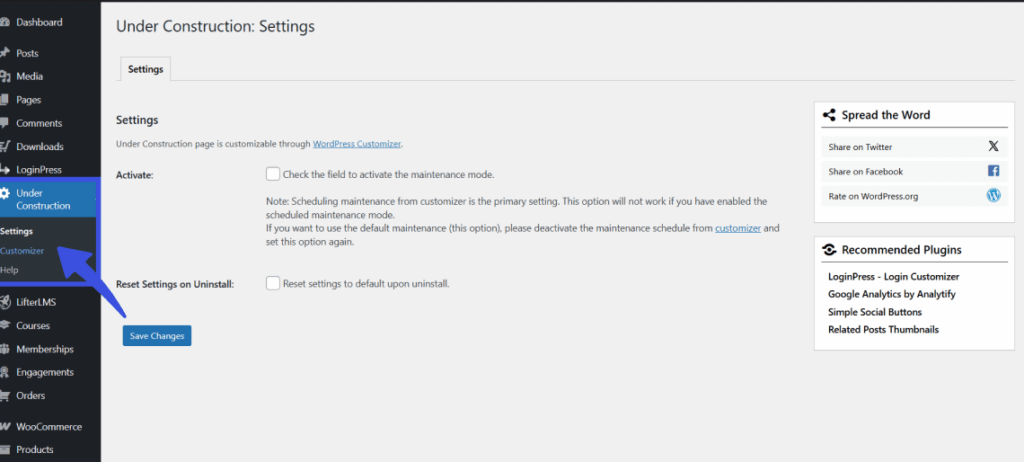
Once the settings page opens, click the option Show Some Love in the left-hand list.
To turn the link on, simply check the box labeled Display Credit Link, which adds a “Powered by WPBrigade” message to your page.
You can then choose to place the link on the Left, Center, or Right side of the footer, and use the Color Picker to select a text color that best matches your design.
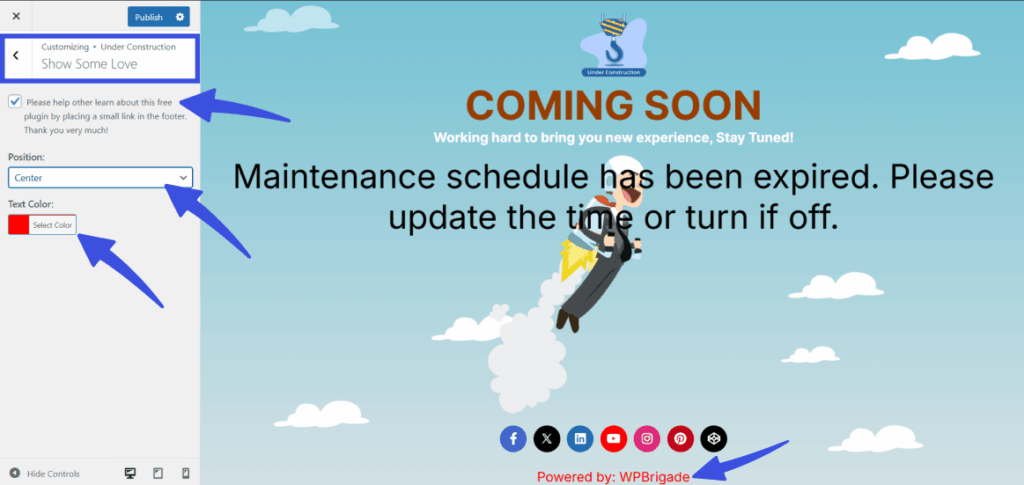
When you’re finished, click the Save Changes button to make the link visible on your site.
What Happens Next? #
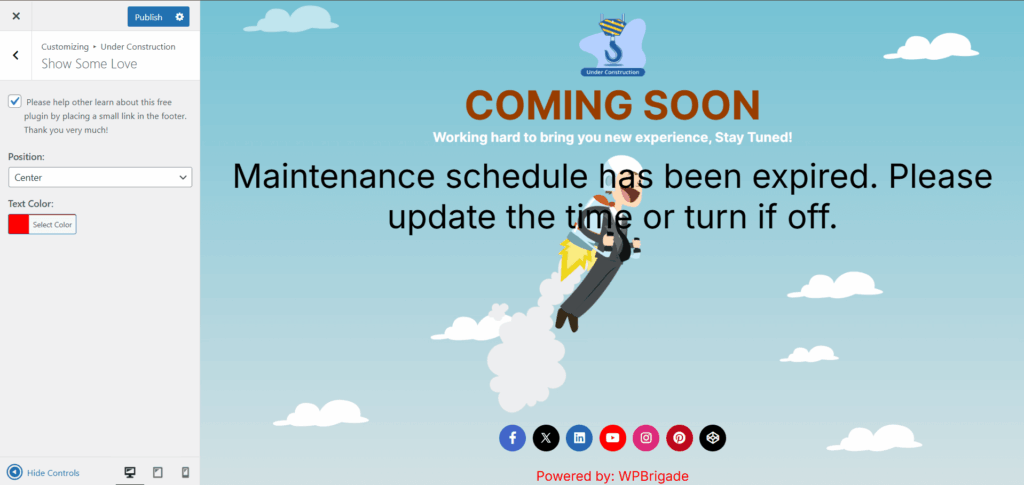
Once saved, the “Powered by WPBrigade” message will appear in the footer of your maintenance or coming soon page.
You’ll have the option to place the credit link where you prefer and customize its color to match your site’s branding.
Tips to Show Some Love Customization #
- You can disable the credit link if you prefer not to display it on the maintenance page.
- Adjust the text color to match the overall look and feel of your maintenance page.
- Placing the credit link in the center often looks best for a clean design, but you can choose the position that suits your style.
The Show Some Love feature is a simple way to show your support for the Under Construction Maintenance Mode plugin. If you choose to display the credit link, it helps promote the plugin to other users.
However, this feature is entirely optional, and you can choose to disable it if you prefer a cleaner, more minimal page.
Still have questions? Reach out to our support team for quick assistance