
The Login Customizer Plugin includes a Help Tab that provides essential site information and access to diagnostic tools for troubleshooting and support purposes.
This feature helps site administrators quickly resolve issues and get the assistance they need for their login page customization.
In this guide, we’ll explain how to use the Help Tab in the Login Customizer Plugin to access important information and diagnostic tools, ensuring your login page is functioning properly and making troubleshooting easier.
Accessing the Help Tab in Login Customizer #
To access the Help Tab:
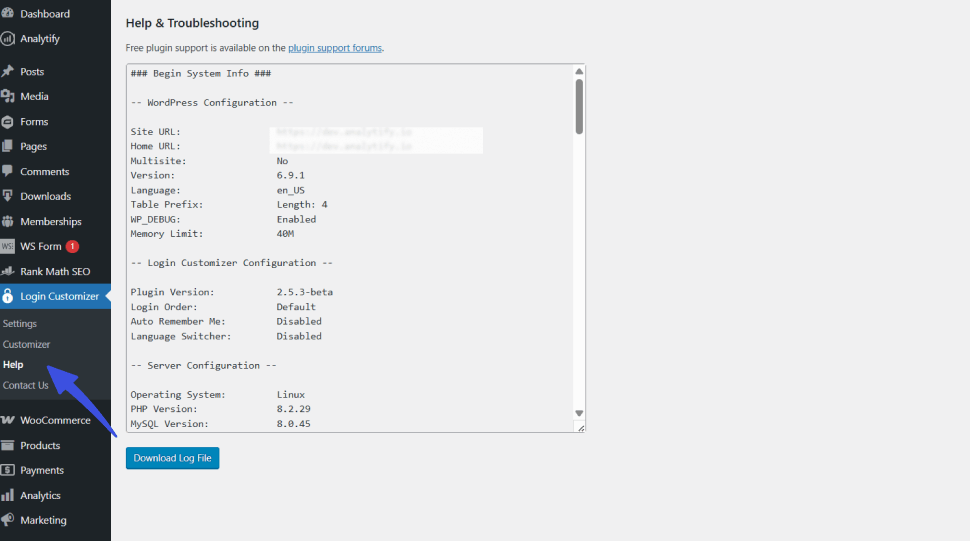
From the WordPress Admin Dashboard, navigate to Login Customizer >> Help. This section will open, displaying useful information about the plugin and troubleshooting options.
Help Tab Features in Login Customizer #
The help tab has two main features:
Site Information #
The Help Tab provides important information about your WordPress site, such as your plugin version, WordPress version, and environment details. This information can be helpful for troubleshooting or seeking support.
Download Diagnostic Log #
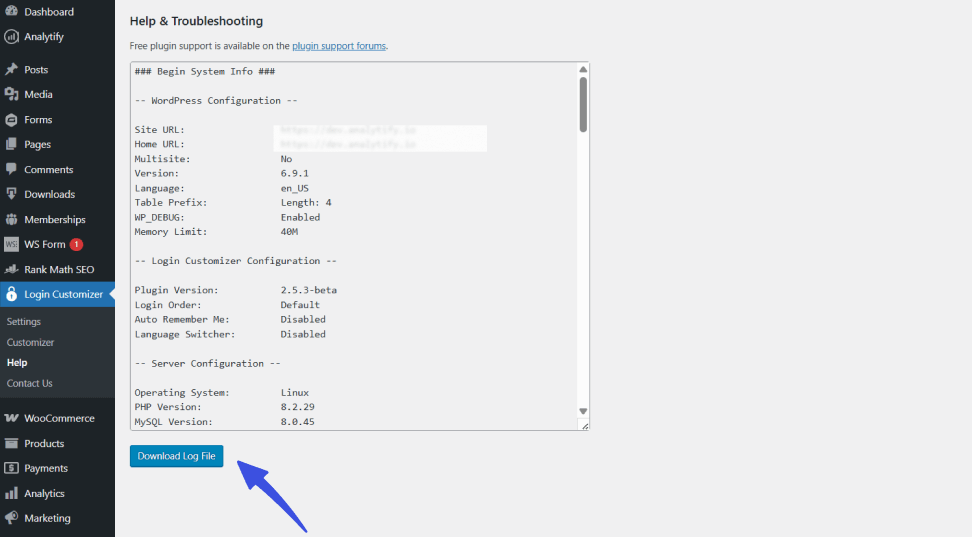
You can download a diagnostic log from this section. The log contains valuable information about your site’s setup and any issues with the Login Customizer Plugin. It’s especially useful when contacting support, as it allows the support team to analyze and resolve your issue more efficiently.
Conclusion #
The Help Tab in the Login Customizer Plugin is an essential tool for quickly accessing important site information and generating diagnostic logs for troubleshooting. It ensures you have all the necessary details to resolve issues or contact support effectively.
Questions about this process? Get in touch with our support team for more details.