
The Text Section Customization feature lets you modify the text displayed on your maintenance or coming-soon page.
You can change the main heading and subheading to communicate updates or status messages clearly to your visitors.
In this guide, we will show you how to customize the text section using the Under Construction Maintenance Mode Plugin, helping you keep your visitors informed while your site is under construction or temporarily offline.
Customizing the Text Section in Under Construction Pages #
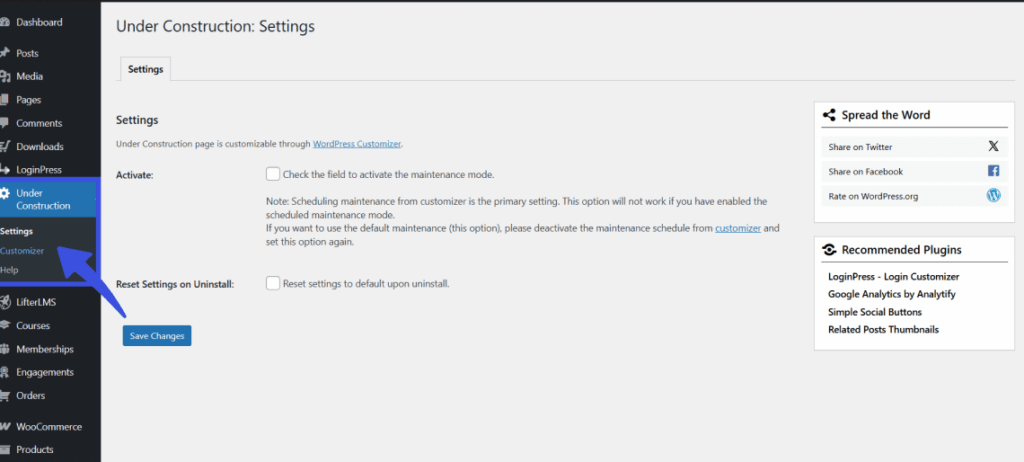
To modify the text on your maintenance page, start by logging in to your WordPress Admin Dashboard, then navigate to the left menu and select Under Construction, then Customizer.
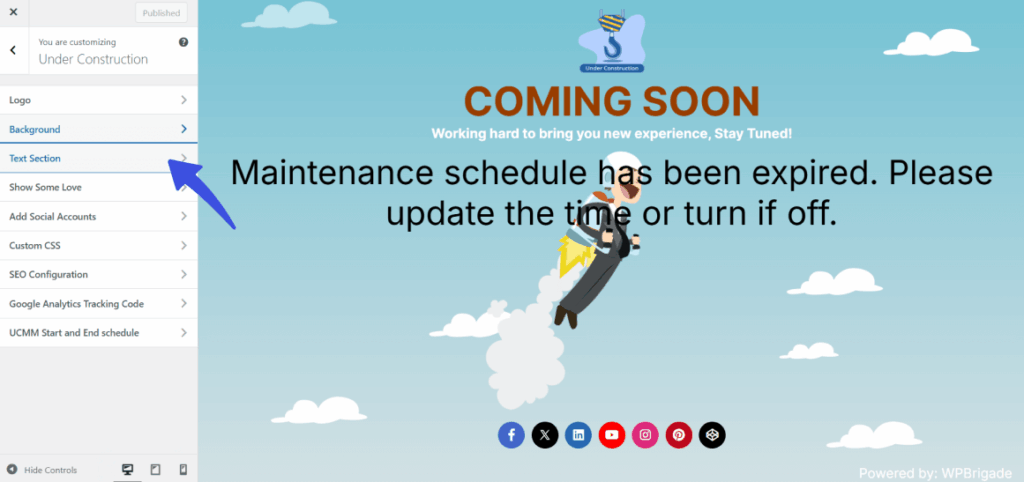
Once the Customizer opens, click on the Text Section in the side panel to begin editing your content.
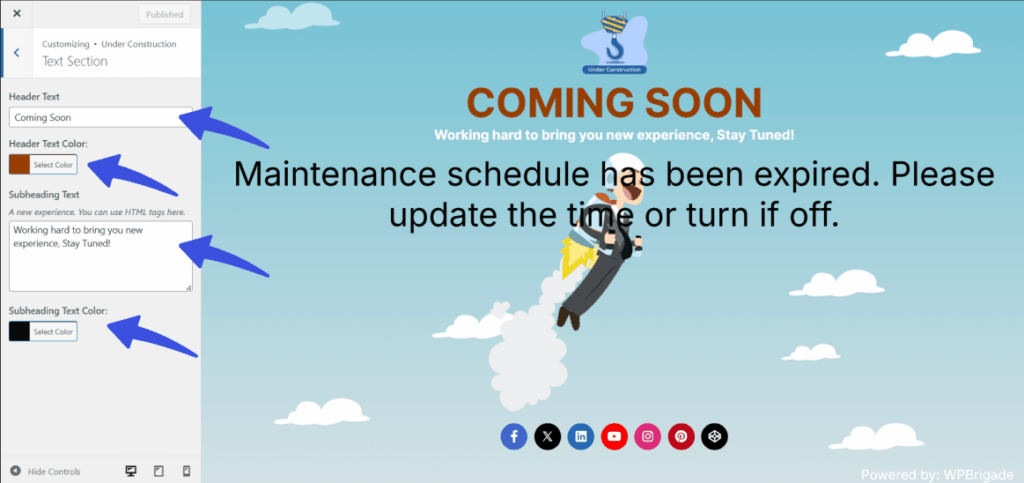
Here, you can enter your main headline in the Header Text field and use the Color Picker to choose a custom shade that fits your brand.
You can also fill in the Subheading Text area with your secondary message, utilizing basic HTML tags for formatting, and select its corresponding color.
Finally, once you are satisfied with your messaging and design, click Save Changes at the bottom to push the updates live to your site.
What Happens Next? #
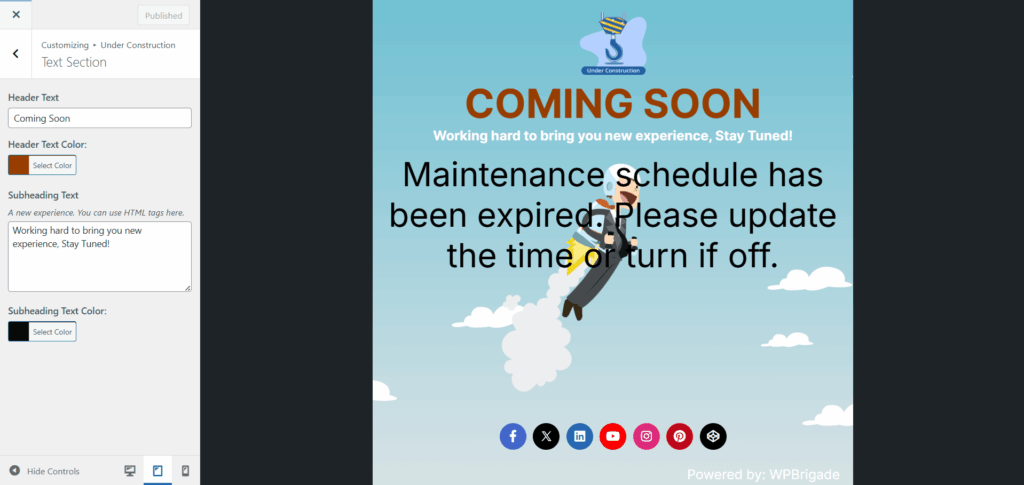
Once saved, your updated header and subheading will be displayed on the maintenance or coming-soon page, reflecting your customized message to visitors.
Tips for Text Section Customization #
- Make sure your header text is clear and concise so visitors understand your site’s status.
- Choose contrast colors for the header and subheading to make the text stand out and be easily readable.
- You can add a call-to-action in the subheading (e.g., “Sign up for updates!”) to engage visitors while your site is under maintenance.
Important Note #
Customizing the text section of your maintenance or coming soon page is a simple yet powerful way to communicate with your visitors.
Whether you’re announcing updates, providing a timeline, or offering a brief message, this feature ensures your site stays professional and informative during downtime.
Once you’ve customized your text, you’re one step closer to a fully personalized maintenance page!
Still have questions? Reach out to our support team for quick assistance.