
The SEO Configuration feature in the Under Construction Maintenance Mode plugin helps you configure SEO settings for your maintenance or coming-soon page.
This ensures that even when your site is under construction, search engines can still index your page properly, and your SEO rankings remain intact.
In this guide, we’ll walk you through configuring SEO settings in the Under Construction Maintenance Mode Plugin to ensure your site remains search-engine-friendly during updates or redesigns.
How to Configure SEO Settings in the Plugin #
To set up your site’s search engine settings, start by logging in to your WordPress Admin Dashboard.
Then, locate Under Construction in the left-hand menu and click on Customizer.
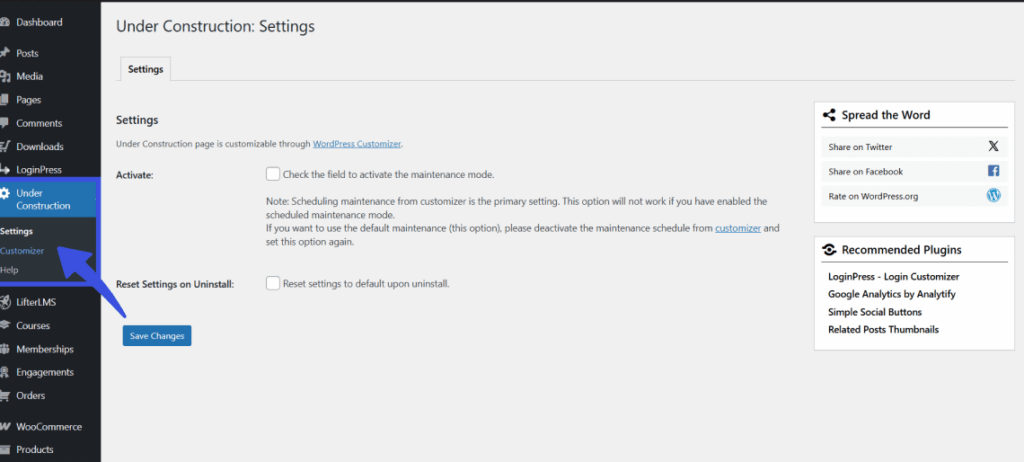
Once the settings page opens, click the SEO Configuration section in the left menu.
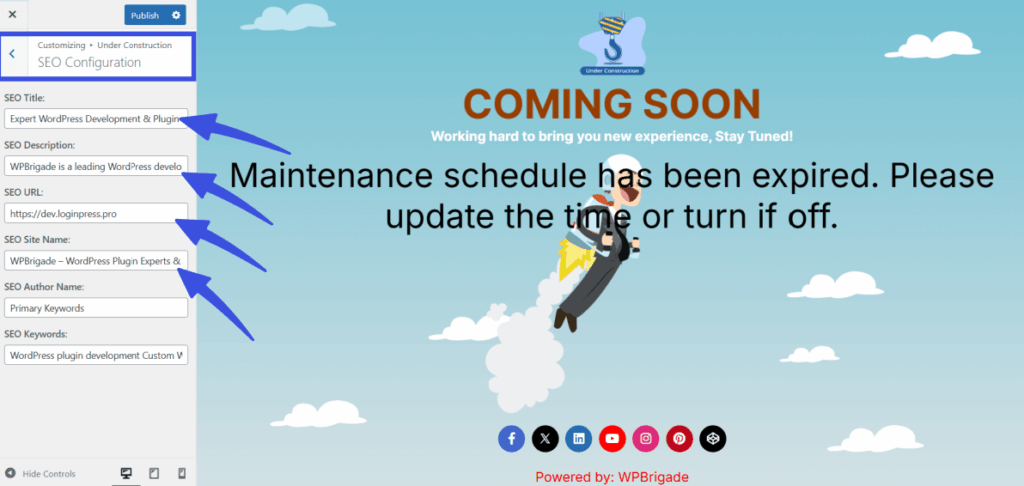
Here you can then fill in the boxes for your SEO Title and Description, which tell search engines what your page is about, and enter your SEO URL and Site Name to keep your branding consistent.
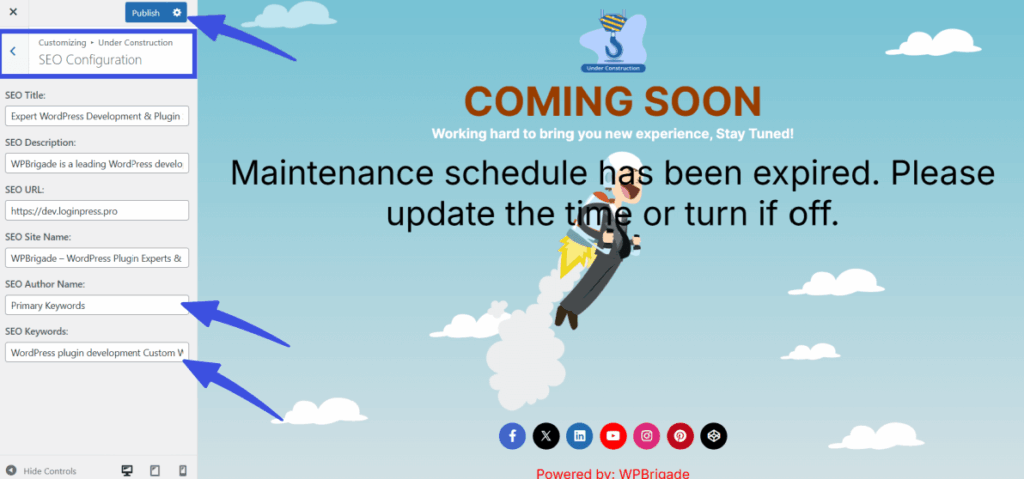
You also have the option to add an Author Name and a list of Keywords separated by commas to help identify your content.
When you have finished entering your details, simply click the Publish button at the top to save your SEO settings and make your site easier to find.
What Happens Next? #
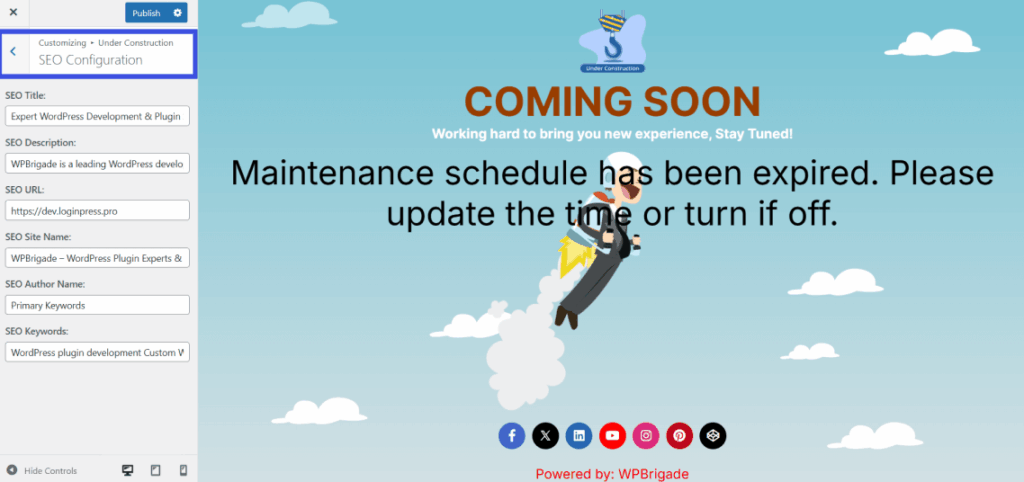
Once saved, the SEO settings will be applied to your maintenance or coming soon page.
This ensures that search engines can index the page properly, and your site’s SEO presence is not negatively affected while it’s under construction.
Tips for SEO Configuration #
- Keep your SEO title and description concise and clear, as search engines often display only a limited number of characters.
- Ensure that your SEO URL is set to your main website’s URL to avoid duplicate content.
- Avoid overloading the SEO Keywords section with too many terms, as this can be counterproductive for SEO.
Proper SEO configuration is essential, even for under-construction pages.
The SEO Configuration feature ensures that search engines can properly crawl and index your site while it’s temporarily offline, helping to maintain your search engine rankings during updates.
Questions about this process? Get in touch with our support team for more details