
The WP Headers and Footers Plugin is a convenient tool for WordPress site administrators, developers, and marketers.
It allows you to easily insert custom code snippets into your site’s header, body, and footer sections without directly editing theme files, providing greater flexibility and control over your website’s functionality.
In this documentation, you’ll learn about the Factory Reset and Remove Settings on Uninstall options available in the WP Headers and Footers Plugin.
These options enable you to restore the plugin’s default settings, reset configurations, and properly manage plugin data during the uninstallation process, ensuring a clean removal and avoiding leftover data.
Factory Reset Settings #
The Factory Reset option restores all plugin settings to their default state. This action will remove all custom scripts and configurations you’ve set up in the plugin.
Important: This action cannot be undone, so use it with caution.
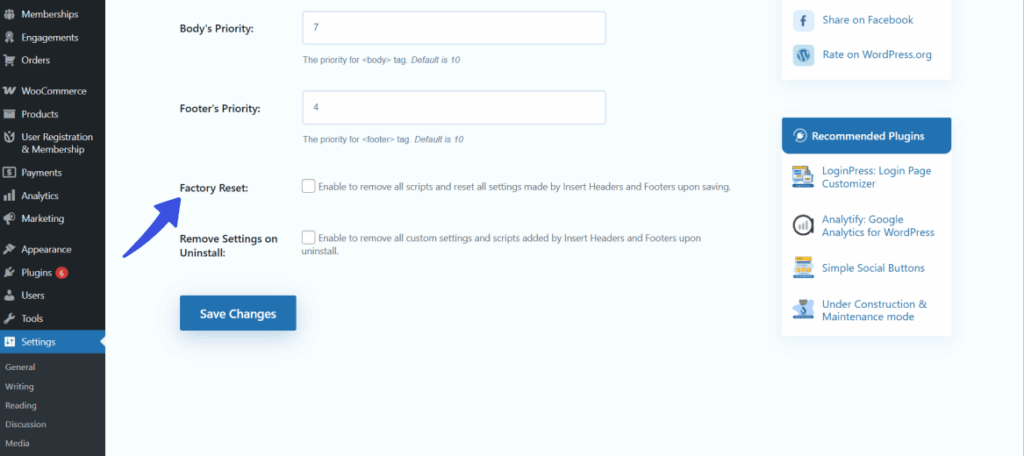
This feature is helpful when you need to start over with a clean configuration.
For example, if you are troubleshooting an issue or wish to remove all previous settings and scripts, you can use this option to reset everything back to its original state.
Remove Settings on Uninstall #
The Remove Settings on Uninstall option determines if the plugin’s settings and scripts are preserved or deleted when the plugin is uninstalled.
- If Enabled: All plugin data (including scripts and settings) will be removed when the plugin is uninstalled.
- If Disabled: The plugin’s settings will be preserved and restored if the plugin is reinstalled.
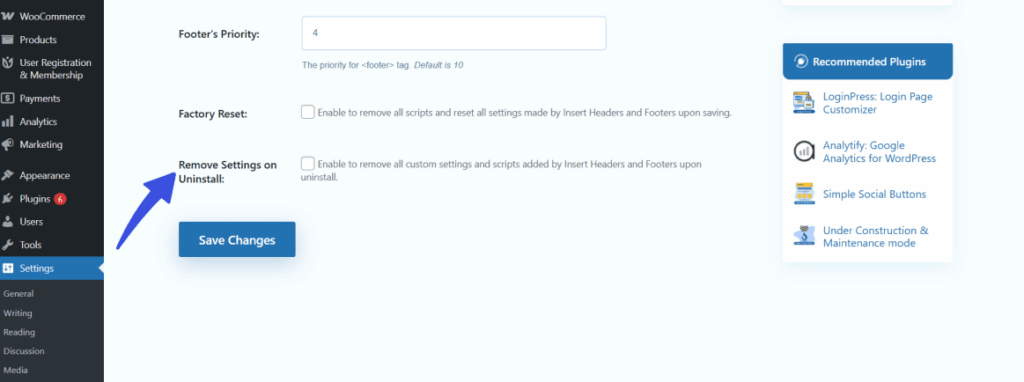
Enabling this option is useful for a clean uninstall, particularly when you are migrating or handing over a site to someone else. It ensures that all plugin data is deleted, leaving no residual settings behind, providing a fresh start for the new setup.
Final Words #
The Factory Reset and Remove Settings on Uninstall options give you full control over how the plugin handles your settings and data.
Whether you need to reset your configurations or ensure a clean uninstall, these features provide flexibility and convenience when managing your WordPress site.
For more information on controlling the execution order of scripts on your site, visit our guide on Script Priority Settings in WP Headers and Footers Plugin.
Feel free to reach out to our dedicated support team if you have any further questions!